Data Hopper EDW is a set of Apache Hop plugins for an Enterprise Data Warehouse: catalog, source models, model-driven Data Vault 2.0, Business Vault, and dimensional loading. Version 0.16.0 requires Apache Hop 2.20.0-SNAPSHOT and Java 21.
Model once. Generate loads and consumption layers. The visual models (.hsm, .hdv, .hbv, .hdm) are the contract between architects, modelers, and operations.
Build an EDW: Getting started — building an EDW. Architecture (catalog, resource definition group, four controls): Architecture. Tour the sample: Getting started — retail. AdventureWorks demo (SQL Server source → Postgres DV/BV/DM): Getting started — AdventureWorks (issue #180).
For a slide-style executive summary, see presentations/hop-data-vault-overview.md. Interactive HTML presentation: hop-data-vault-features.html. Clickable overview: component explorer. For DV concepts and canvas usage, see Data Vault plugin.
Large teams / hundreds of tables: how to split models, assign personas (modeler, admin, ops, BV/DM, analysts), use git and the data catalog, and orchestrate loads — see Organizing large Data Vault programs.
Feature maturity
| Feature | Status | Documentation |
|---|---|---|
Data Catalog + |
Available |
|
Source modeler ( |
Available |
|
Data type mappings (pre-modeling sources) |
Available |
Data type mappings, issue #113 |
Target type mappings (Hop type to DDL) |
Available |
Target type mappings, issue #127 |
Free SQL over source models (Calcite parse/plan, pushdown + residual pipeline) |
Available |
Source modeler (JDBC + DBeaver screenshots), source-model SQL plan, Free SQL + Source model SQL transform, |
Project / Search Everywhere for models and plugin metadata |
Available (Hop 2.19) |
|
Resource definition validation (issues, proposals, acknowledgements) |
Available |
|
Metadata harvesting (live source discovery + OPS history, distinct from load) |
Available (Phase 1–4) |
|
Schema gate |
Available (Phase 2) |
|
Schema harvest history browser (group + subject UI) |
Available (Phase 3) |
|
Model-check prefers harvest for type checks |
Available (Phase 4) |
|
PK/FK drift on harvest (OPS + optional catalog FK contract) |
Available |
|
Apply harvest FKs → catalog / generate |
Available |
|
Catalog version tags + schema impact simulation (CI/CD gate, blast radius) |
Available |
|
Data quality measure + quality gate (content rules, persist, alerts) |
Available (Phase 2) |
|
Data Vault modeler ( |
Available |
|
Composite hub business keys (multi-source-field → one vault BK column) |
Available |
|
Hub aliases / same hub twice on a link |
Available |
|
Large-program / multi-team modeling guide |
Available (docs) |
|
Architecture export (Draw.io) |
Available (SOLUTION + DATA inventory + aggregated DV/BV/DM ELK) |
|
Diagram export (Hop 2.20) |
Available (SVG, PDF, PlantUML, Draw.io, Mermaid for |
docs README ( |
Project documentation (static HTML) |
Available (Hop Web: explorer + RAP handler, issue #169) |
Project documentation, issue #25 |
Kimball bus matrix |
Available |
Bus matrix, issue #177 |
Model validation (Check model, type checking) |
Available |
|
Data Vault Update action |
Available |
|
Optional DV orphan handling (seed parent hubs, INFER / SENTINEL / QUARANTINE / FAIL) |
Available |
|
Update resource definition group action |
Available |
|
Integration modes (managed / external / custom) |
Available |
|
Business Vault modeler ( |
Available |
|
BV SCD2 (single + multi-satellite merge) |
Available |
|
BV SCD2 SQL calculations ( |
Available |
Business Vault SCD2, issue #150 |
BV SCD2 hub business keys + calculation-only mappings |
Available |
Business Vault SCD2, issue #153 |
BV source query (table/view or SQL on another connection for SCD2/PIT) |
Preview |
|
BV identity map (raw hub hash to durable hash, as-of lookup on SCD2) |
Preview |
Business Vault SCD2, issue #183 |
BV present flags (delta null means absent unless the flag says the field was cleared) |
Preview |
Business Vault SCD2, issue #183 |
BV survivorship (ranked field mappings replace the SCD2 merge for that table) |
Preview |
Business Vault SCD2, issue #183 |
BV source calendar (shared cutover windows on SCD2 legs) |
Preview |
Business Vault SCD2, issue #183 |
BV PIT tables |
Available |
|
BV bridge tables (hub hash keys, optional weight / SQL) |
Preview |
|
BV SQL views / tables ( |
Available |
Business Vault SQL ( |
Jinja macros for BV SQL (Jinjava + metadata library) |
Available |
Business Vault SQL, issue #72 |
dbt-core importer ( |
Available |
Import dbt models — BV canvas dialog + Import dbt project workflow action, issue #72 |
Catalog model registry (DV/BV/DM index) |
Available |
Published on catalog publish; short |
Source-to-target lineage (table + field, reason codes) |
Available |
|
Hop Lineage View ( |
Available |
Hop Lineage View, issue #79 |
Explainable DDL + lineage drift gate |
Available |
|
Reverse lineage browser (source field → consumers) |
Available |
|
BV→BV canvas references (multi-step BV) |
Available |
Alias cards + SQL |
Business Vault Update action |
Available |
|
Dimensional modeler ( |
Available |
|
Logical dimensional contracts (source type None) |
Available |
Sketch dims/facts without a load source; Check model warns; Dimensional Update skips. Dimensional modeler |
Dimensional field notes and requirements (Markdown) |
Available |
Field editor on attributes, keys, measures, degenerates; project-doc renders Markdown. Field editor |
Dimensional Update / Publish actions |
Available |
|
Execution maps ( |
Available |
|
Hopper presentations in Hop GUI |
Generated dashboards (no web server, no Hop metadata editors) via Tools → Project presentation… and explorer View execution presentation on |
|
Semantic layer ( |
Preview |
Consumption metadata over |
EDW Journey perspective |
Available (map, Open, last-run, grow, contextual docs) |
|
Operational analytics |
Available |
Generate a source model, raw vault, Business Vault, dimensional model, and load workflows from the OPS database. Tools → Create operational analytics… and the EDW Journey toolbar. Operational analytics, issue #195 |
Hop Web modelers ( |
Available (experimental; needs Hop canvas SPI) |
Hop Web modelers, issue #119 |
AI Help (model, pipeline, workflow) |
Available (DV/BV/DM proposals; |
|
Get Record Definition Names transform |
Available |
|
Record Definition DDL transform |
Available |
|
Catalog Record Definition Metadata Output transform |
Available |
|
Record Definition Input transform (data rows) |
Available |
|
Date Dimension Generator transform |
Available |
|
Synthetic data transform |
Available |
|
Dimensional modeler date generator source ( |
Available |
Canvas Add date dimension; fiscal offsets + relative attrs; |
|
Available |
|
|
Available |
|
EDW naming schemes |
Available |
Hop 2.20 Naming Schemes for models, tables, physical names, and record definitions; EDW naming schemes |
BV semantic naming rules |
Planned |
Vague tokens, language, acknowledgements; BV naming rules plan (mechanical schemes first) |
Marquez / OpenLineage export |
Available |
Architecture (logical)
Full pictures (catalog writers/readers, resource definition group spine, build vs run, harvest vs schema gate vs quality): Architecture.

A resource definition group lists the .hdv / .hbv / .hdm files. Update resource definition group loads them (DV then BV then DM) and can publish target layouts back to the catalog. See Resource definition group.
Major capabilities
Data Catalog and sources
Record definitions of type DV_SOURCE describe logical feeds: record-source indicator, optional group for partial loads, and physical layout (database table, file types, or composite multi-table query). Definitions live under namespace hop/{project}/sources in the project’s FILE catalog storage directory (retail: work/edw-catalog/) and open in the Data Catalog perspective.
Hubs, links, and satellites reference source names, not raw connection details — one stable vocabulary from catalog through models to generated pipelines. A resource definition group lists the warehouse models that harvest, validate, and load together. Pictures: Architecture.
Source modeler (.hsm)
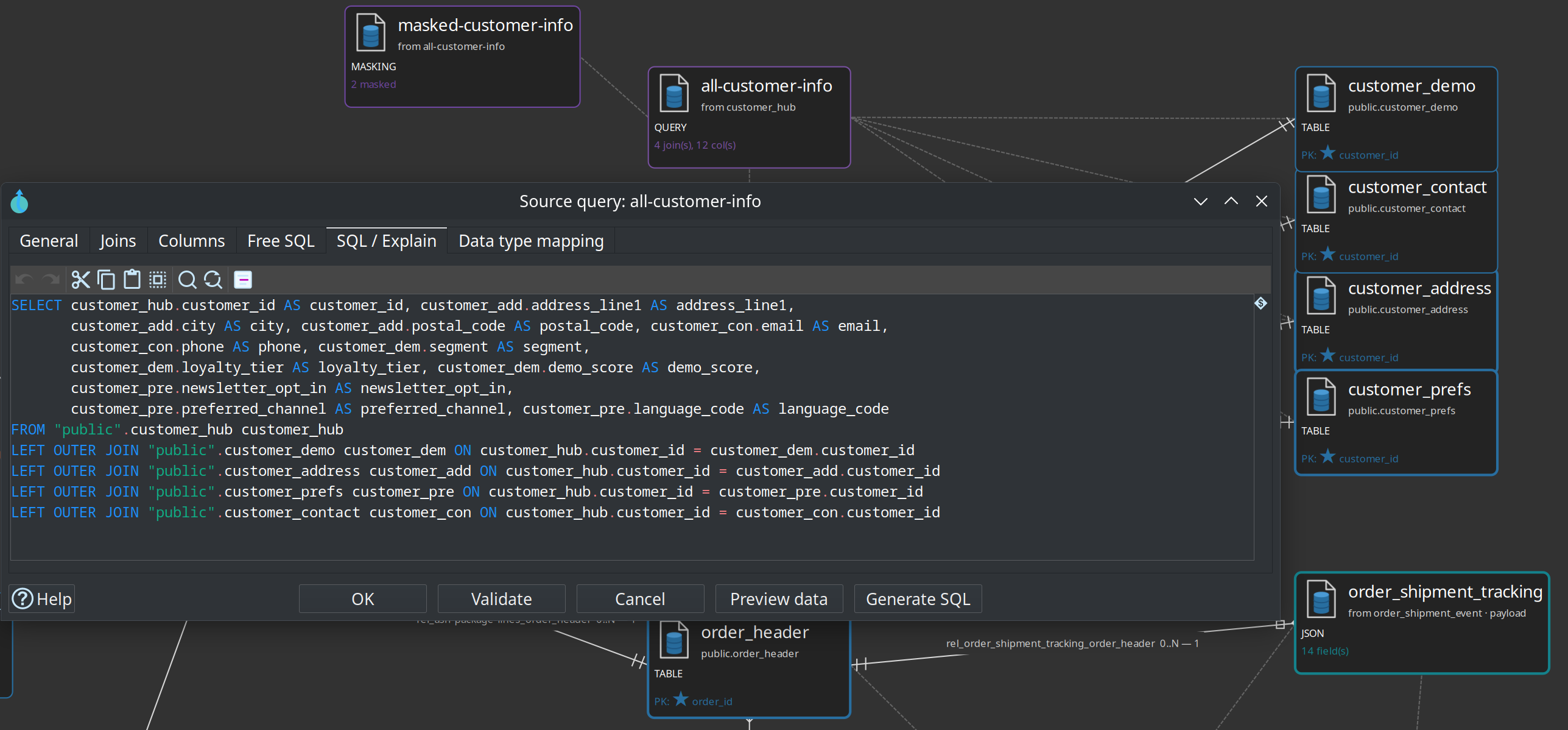
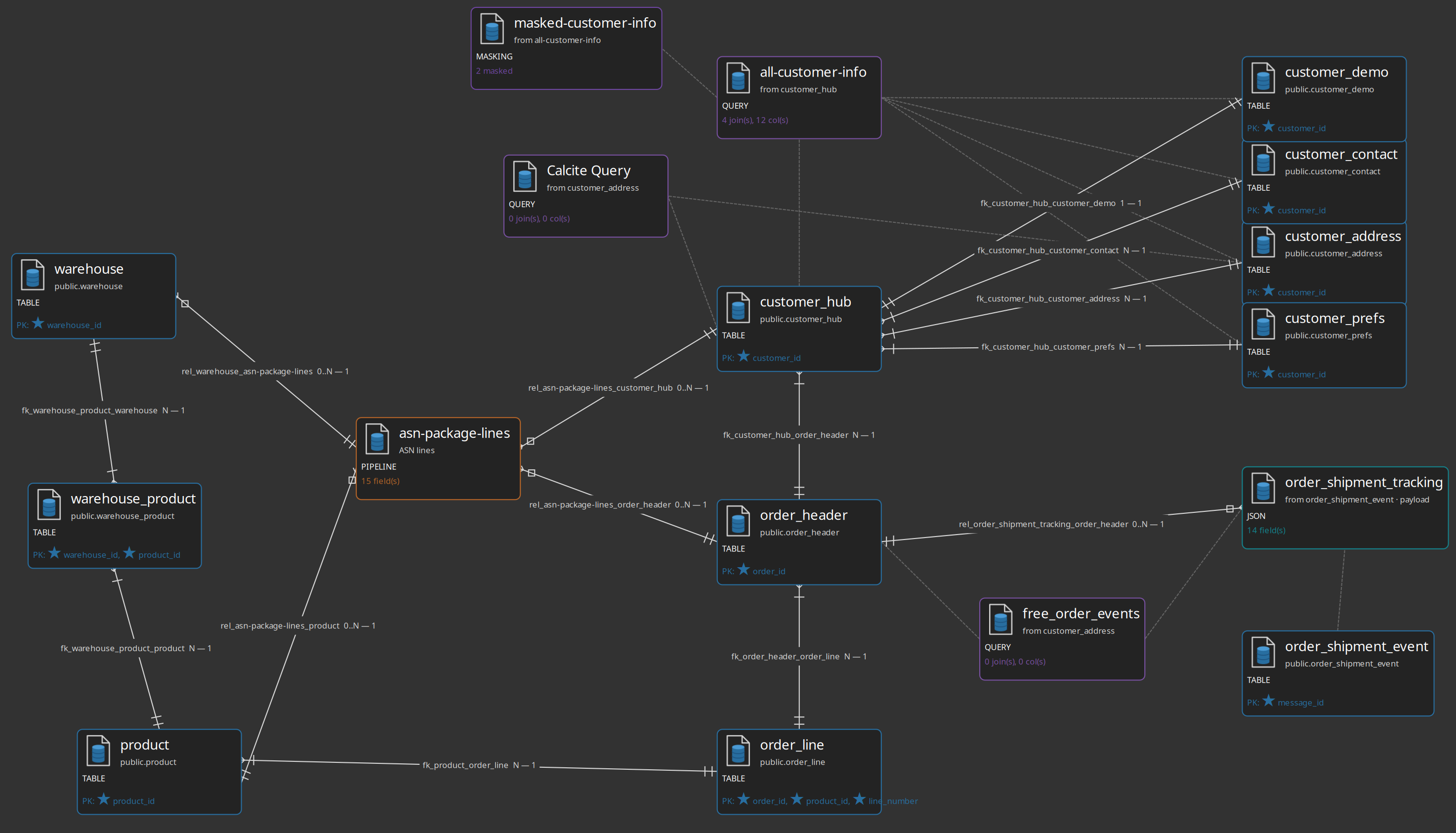
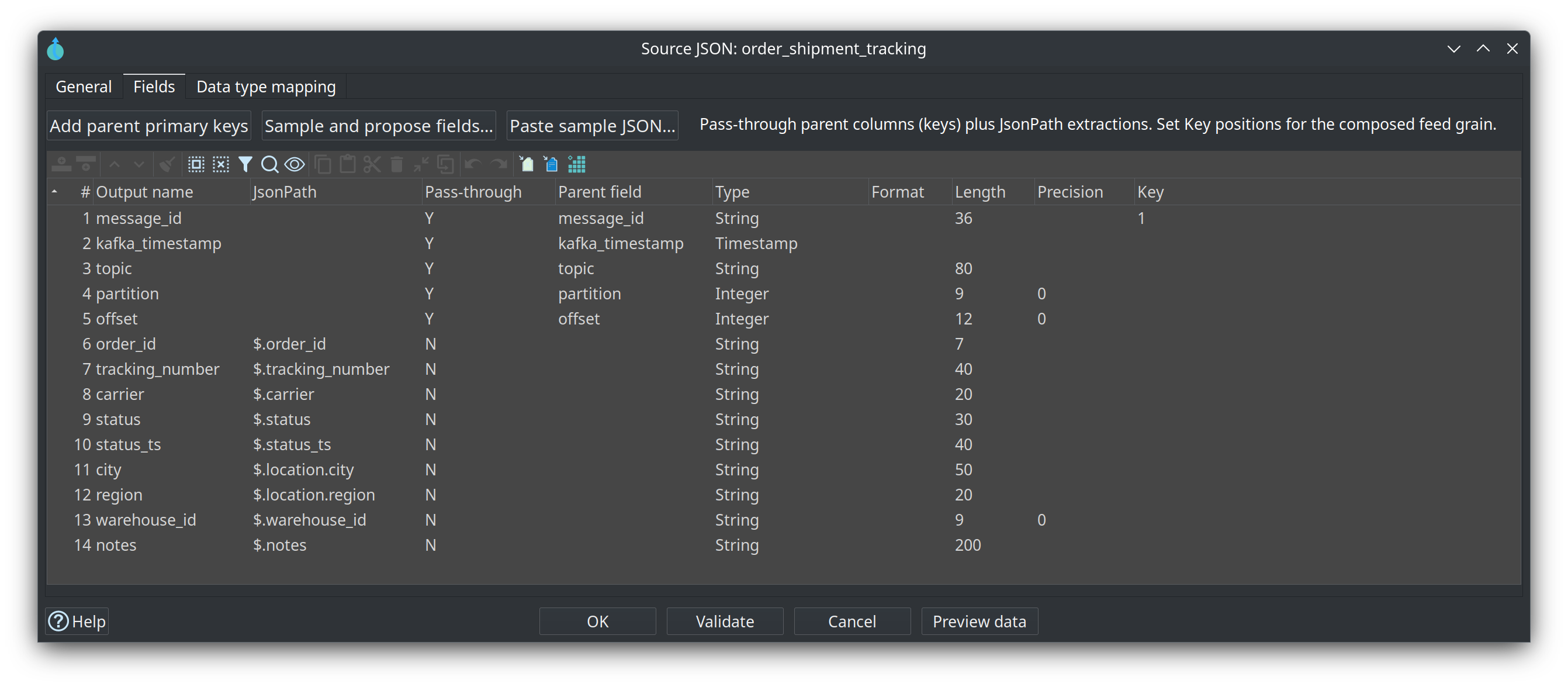
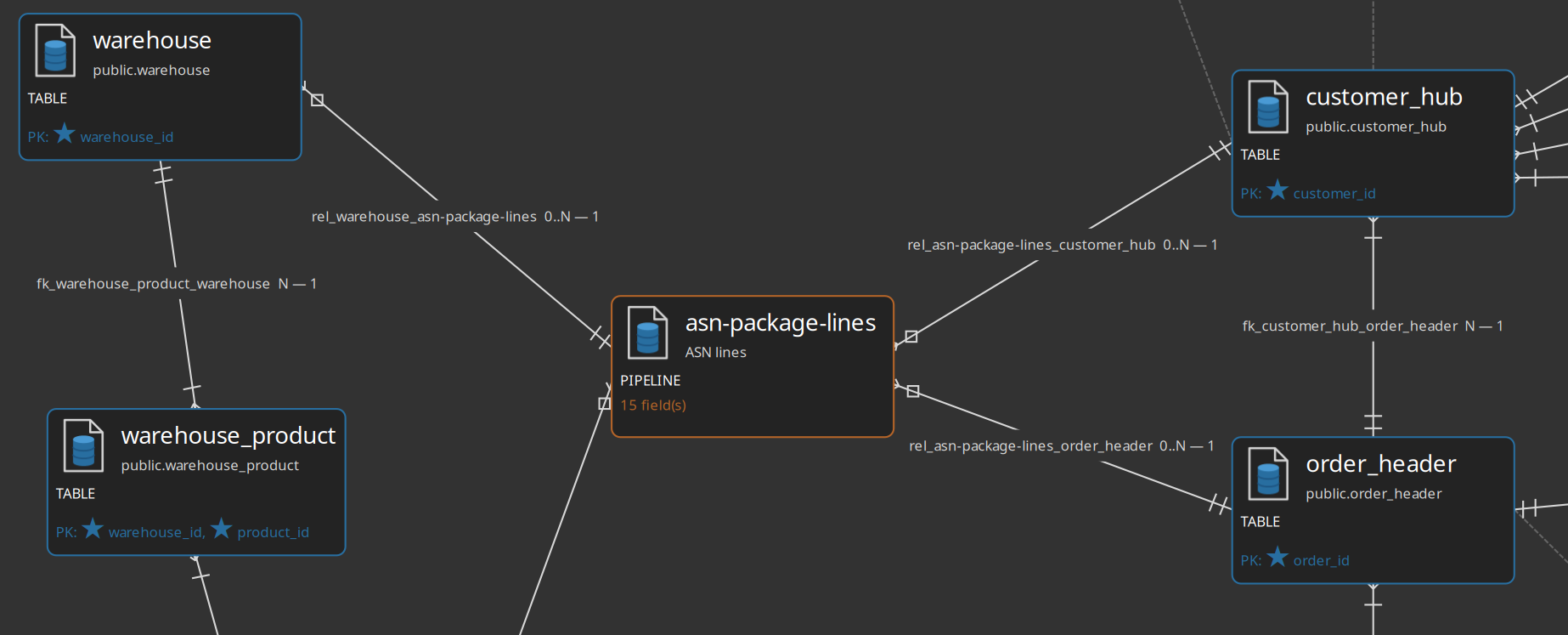
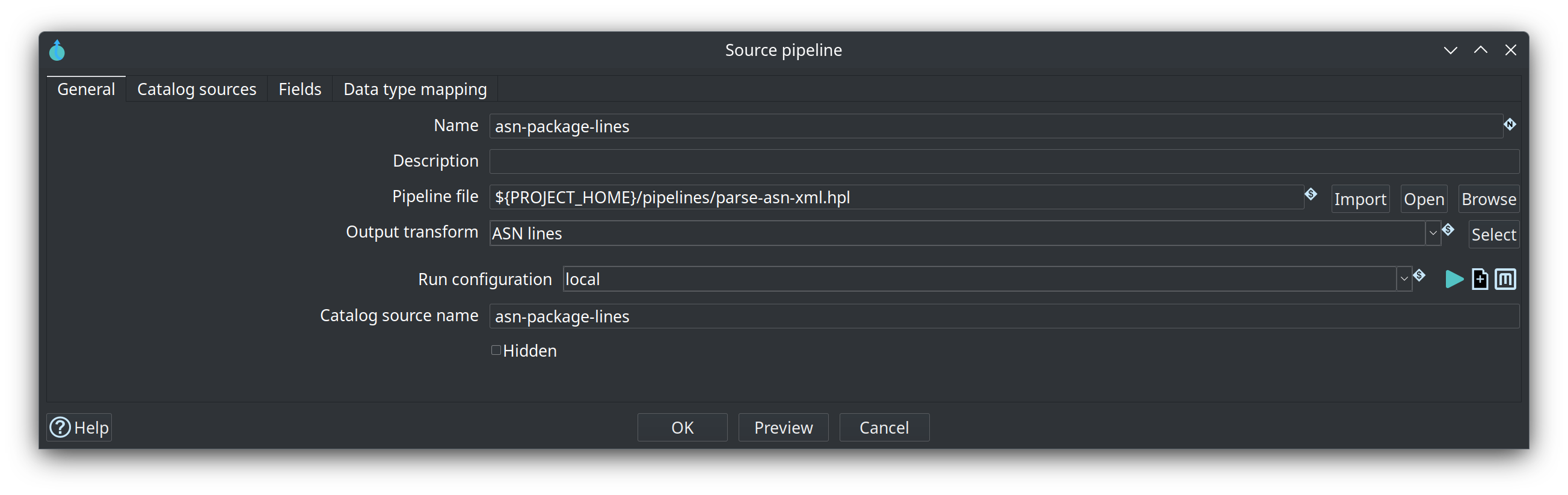
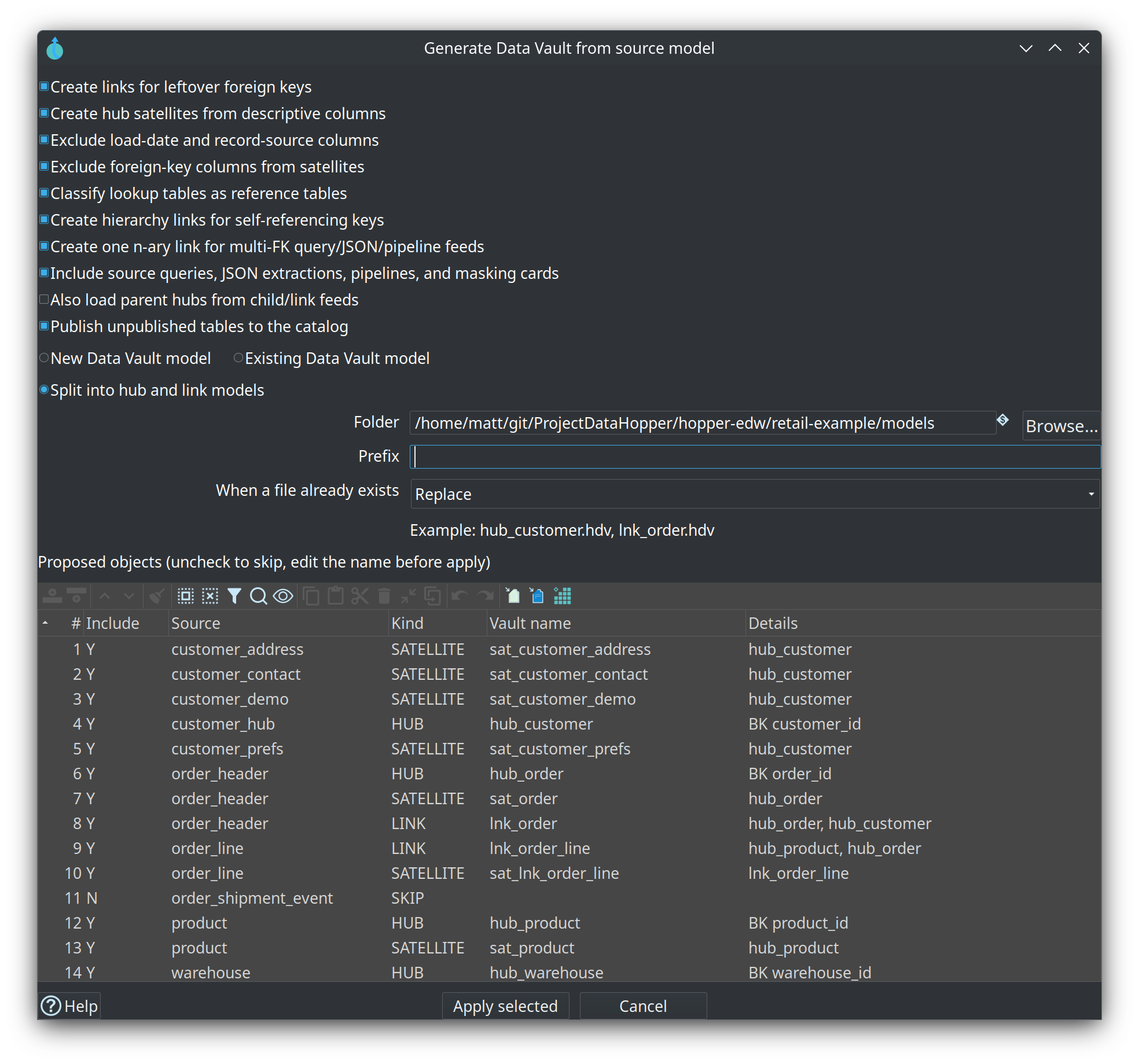
Visual source-system modeler: import tables with PK/FK, draw relationships, generate a raw Data Vault (hubs, links, satellites, reference tables, hierarchy aliases) from selected tables, queries, JSON extractions, and pipelines after review, compose source queries (joins + projections), source JSON extractions (flatten a parent JSON field; chain steps for nested arrays), pipeline sources (declare a .hpl + output transform + field contract; publish as catalog PIPELINE), and source masking cards (a virtual table that runs Hop Mask fields; publish as catalog MASKING). Validate tables/queries/JSON/masking/pipelines/relationships at design time. Publish queries as COMPOSITE, JSON as JSON, masking cards as MASKING, pipelines as PIPELINE; Data Vault loads generate SQL/Merge Join, parent + JsonInput, parent + Mask fields, or MetaInject pipelines (with record-source injection and hub sort/distinct where needed). Catalog Go to origin opens the .hsm card for published pipeline/JSON/composite feeds. Retail sample: retail-example/models/source-tables-crm.hsm (shipment JSON + ASN pipeline) → retail-360.hdv. See Source modeler.
Project and metadata search (Hop 2.19)
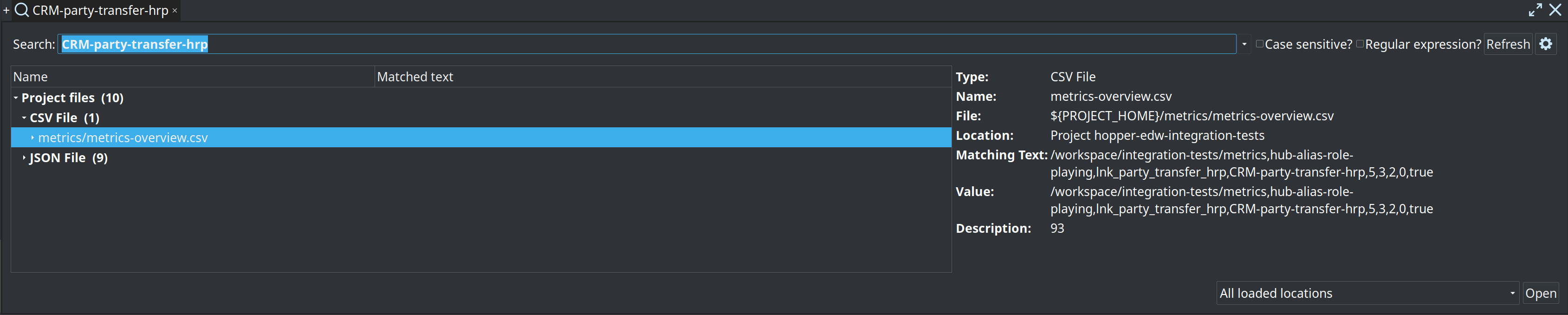
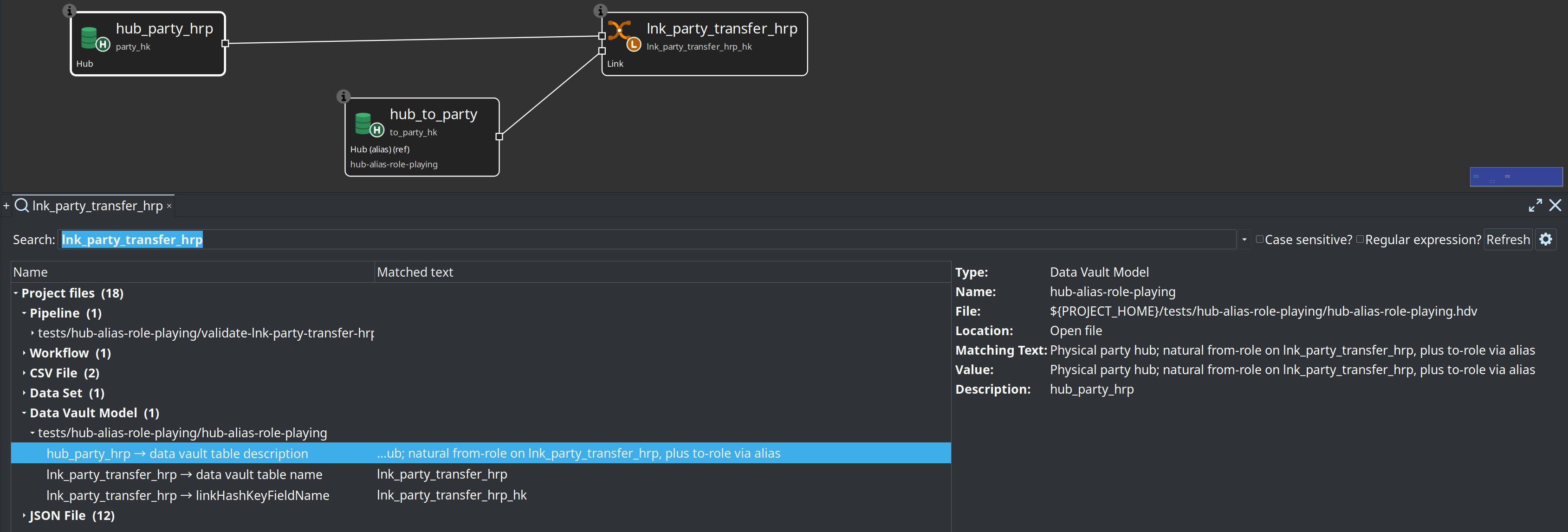
Hop Search Everywhere / project search includes Data Hopper EDW models and metadata:
| Scope | Examples of matches |
|---|---|
|
Source tables, relationships, multi-table query names, WHERE text, published feed names |
|
Hub / link / satellite names, physical names, configuration, canvas notes |
|
BV and dimensional table names, paths, configuration, notes |
|
Lineage backend name, logical table, dataset/job names, model file |
Resource definition group |
Group name, catalog connection, listed |
Data catalog, metrics profile, quality rule set |
Connection paths, rule field names, metrics folder |
Open a model hit to open the file (or focus an open tab) and jump to the matching table or source query when the hit carries a component name. Open tabs search unsaved in-memory content. Full usage: Search.
Raw Data Vault (.hdv)
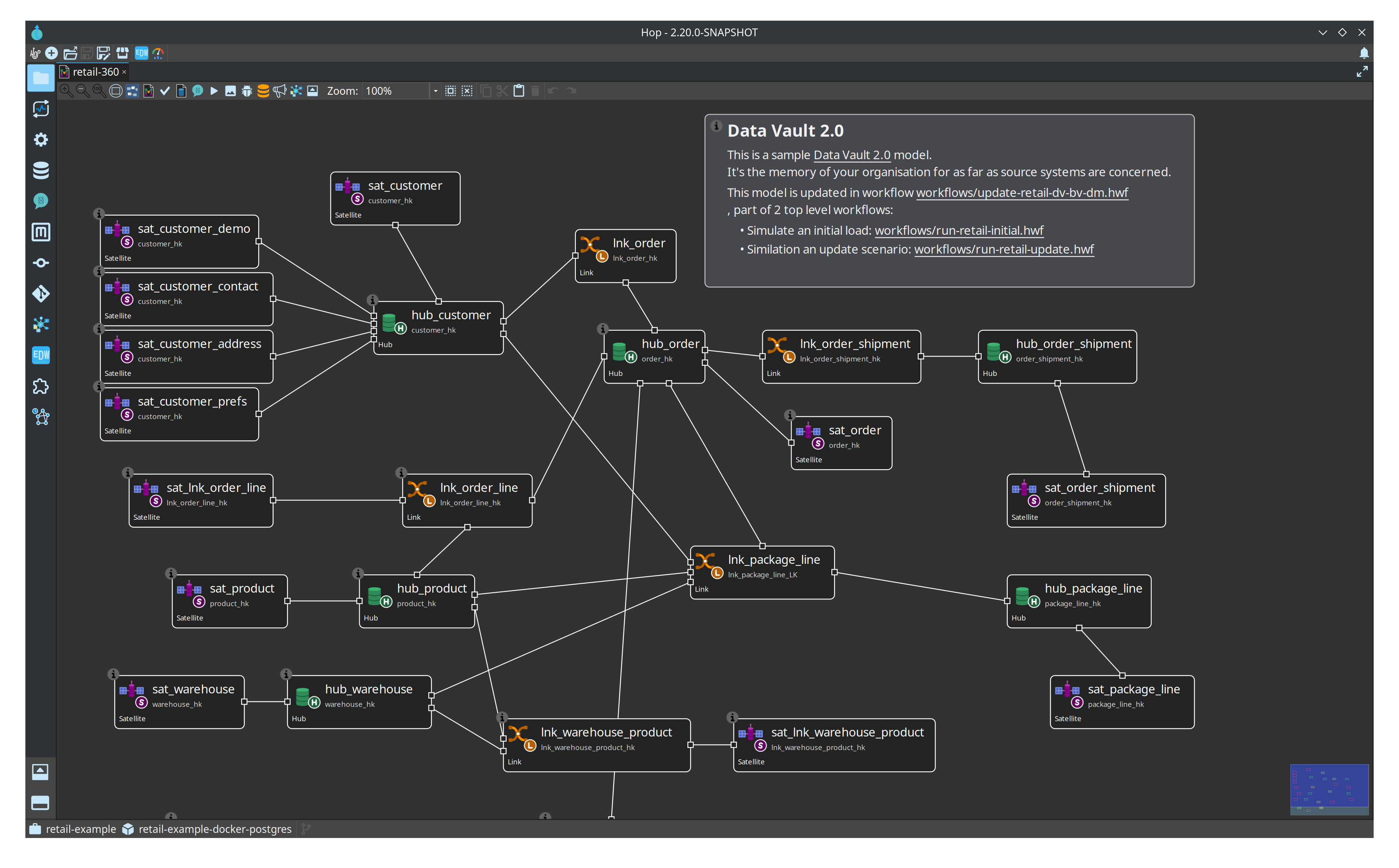
Visual modeler for hubs, links, and satellites with embedded configuration (target database, hashing, sentinels, column names, pipeline options). Toolbar actions: Edit model, Import sources, Check model, Generate DDL, Debug, optional AI Help. A configuration Read-only existing vault checkbox documents an already-built vault so Business Vault and dimensional models can sit on top without Hop loading or altering those tables.
Data Vault Update workflow action validates (optionally), generates DDL, stages update pipelines, and runs them in parallel with a shared load timestamp.
Model validation and schema gate
Check model in the GUI and model checks in update actions share one engine: structural rules plus optional detailed data type checking against live source schemas.
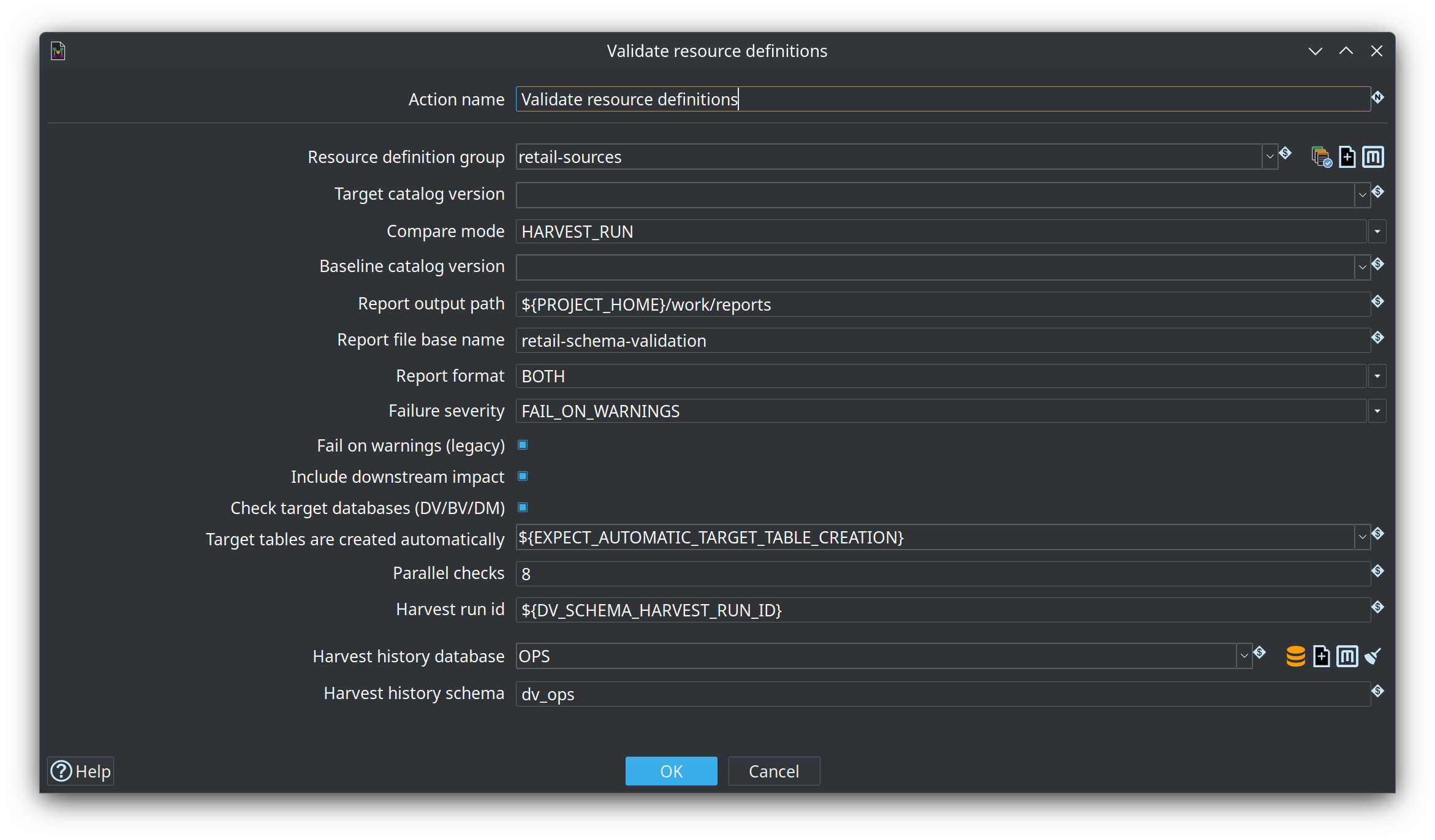
Catalog resource definition validation adds feed-level checks with remediation proposals, acknowledgements, and downstream impact (Source→DV→BV→DM). From a Resource definition group you can Tag catalog version, List catalog versions, and Validate sources (options dialog for baseline + axes). Length remediation expands models and multi-layer DDL (DV/BV/DM) from the catalog length without rewriting the catalog. Retail sample package: workflows/schema-remediation/accept-address_line1/ (see Resource definition validation).
The Validate resource definitions workflow action is the CI/CD schema gate:
-
Compare modes: live source vs catalog, working tree vs tagged baseline, or version vs version
-
Failure severity (
FAIL_ON_BLOCKING,FAIL_ON_WARNINGS,WARN_ONLY) -
Markdown/HTML reports (for example under
work/reports/) with blast-radius tables
Business Vault (.hbv)
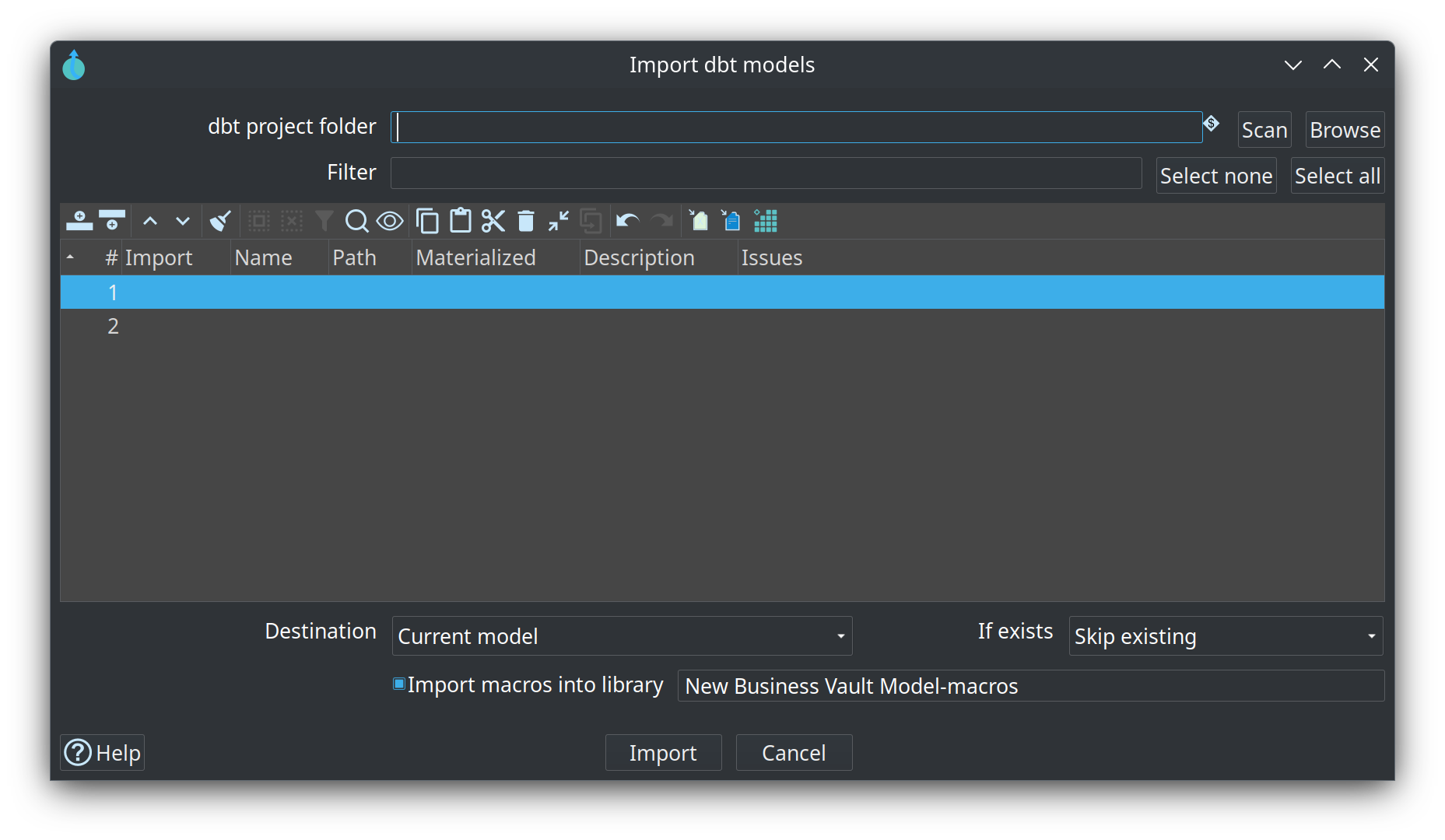
Linked to a .hdv model. Defines SCD2 consumption tables (single- or multi-satellite merge), PIT helpers, bridges (query-friendly hub hash-key tables, usually from a DV link), and SQL views/tables (dbt-style ref / source, optional Jinja macros). Import dbt models on the canvas (and the Import dbt project workflow action) loads a dbt-core project as SQL business tables. Business Vault Update validates, optionally publishes target layouts to the catalog, generates SCD2 build pipelines (hash-key partitioned full rebuilds run as truncate-then-load wrapper workflows), and orchestrates parallel execution.
Dimensional modeler (.hdm)
Kimball star/snowflake modeling: dimensions, facts, junk dimensions, bridges, snapshot facts, and aggregates. Dimensional Publish drafts a .hdm from a .hdv; Dimensional Update loads the mart. Shares canvas interaction patterns with the DV modeler.
Execution maps (.hem)
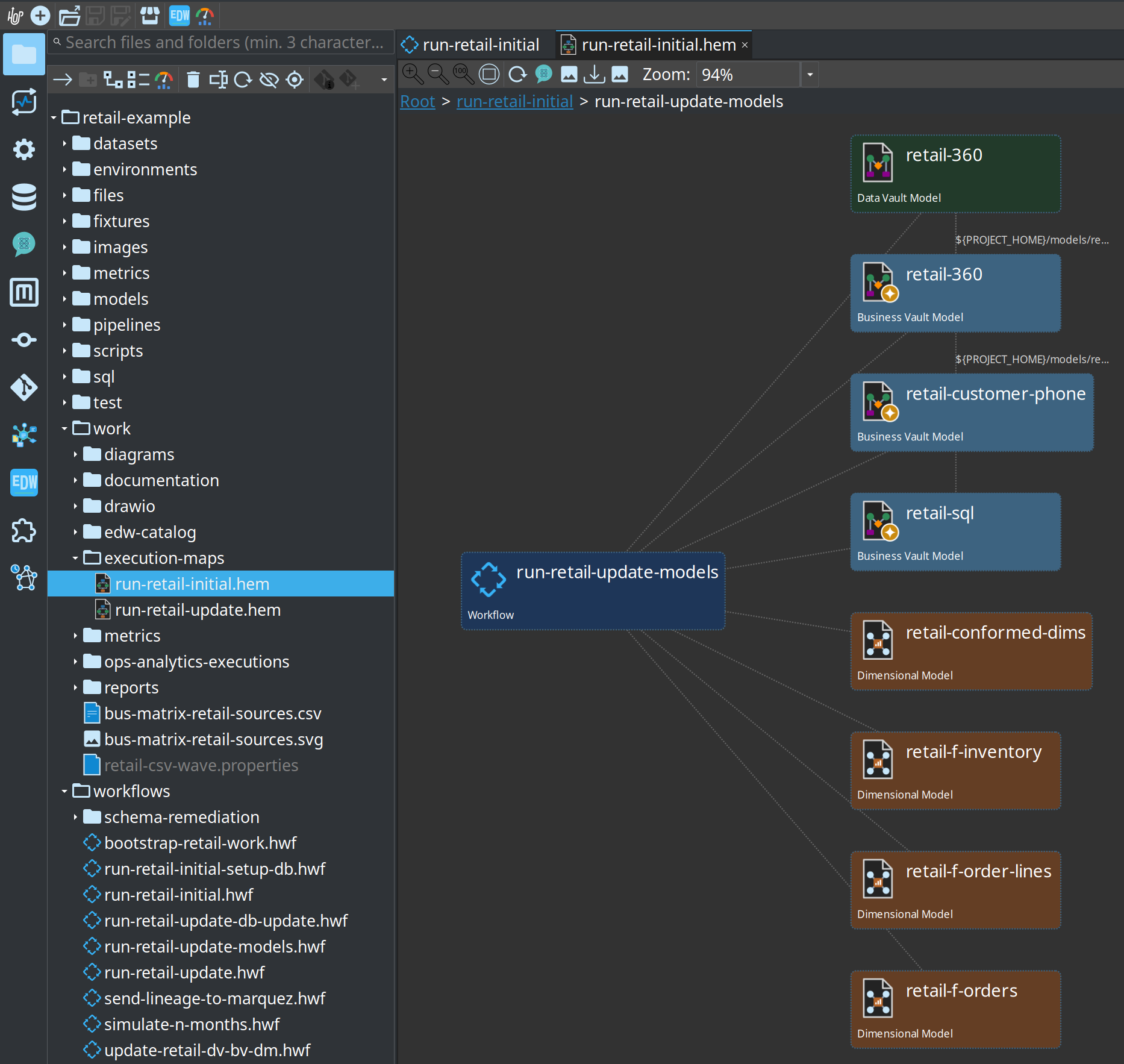
Crawl a root workflow or model and persist a graph of workflows, models, generated pipelines, and source datasets. Open .hem files in Hop GUI for execution and lineage views. The retail example includes maps for its main update workflow and the six-month simulation.
Hop Lineage View (.hlv)
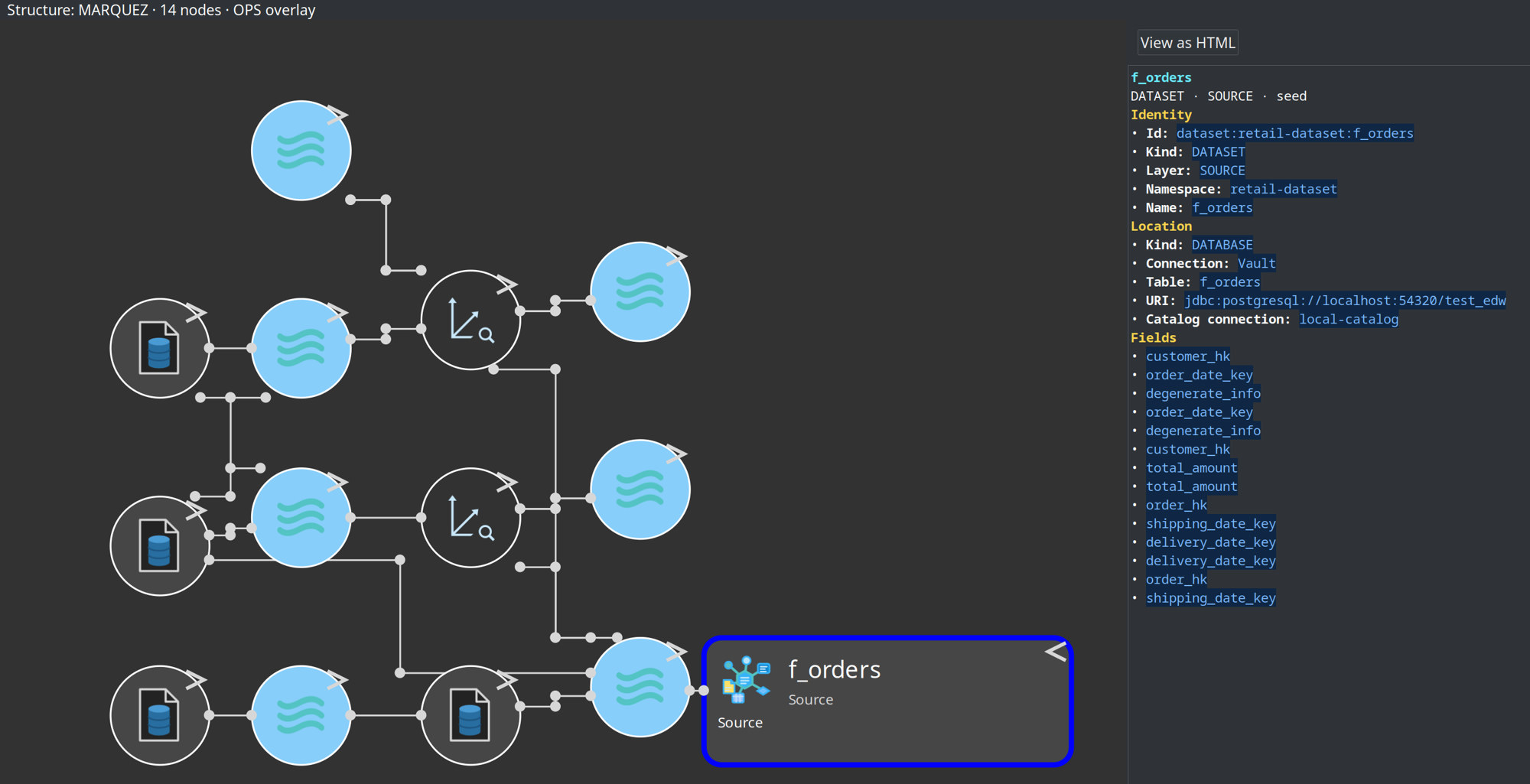
Author a small view definition (seed table, depth, backend) and query Marquez, a folder of exported OpenLineage events, or the current models. The graph is not stored in the file. Show lineage on a DV/BV/DM table opens an unsaved upstream tab. Load-time badges come from the Hop OPS database — Marquez latestRun is the last export, not the last load. Retail sample: retail-example/models/f_orders-upstream.hlv. See Hop Lineage View.
AI Help
Optional LLM advisory on Data Vault models, pipelines, and workflows — scenarios, context inclusions, review-before-apply proposals. Configure under Hop GUI → Configuration → AI Assistant.
The Performance tuning scenario can include load-run metrics and propose model configuration changes (parallel copies, preload lookup cache) after review:
Pipeline transforms
-
Get Record Definition Names — stream catalog record definition metadata (or field layouts) as pipeline rows.
-
Catalog Record Definition Metadata Output — discover or migrate field layouts into the data catalog (including stream field grouping).
-
Record Definition Input — read actual data rows from a catalog record definition (same path as catalog Preview data).
-
Date Dimension Generator — populate standard calendar dimension attributes.
-
Synthetic data — seeded rows (sequences, choices, parent/child, unique pairs, optional nested XML). Retail source waves use
retail-example/pipelines/generate-retail-data.hpl.
Operations
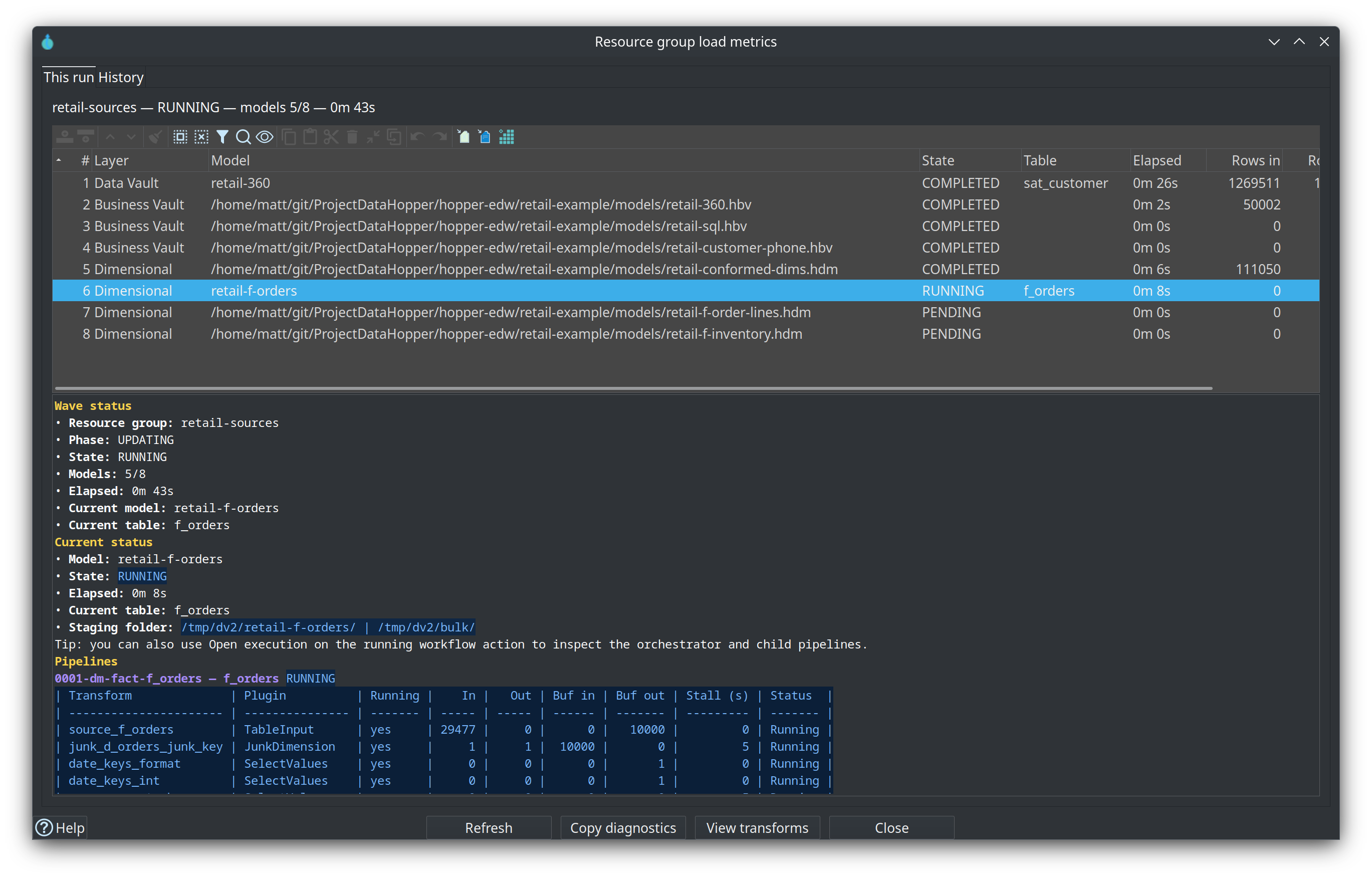
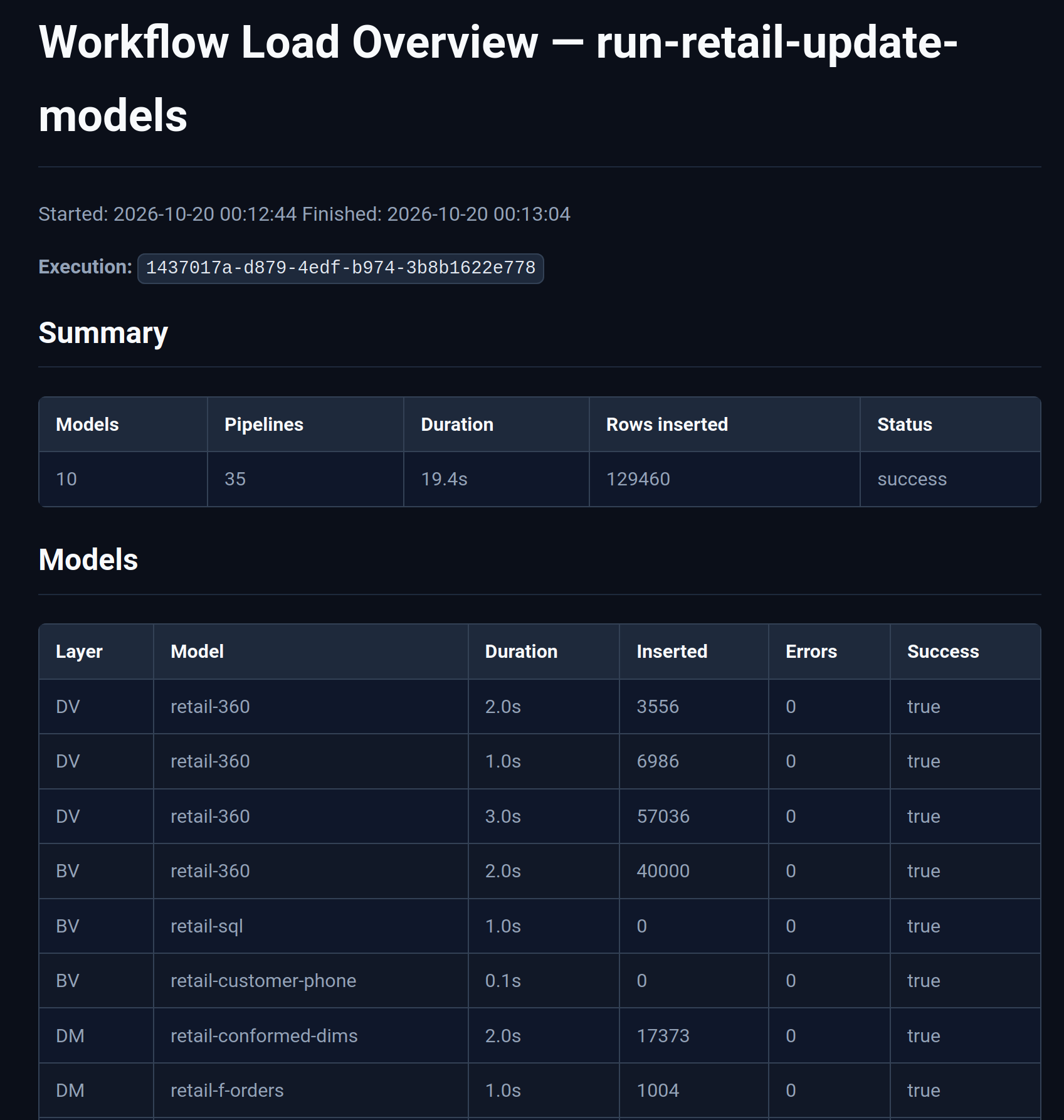
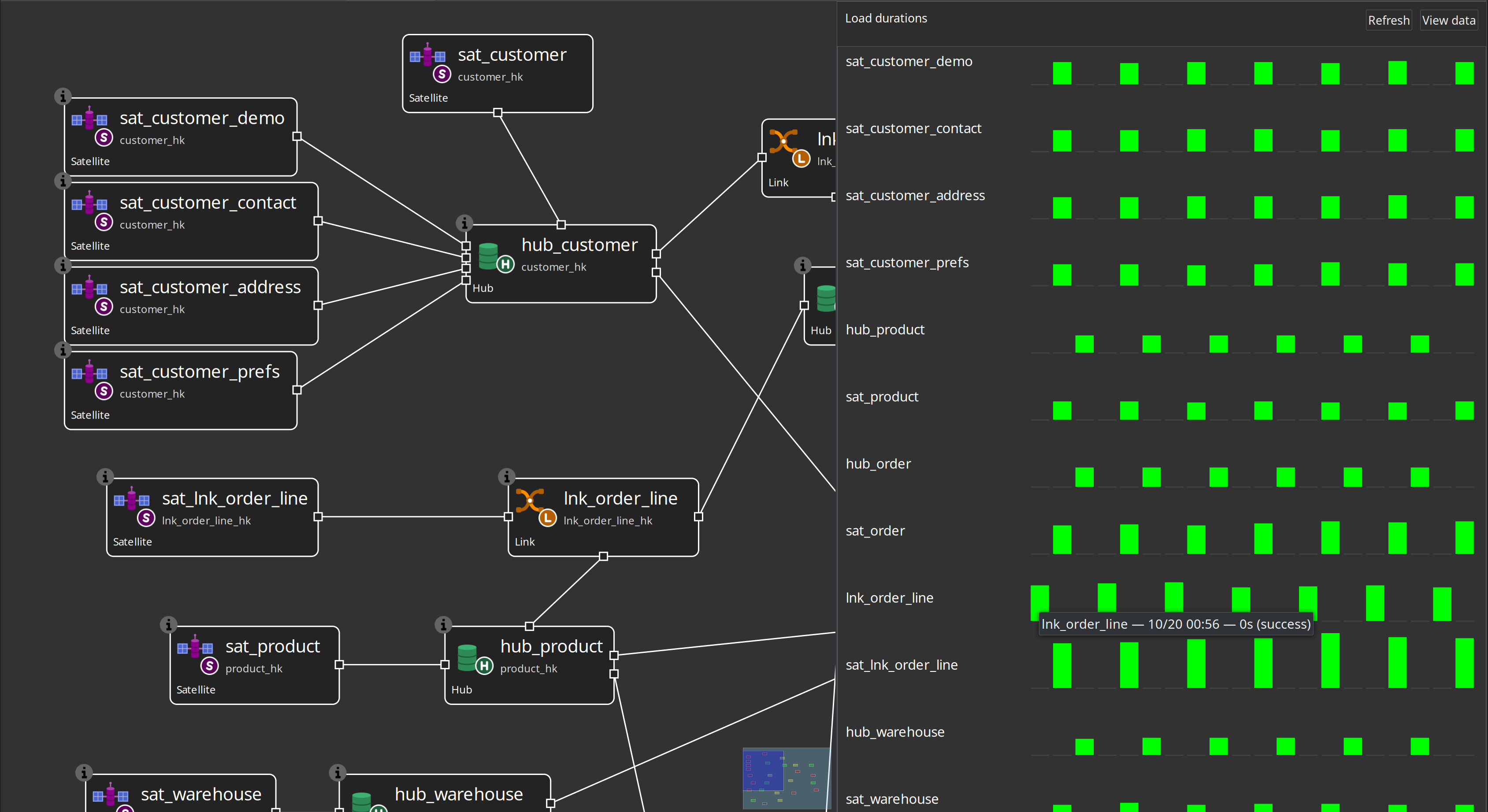
Docker-based runners (scripts/run-hop.sh, run-postgres.sh), parallel pipeline orchestration, record source group partial loads, catalog-backed load-run metrics, workflow load overview reports, and per-table duration bars on model graphs.
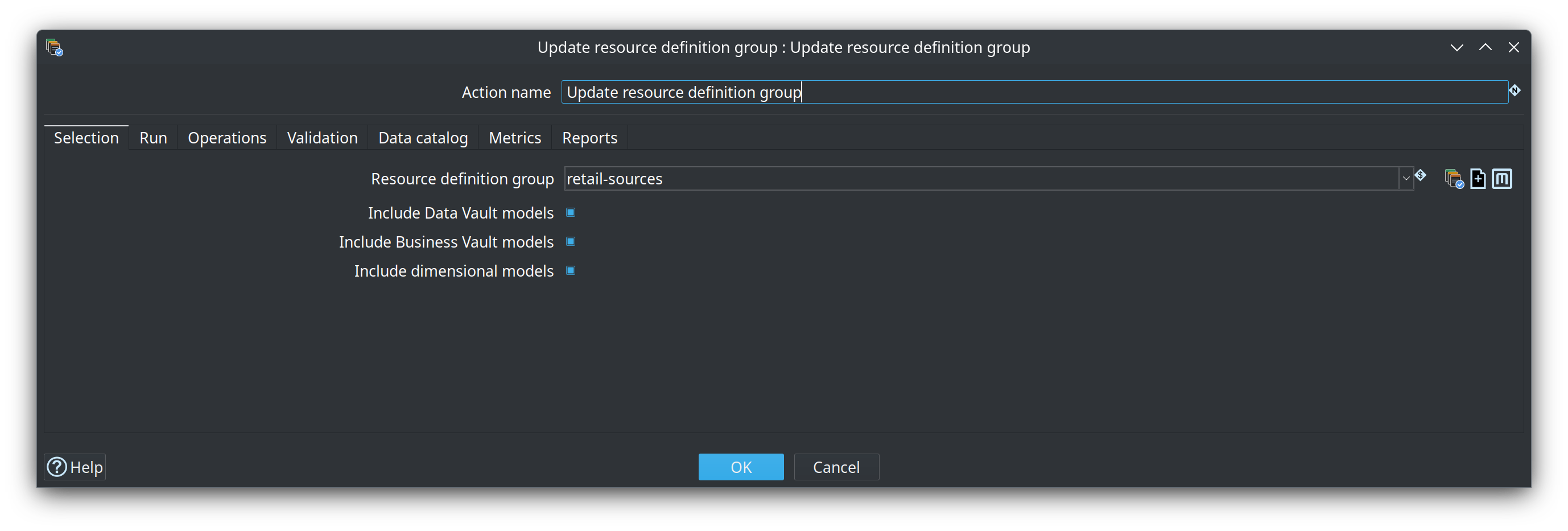
Preferred batch shape: Update resource definition group runs every DV/BV/DM model listed on a resource definition group (layer order DV → BV → DM), manages Begin/End-style vault update metrics in one action, and can write Markdown/HTML load overview reports. See Update resource definition group, Operations, and Performance tuning.
Sample projects
| Project | Use for |
|---|---|
Learning path — CSV → CRM → DV → BV → DM, initial and monthly updates |
|
CI/regression — Customer 360, multi-active, external read-only, golden datasets |
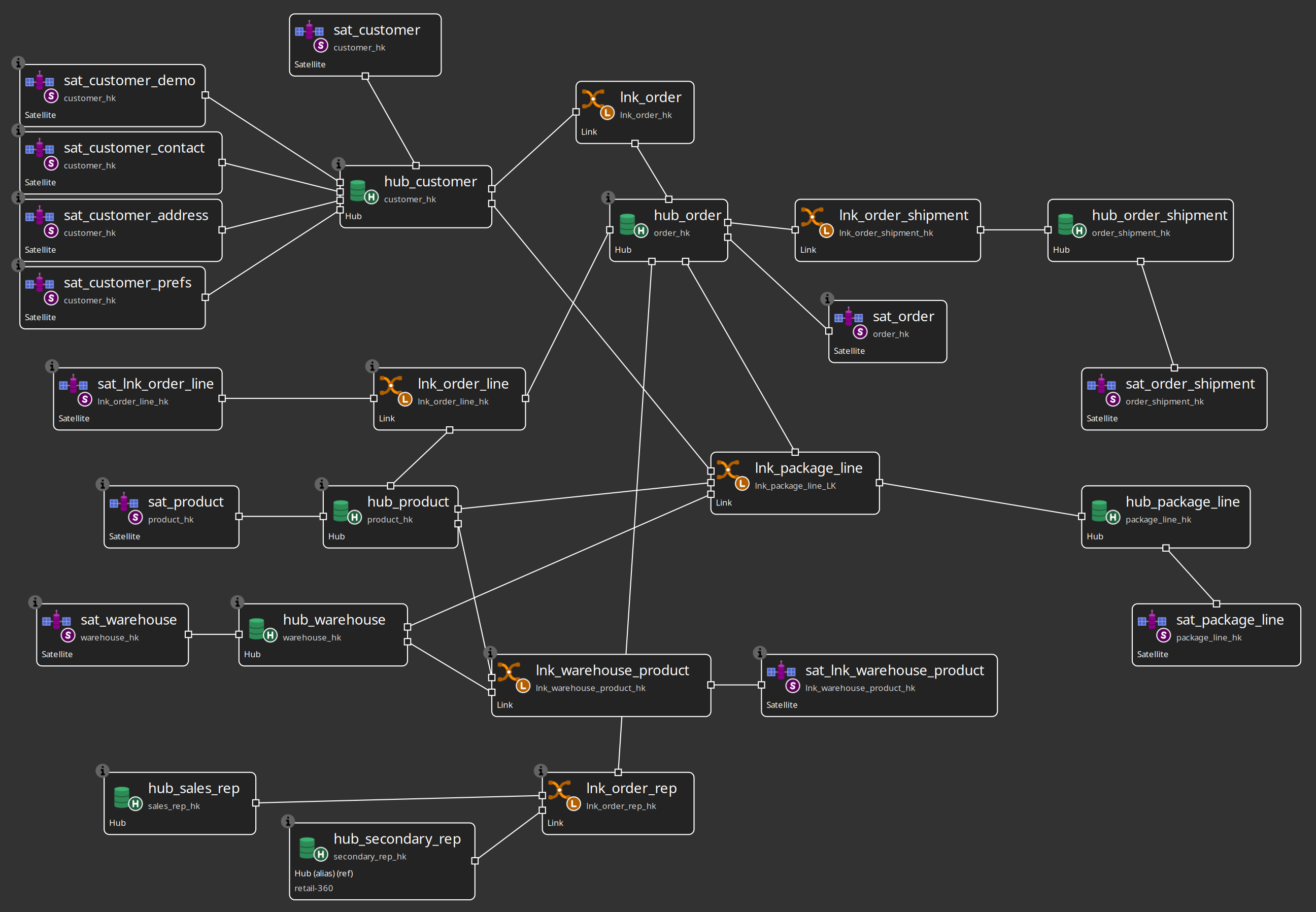
Recommended path: Architecture → Getting started — building an EDW to build → Getting started — retail to tour the sample → Getting started — integration tests for advanced fixtures.
0.1.x focus
The transition from 0.0.x to 0.1.x emphasizes:
-
Documentation completeness and accurate catalog-first workflows
-
Validation UX (model checks + catalog issue handling, schema gates, catalog versions)
-
First-time build order (Getting started — building an EDW) plus the retail sample tour
-
Hardening existing modelers and actions rather than large new subsystems