The Business Vault layer sits on top of the raw Data Vault. It turns insert-only satellite history into consumption-ready tables — primarily functional SCD Type 2 timelines and point-in-time (PIT) snapshot helpers for technical as-of queries.
Business Vault models are saved as .hbv files and always reference a linked .hdv Data Vault model.
Why Business Vault
Raw Data Vault satellites record when the warehouse loaded a change (technical load timestamp). Reporting and operational analytics often need when the source system said a value was true (functional effective date).
Hand-building SCD2 or as-of logic in SQL or dbt for every satellite is repetitive and drifts from the vault model. The plugin generates Hop pipelines from DV metadata:
-
SCD2 — reads satellite history, collapses versions into
valid_from/valid_tointervals, applies open-ended sentinels, loads a BV table. SCD2 is pure Type 2; hybrid Type 1 + Type 2 presentation and “always current” attributes are expected in dimensional models or via a separate current-state join, not by rewriting SCD2 history (see Type 1 vs Type 2 and hybrid attributes). -
PIT — reads raw hub and satellite history, materializes snapshot dates with satellite load-timestamp pointers for fast as-of joins (not hybrid attribute storage)
Business Vault model (.hbv)
A Business Vault model contains:
-
Data Vault model path — path to the linked
.hdvfile (variables such as${PROJECT_HOME}supported) -
Configuration — target database, SCD2 defaults, pipeline naming; see Business Vault Configuration
-
Tables — SCD2 tables, PIT tables, SQL business tables, source queries, and bridges
Open a .hbv file in Hop GUI to get a visual editor comparable to the Data Vault canvas.
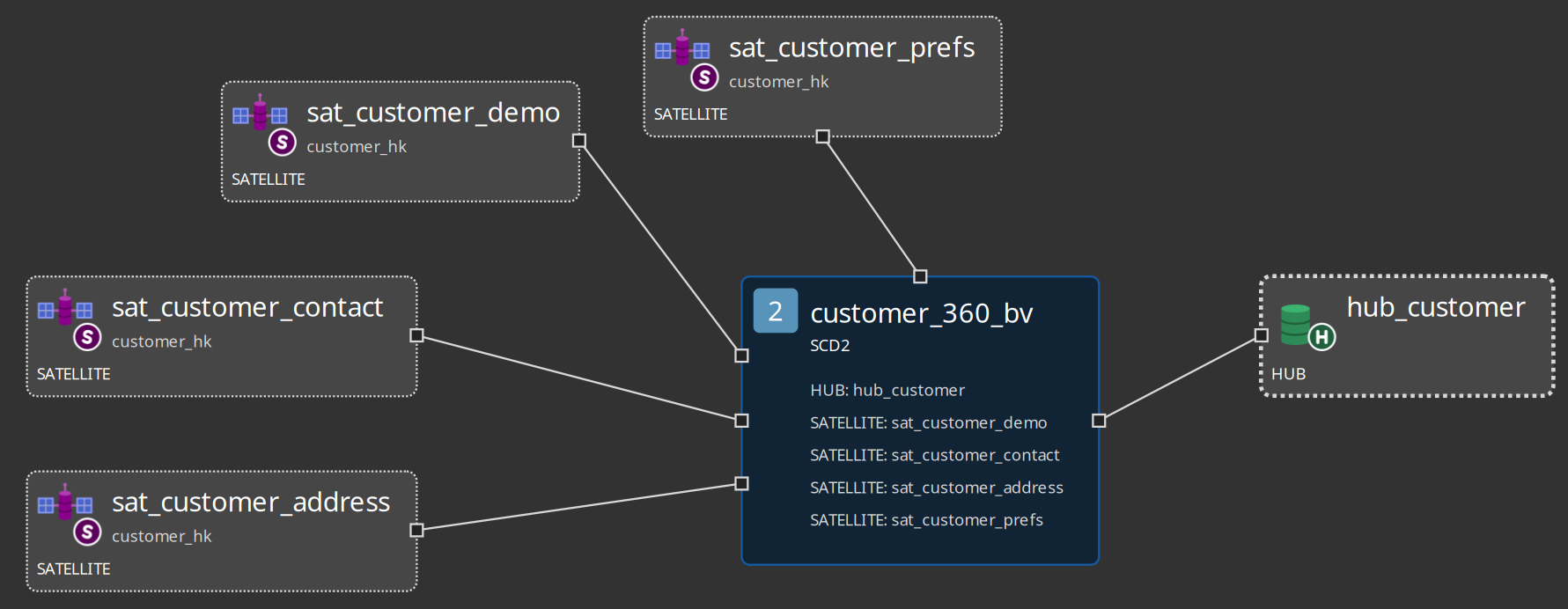
Canvas and toolbar
The Business Vault editor uses the same touch-friendly interaction model as the Data Vault editor:
-
Left-click context menus with icon actions (no right-click)
-
Drag tables to position them
-
Toolbar: Edit model, Check model, Reload DV model, Import dbt models, Debug (generate build pipelines), zoom
Table types
| Type | Purpose |
|---|---|
SCD2 ( |
Merge one or more DV satellites into a functional SCD2 table. Link one parent hub on the canvas so the grain and business keys are visible. See Business Vault SCD2. |
PIT ( |
Point-in-time helper for technical as-of queries: hub grain × snapshot dates with satellite load-timestamp pointers. See Business Vault PIT. |
Business / SQL table ( |
SQL-sourced object materialised as a view or table (`CREATE OR REPLACE VIEW |
TABLE … AS … |
Source query ( |
Satellite-shaped input (table/view or SQL) that SCD2 and PIT can hop to. Optional Hop connection (empty = Data Vault target). Not loaded by Business Vault Update. See source query dialog and SCD2. |
Bridge ( |
Query-friendly table of two or more hub hash keys, usually from a Data Vault link, with optional weight and load SQL. Loaded by Business Vault Update. See Business Vault bridge. |
Identity map ( |
Shared raw-hub-hash to durable-hash map for one hub. Loaded before SCD2 tables that name it. Does not truncate, so the durable key survives the next run. See Business Vault SCD2. |
Source calendar ( |
Workflow integration
Production rebuilds use the Business Vault Update workflow action (BUSINESS_VAULT_UPDATE). It mirrors the Data Vault Update pattern: model check, optional DDL, pipeline generation, parallel orchestration, optional catalog publish.
Relationship to raw Data Vault
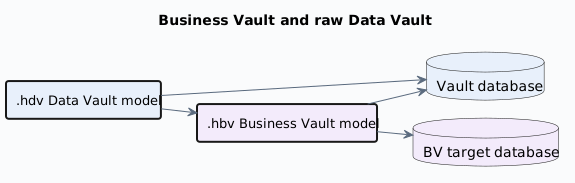
PlantUML source: bv-raw-vault-relationship.puml.
Business Vault reads hub and satellite history from the Data Vault target database (configured on the .hdv model). It writes SCD2 and PIT tables to the Business Vault target database (configured on the .hbv model). Both connections must exist in Hop project metadata. SCD2 and PIT are independent data paths; Business Vault Update runs SCD2 build pipelines first, then PIT.
External Data Vault tables
When raw vault tables are loaded outside Hop (dbt, SQL, custom ETL), set Integration mode to External read-only on the DV table. Business Vault SCD2 generation still works as long as the .hdv metadata accurately describes the warehouse tables.
To document a whole existing raw vault and only build Business Vault and dimensional layers in Hop, enable Read-only existing vault on a dedicated Data Vault configuration instead. Model the hubs, links, and satellites (hash keys, parents, attributes, table names) without record sources; Hop will not load or alter those tables.
Sample models
The integration-tests/tests/ folder includes:
-
basic/vault1.hbv— introductory SCD2 (sat_customer_hb), PIT (pit_customer), and SQL views (sat_customer_hb_vover SCD2,satb_customer_hbhistorical LEAD oversat_customer) -
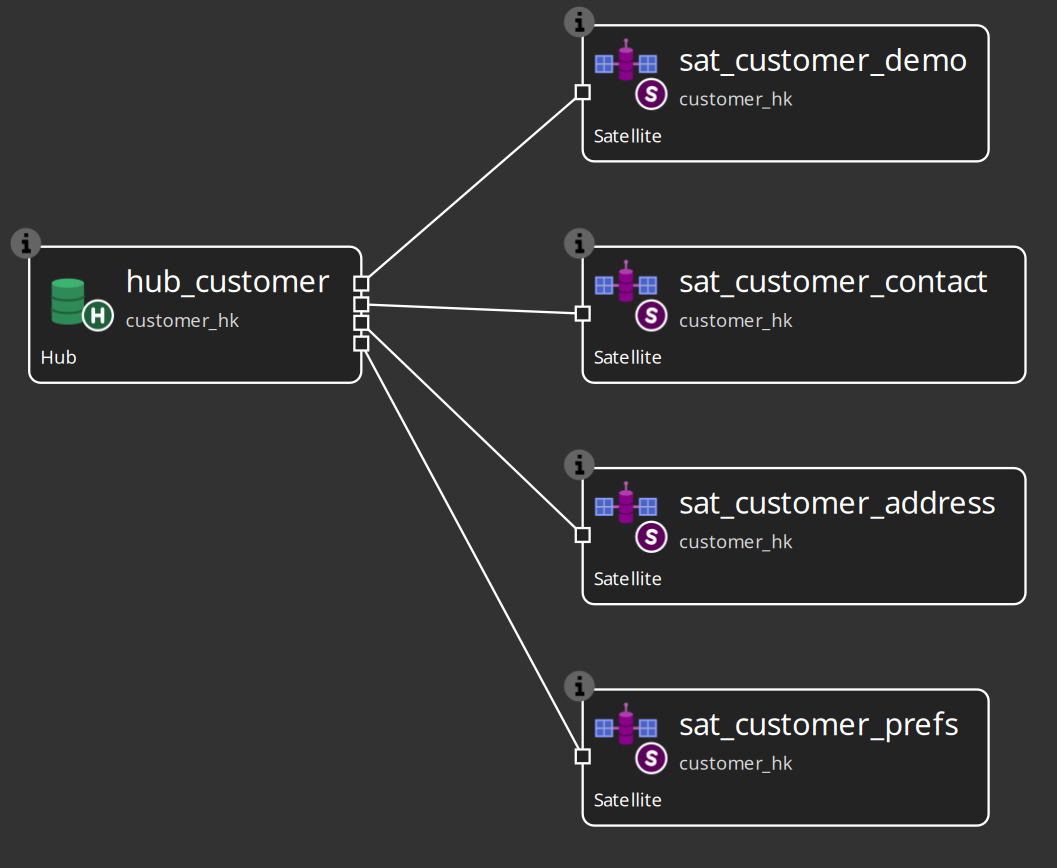
multi-satellite-bv/customer-360.hdv/customer-360.hbv— four satellites merged intocustomer_360_bv
-
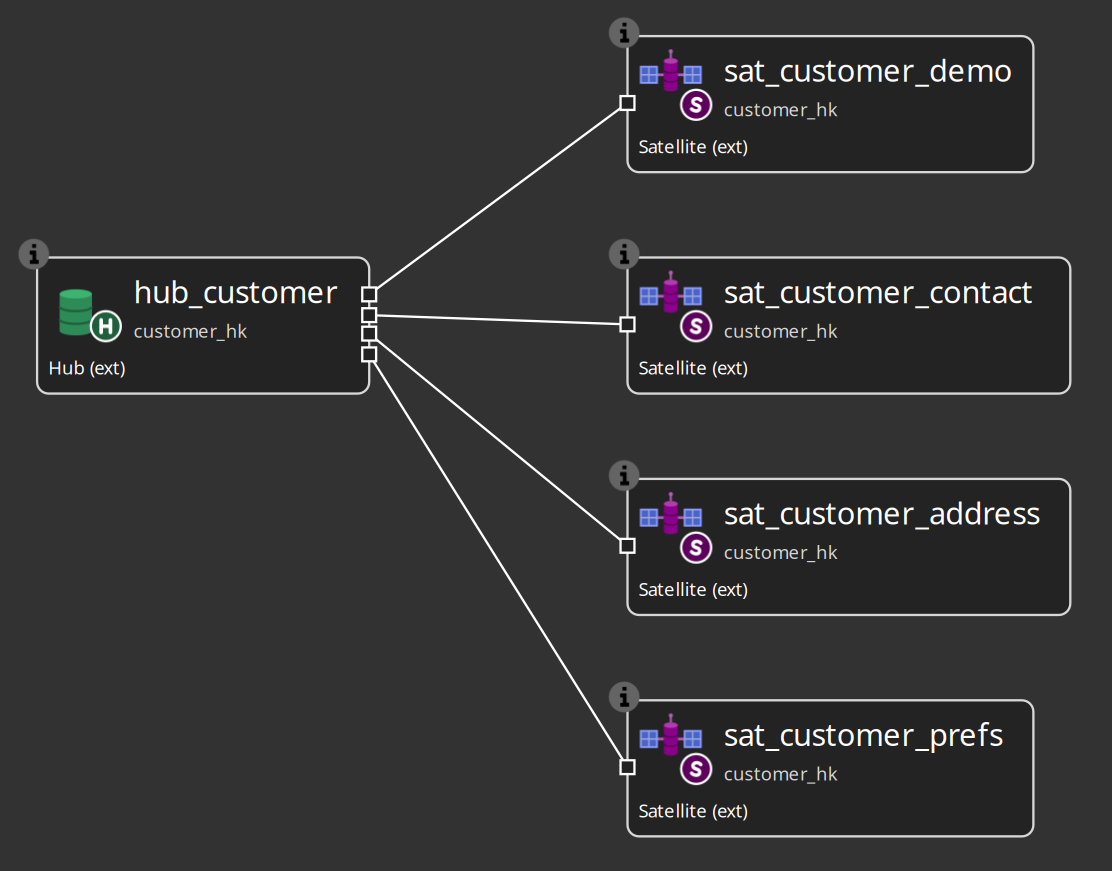
multi-satellite-bv/customer-360-external.hdv/customer-360-external.hbv— same BV layout with external read-only DV satellites
See Integration tests Hop project for workflow and validation details.