Data Vault configuration is project metadata that many .hdv files can share. Put hashing, naming, target database, catalog, and load settings in one object (Metadata perspective → EDW → Data Vault configuration) and point each model at it with Configuration on the Edit model dialog.
Older models may still embed a <configuration> block. Those files keep working. Use Extract to project configuration… when you want to stop copying the same settings across hub and link models.
There is one target database per configuration. Hashing and naming rules apply to every hub, link, and satellite in models that reference that configuration, unless a table dialog provides a specific column-name override (for example a per-hub hash key field name).
The same pattern exists for source models, Business Vault, and dimensional models.
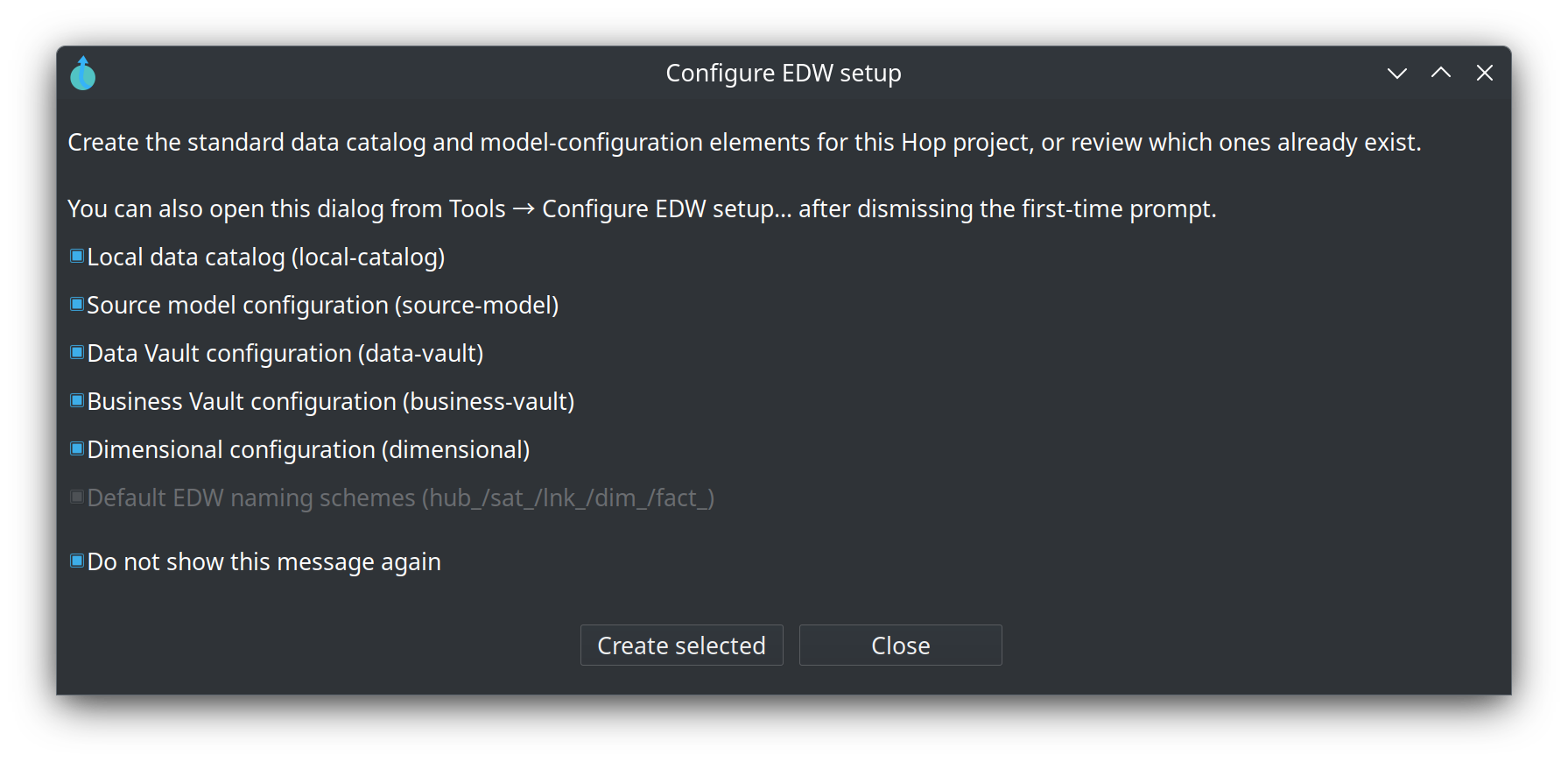
Configure EDW setup
A new Hop project is offered the standard catalog and the four configuration objects the first time you open a source, Data Vault, Business Vault, or dimensional model.
If you dismissed that prompt, or want to create only the elements that are still missing, open Tools → Configure EDW setup…. The same dialog is shown even when “Do not show this message again” was checked. Existing elements stay selected and disabled; missing ones can still be created. Uncheck Do not show this message again to restore the automatic first-time prompt.
The dialog does not create a resource definition group. After you have a .hdv, create the group yourself — Getting started, chapter 3.
Edit model dialog
Open the configuration from the visual model editor with the Edit model toolbar button. The dialog has a name, description, and a Configuration picker at the top. When the picker is empty (legacy embedded model), the same tabs edit the copy stored in the .hdv file. When a project configuration is selected, edit the shared object from the Metadata perspective (or the picker’s New / Edit buttons).
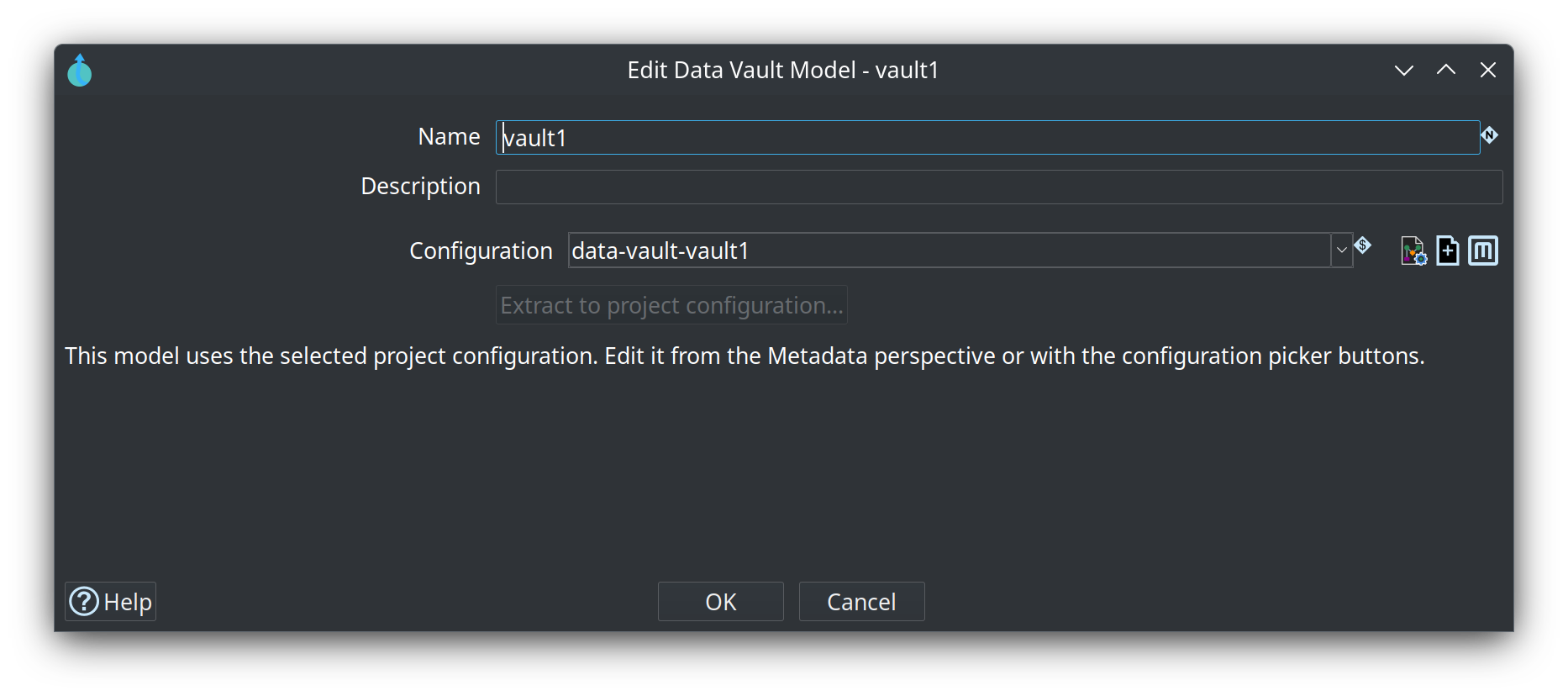
When a project configuration is selected, the hashing and load tabs below are edited on that configuration (Metadata perspective → EDW → Data Vault configuration, or the picker buttons). The screenshots use configuration data-vault-vault1.
General tab
Target database and hashing strategy.
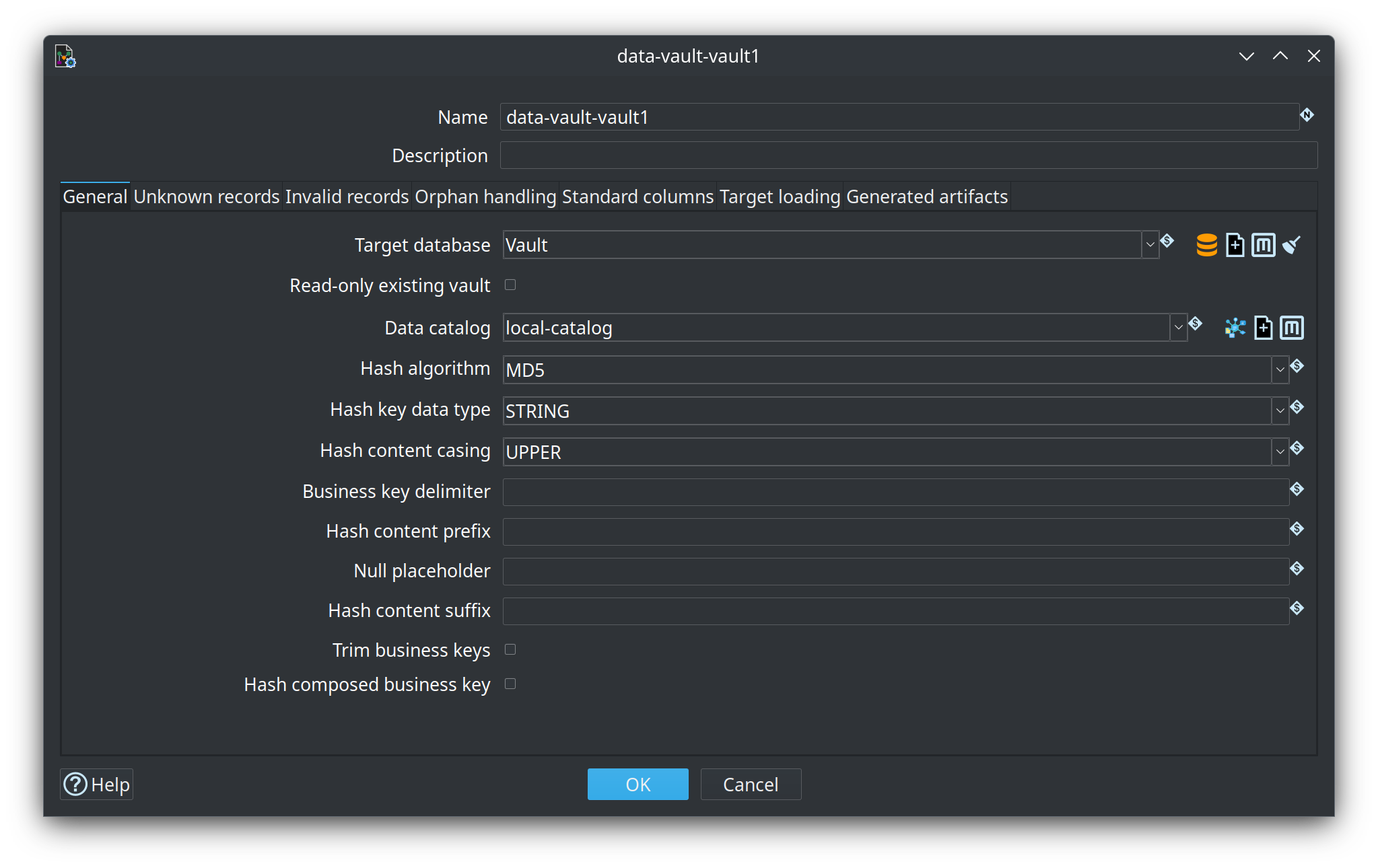
| Option | Description |
|---|---|
Target database |
The Hop database connection where Data Vault tables live. Hop-managed models create and load tables here. Read-only existing vaults only read from this connection (Business Vault and dimensional loads). |
Read-only existing vault |
When enabled, every |
Data catalog |
Optional catalog connection used when resolving |
Hash algorithm |
Algorithm for surrogate hash keys (MD5, SHA-256, SHA-1, SHA-512). Affects computation and maximum key length. |
Hash key data type |
Physical storage for hash keys: HEX (default), STRING, or BINARY. BINARY is the most compact form and sorts correctly on the required Hop 2.19.0+ runtime (see Hop issue 7346). |
Hash content casing |
Upper-case, lower-case, or preserve business key casing before hashing. UPPER is the usual Data Vault choice. |
Business key delimiter |
String used to join multipartite business key parts for hashing, and to compose stored composite hub BK strings (for example ` |
` or |
|
Hash content prefix / suffix |
Optional text prepended or appended to the concatenated key content before hashing. Supports variables. A trailing suffix is common for VaultSpeed-style recipes and is applied to the hash input only — it is not written into a composed hub business-key column. |
Null placeholder |
Value substituted for NULL key parts during hashing and during stored composite BK composition (default |
Trim business keys |
Remove leading and trailing whitespace before hashing and before composing stored composite hub BKs (recommended, on by default). |
Hash composed business key |
When enabled, hub hashing for composite (single-column) business keys uses the composed vault field only. Default is off: hash ordered source parts (better VaultSpeed trailing-suffix parity). Satellites and links always map source parts for parent/hub hash calculation; they do not store the composed BK column. |
Unknown records tab
Controls generation of the classic Data Vault "unknown" / ghost sentinel row in hubs and links.
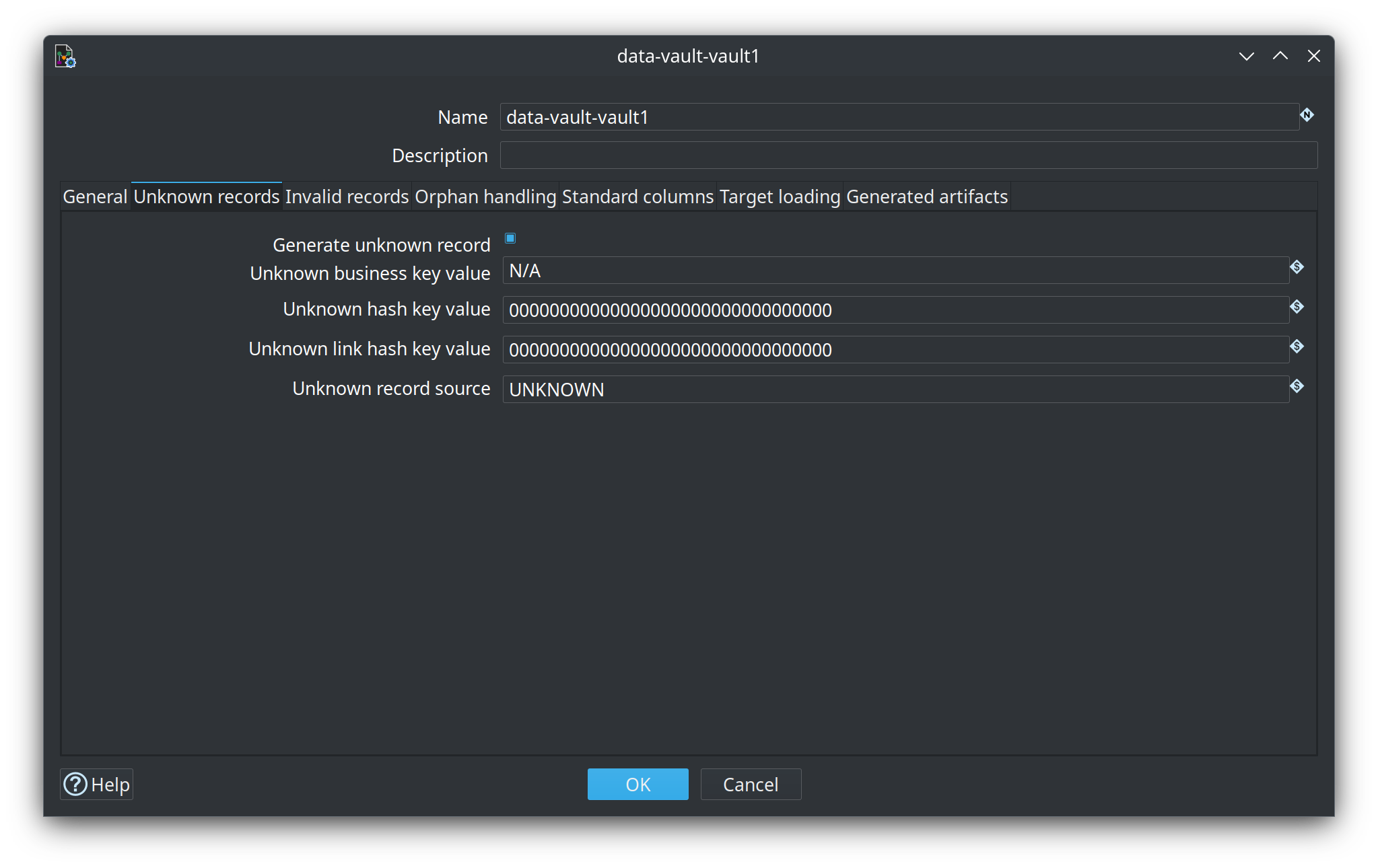
| Option | Description |
|---|---|
Generate unknown record |
When enabled, the model expects an unknown sentinel row in hubs (and corresponding link entries). The Data Vault Update action can insert missing sentinel rows before loading when Ensure unknown and invalid records is enabled. |
Unknown business key value |
Business key value stored in unknown hub rows. Also used to compute the hub hash when Unknown hash key value is empty. |
Unknown hash key value |
Optional fixed hash key for unknown hub rows. Supports variables and Hop hexadecimal expressions. When empty, the hash is derived from the unknown business key value. |
Unknown link hash key value |
Optional fixed hash key for unknown link rows. When empty, derived from participating hub unknown hash values. |
Unknown record source |
RECORD_SOURCE value written into unknown sentinel rows (default |
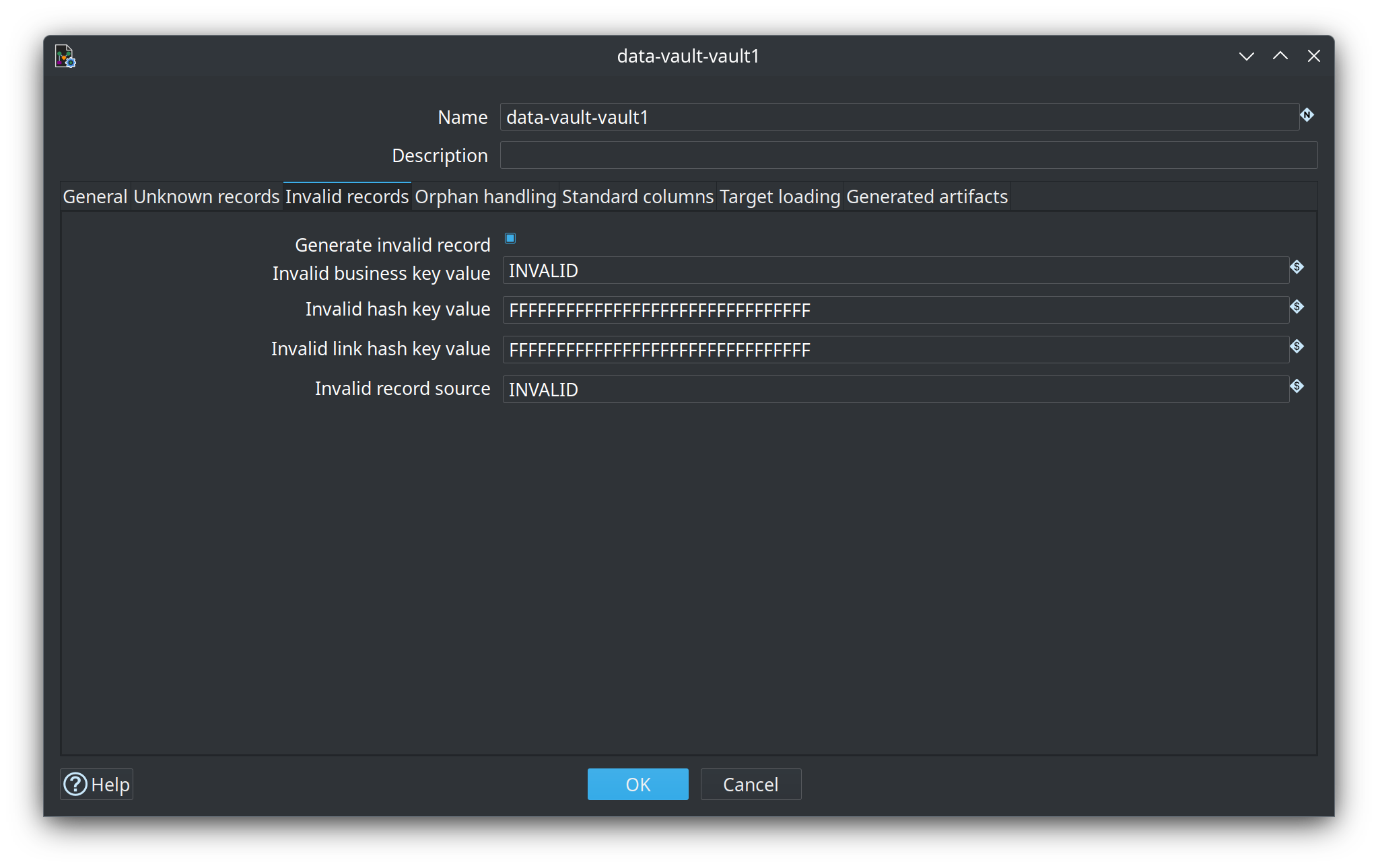
Invalid records tab
Controls generation of an "invalid" / error sentinel row for malformed or rejected keys.
| Option | Description |
|---|---|
Generate invalid record |
When enabled, the model expects an invalid sentinel row in hubs and links. Missing rows can be inserted by the Data Vault Update action. |
Invalid business key value |
Business key value for invalid hub rows. Used for hash computation when Invalid hash key value is empty. |
Invalid hash key value |
Optional fixed hash key for invalid hub rows (default all |
Invalid link hash key value |
Optional fixed hash key for invalid link rows. |
Invalid record source |
RECORD_SOURCE value for invalid sentinel rows (default |
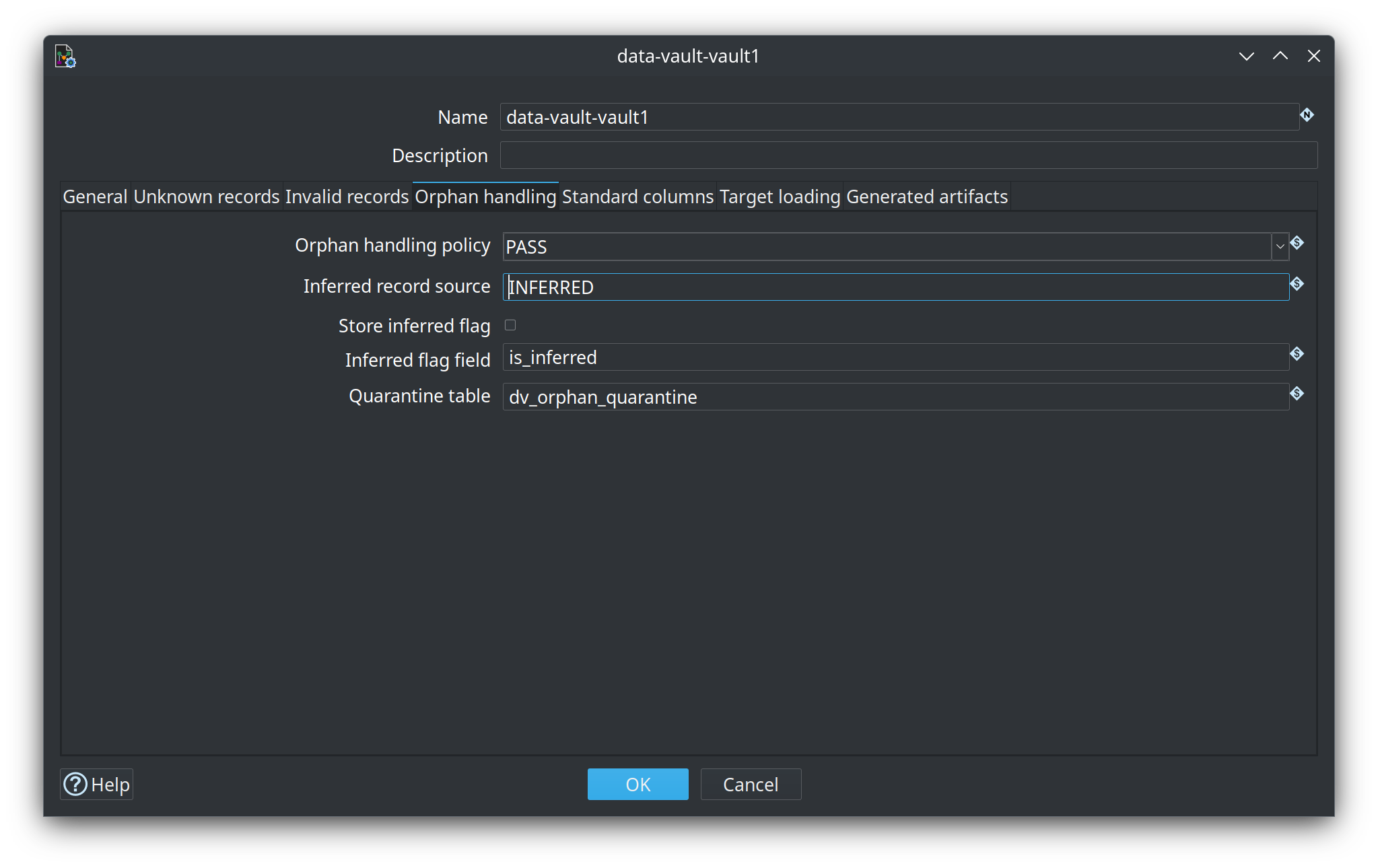
Orphan handling tab
Optional policy when a child feed (link or satellite) arrives before its parent hub, or with a null business key. Default is PASS (same as previous releases): generated loads hash the key and insert the child even if the hub row does not exist yet.
This is not a new warehouse layer. It is a model policy plus generated pipeline fragments. Late-arriving dimensions (facts before dim members) are a separate dimensional feature (issue #109).
| Option | Description |
|---|---|
Orphan handling policy |
|
Inferred record source |
Value stamped on placeholder hub rows ( |
Store inferred flag |
When enabled, hub tables gain a boolean column (default |
Inferred flag field |
Column name for that flag. |
Quarantine table |
Shared table on the vault database ( |
Link and satellite dialogs can override the model policy (value INHERIT keeps the model default). The hub dialog has Allow inferred inserts (on for managed hubs; infer is refused for external hubs).
The cheapest fix for valid child-before-parent keys is still to also load the parent hub from the child feed: use Also load parent hubs… on the link (or satellite) dialog, or enable Also load parent hubs from child/link feeds when generating a vault from a source model. That reuses the existing hub→link→sat load order.
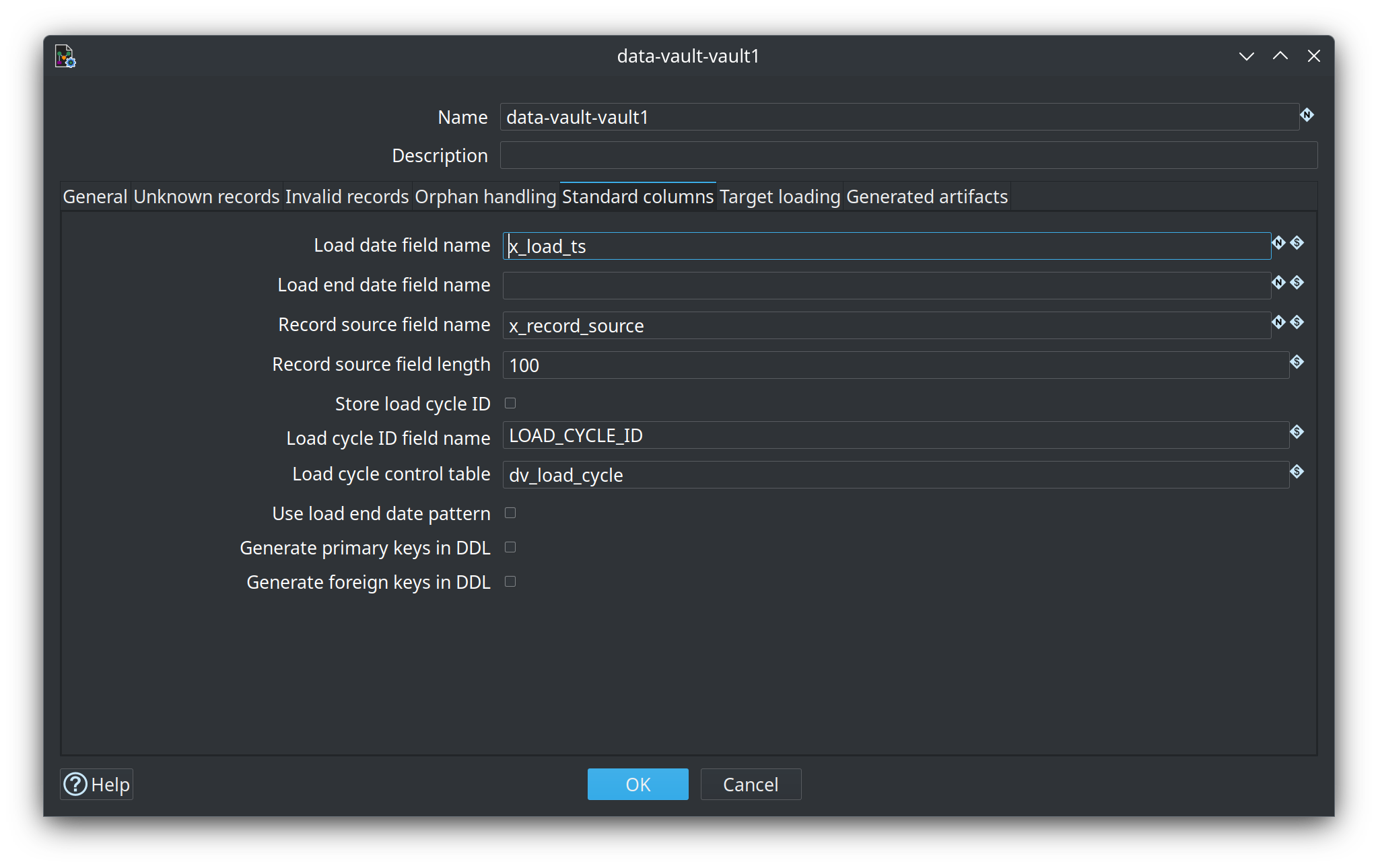
Standard columns tab
Names and patterns for columns present on every Data Vault table.
| Option | Description |
|---|---|
Load date field name |
Column for the batch load timestamp (default |
Load end date field name |
Column name for an optional load end timestamp on satellites when end-dating is used. |
Record source field name |
Column that identifies the originating feed (default |
Record source field length |
Character length of the record source column in target tables. Supports variables (default 100). |
Store load cycle ID |
When enabled (off by default), every Data Vault table includes an integer load cycle ID column. Each Data Vault Update allocates the next value from a durable control table on the target database and stamps that same ID on all rows written in the run (including special/sentinel rows). |
Load cycle ID field name |
Column name for the load cycle ID (default |
Load cycle control table |
Physical table on the model target database that holds the counter (default |
Use load end date pattern |
Documents that satellites use an end-dating approach. Generated pipelines today perform insert-only change detection; this flag is mainly for documentation and future extensions. |
Generate primary keys in DDL |
When enabled, generated CREATE TABLE statements include a |
Generate foreign keys in DDL |
When enabled, generated CREATE TABLE statements include |
Caution (hub multi-source + bulk load) |
Hubs and links with multiple record sources generate one pipeline per source. The Data Vault Update action wraps those pipelines in a serial multi-source workflow so sources for the same physical table run one after another (each subsequent source sees keys already loaded). Free pipelines (satellites, single-source hubs/links) still run in the parallel orchestrator. This is required for safe primary-key enforcement under bulk load. |
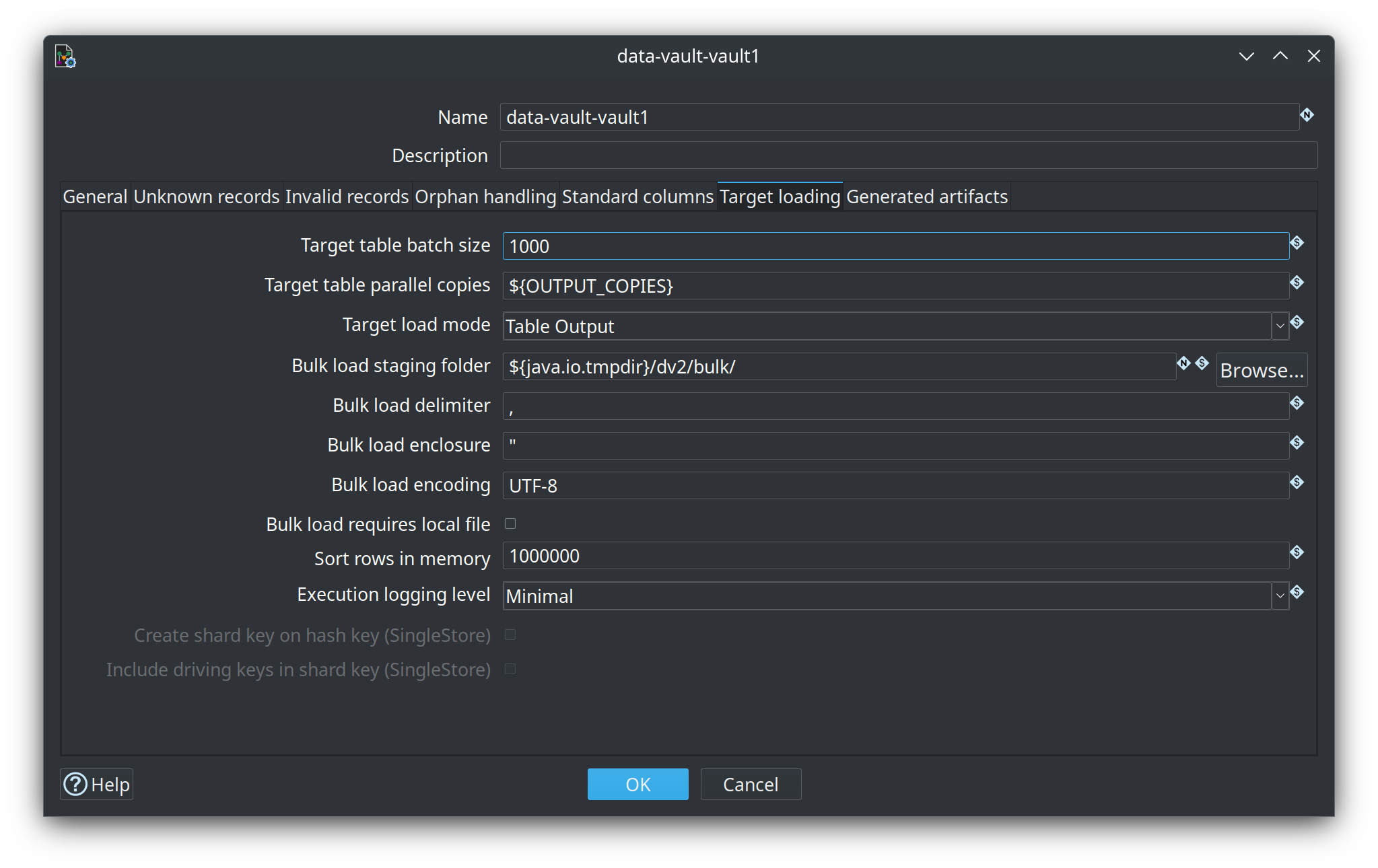
Target loading tab
Options for how generated pipelines write rows to target tables.
| Option | Description |
|---|---|
Target table batch size |
Commit size for Table Output transforms in generated pipelines (default 1000). Supports variables. |
Target table parallel copies |
Parallel copies of Table Output (default 1). A variable such as |
Target load mode |
Table Output, native bulk, or staging file. The choices depend on the target engine. |
Bulk load staging folder |
Folder for staging-file mode. The default is |
Bulk load delimiter / enclosure / encoding |
CSV settings for that staging file. Defaults are comma, double quote, and UTF-8. |
Bulk load requires local file |
Staging files must be on the local filesystem. MySQL |
Sort rows in memory |
Number of rows Sort Rows keeps in memory before spilling to disk in generated update pipelines (default 1000000). Used where a merge key is computed in Hop (for example satellite/link hash sort). Hub updates rely on SQL |
Execution logging level |
Log level for the generated load pipelines. |
Create shard key on hash key (SingleStore) |
When the target is SingleStore, CREATE TABLE can append |
Include driving keys in shard key (SingleStore) |
For a multi-active satellite, include the driving key with the parent hash in the shard key. |
On SQL Server (and PostgreSQL with ICU/locale collations), generated hub (and satellite target) SQL automatically inspects live source/target column collations and types. When a sort risk is detected (for example NVARCHAR vs VARCHAR, or different collations) and both legs use the same database engine, the same bridge COLLATE is applied on both source and target ORDER BY expressions so Merge Rows streams stay aligned without manual configuration. Collation names are not portable across engines: a SQL Server source with a PostgreSQL vault does not inject French_CI_AS (or similar) into Postgres ORDER BY (issue #108). Vault VARCHAR columns are created with the UTF-8 collation Latin1_General_100_CI_AS_SC_UTF8 (SQL Server 2019+) so Unicode values store without requiring NVARCHAR. Because SQL Server measures UTF-8 VARCHAR(n) in bytes while source/NVARCHAR lengths are character-oriented, generated DDL multiplies string lengths by three (and promotes to VARCHAR(MAX) when that exceeds 8000) so multi-byte values such as accented text cannot truncate on insert.
Unicode capability (EDW requirement)
Data Vault, Business Vault, and dimensional models require a Unicode-capable target database. Model check (and update actions that enforce model check) refuse to treat non-Unicode targets as valid EDW destinations by default:
-
SQL Server — database default collation must end with
_UTF8(for exampleLatin1_General_100_CI_AS_SC_UTF8). Requires SQL Server 2019 or later. -
PostgreSQL — database encoding must be
UTF8. -
MySQL / MariaDB / SingleStore — schema character set must be
utf8mb4(plainutf8/utf8mb3orlatin1is rejected).
utf8 vs utf8mb4 (MySQL family)
On MySQL, MariaDB, and SingleStore, the historical charset name utf8 is not full Unicode: it is a 3-byte encoding (BMP only, historically utf8mb3). Supplementary-plane characters (many emoji, some rare CJK and symbols) need 4 bytes and therefore utf8mb4. Everyday Western European text often fits in both; full EDW Unicode storage does not.
If the vault database is unreachable during check, a warning is raised so offline design can continue; when connectivity is available and the encoding is wrong, an error blocks the update when enforcement is enabled (see plugin-wide options below).
Generated artifacts tab
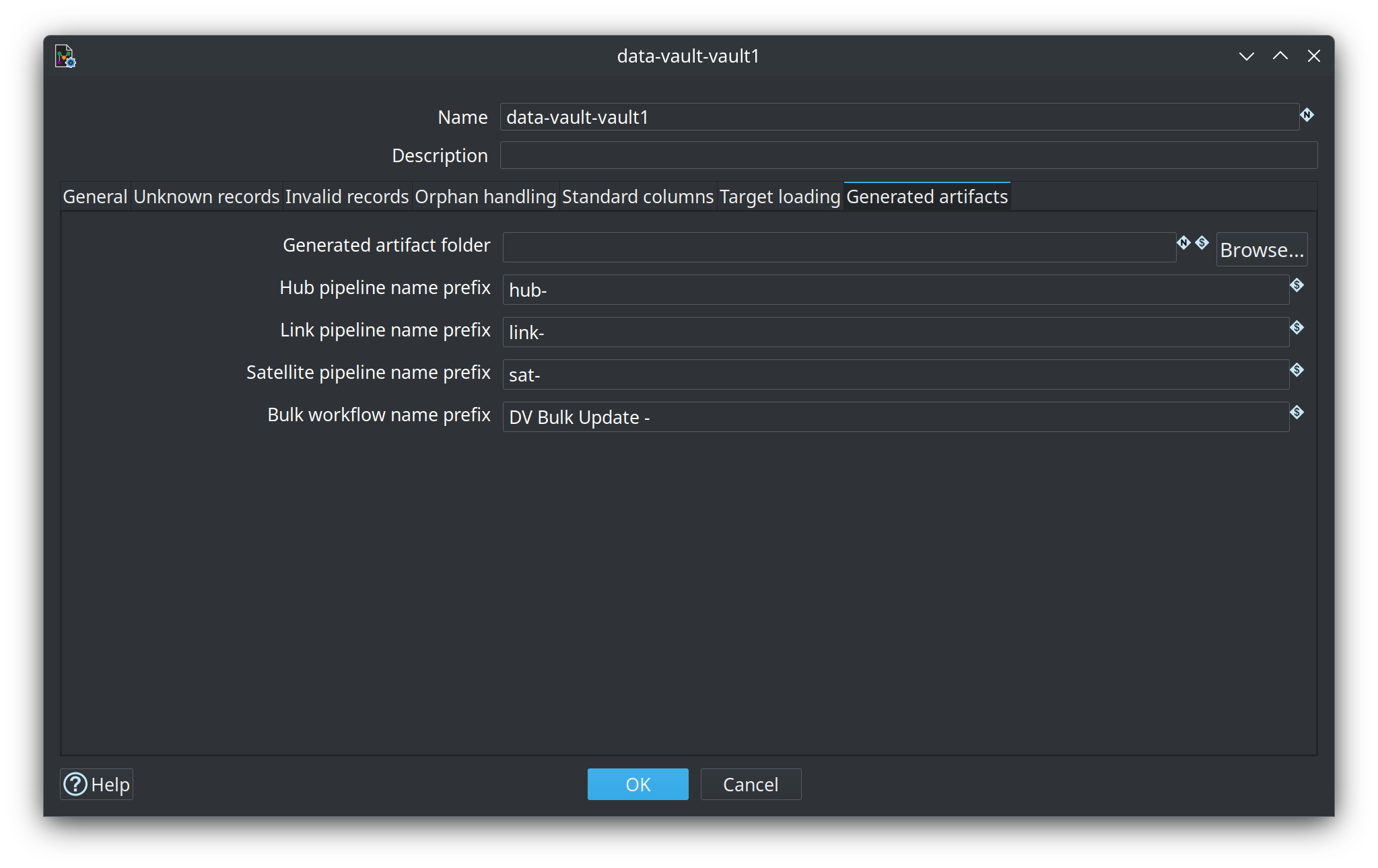
Where generated update pipelines and bulk-load workflows are named and saved.
| Option | Description |
|---|---|
Generated artifact folder |
When set, each generated update pipeline ( |
Hub pipeline name prefix |
Prefix for hub pipeline names (default |
Link pipeline name prefix |
Prefix for link pipelines (default |
Satellite pipeline name prefix |
Prefix for satellite pipelines (default |
Bulk workflow name prefix |
Name prefix of the master workflow when target load mode is staging file (default `DV Bulk Update - ` plus the model name). |
Plugin-wide GUI options
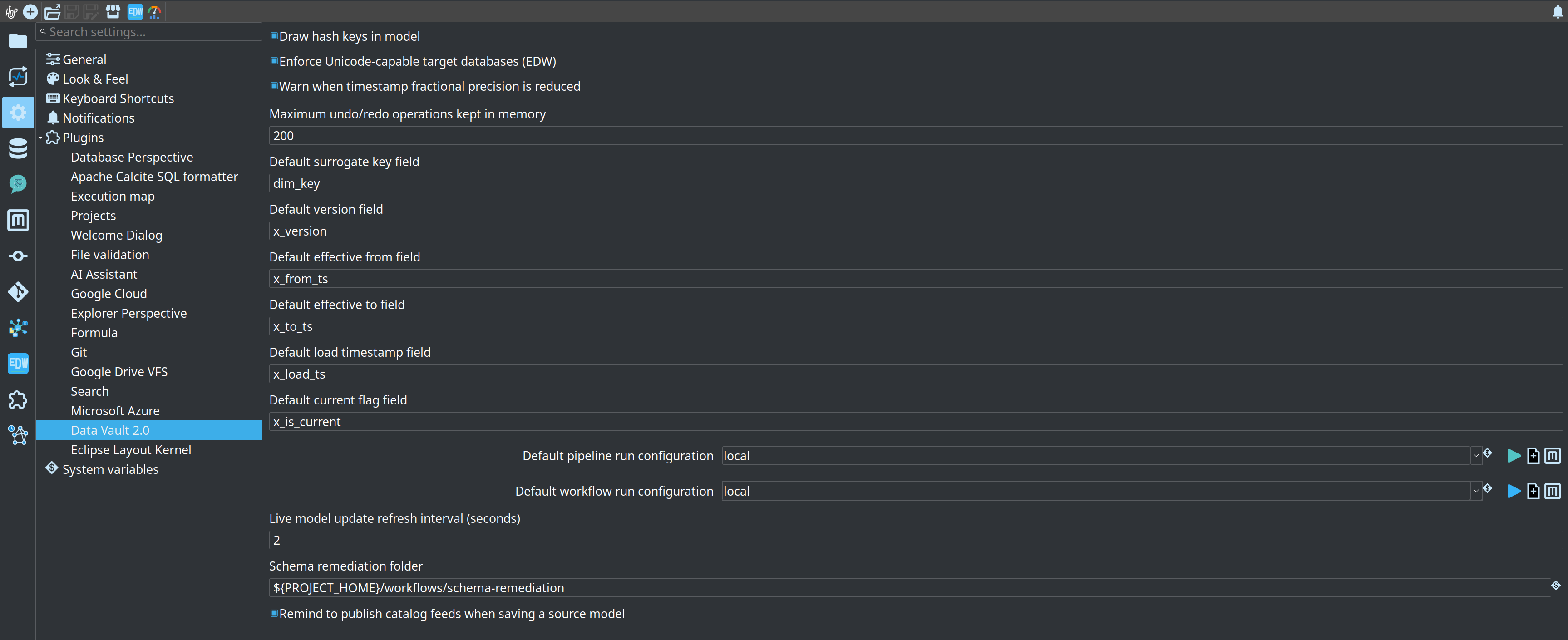
In addition to the per-model configuration above, Hop GUI exposes global options under Configuration → Hopper EDW:
| Option | Description |
|---|---|
Draw hash keys in model |
When enabled, hash key column names are drawn on table cards in the visual model editor. |
Enforce Unicode-capable target databases (EDW) |
When enabled (default), model check reports an error if the target fails the Unicode capability probe (for example SingleStore/MySQL schema charset |
Warn when timestamp fractional precision is reduced |
When enabled (default), model check reports a warning if a source date/time has more fractional-second digits than the target layout or engine allows (for example nanosecond timestamps stored as SingleStore/MySQL |
Remind to publish catalog feeds when saving a source model |
When enabled (default), saving a |
Maximum undo/redo operations kept in memory |
Number of gzip-compressed XML snapshots kept for undo/redo on |
Load runs shown in the model metrics panel |
How many recent executions the panel to the right of a model lists (default 20). |
These settings are stored in the Hop GUI configuration, not inside individual .hdv files.
Per-table column overrides
While the model configuration drives hashing and most column naming, individual table dialogs still allow targeted overrides where that makes sense:
-
Hub – Optional hash key field name and record source field name overrides.
-
Link – Optional link hash key field name and record source field name overrides.
-
Satellite – Uses the parent hub’s hash key column name for the foreign key in the satellite table.
There is no longer a separate per-table "configuration picker" metadata reference; all hashing rules come from the model’s embedded configuration.
How the configuration affects daily work
-
The target database connection is required for Generate DDL, Debug, and the Data Vault Update action on Hop-managed models. Business Vault SCD2 generation also reads satellite history from this connection when a
.hbvmodel links to the.hdvfile. -
Read-only existing vault refuses those load/DDL actions. The target database name must still be set so Business Vault and dimensional models can read the documented tables. See Data Vault integration modes.
-
Tables marked External read-only do not require Hop to load data, but the target database name must still be set so downstream features can resolve the connection.
-
Hash algorithm and data type directly influence storage size and join performance.
-
Naming settings (LOAD_DATE, RECORD_SOURCE, etc.) should be agreed early with consumers of the Data Vault.
-
Unknown and invalid sentinel settings matter when downstream facts or links must reference "missing" or "bad" keys.
-
Check model warns when no target database is configured, because DDL, hashing, and pipeline generation depend on it.
Configure these settings when you create or adopt a model. They are persisted inside the .hdv file and travel with the model between environments (subject to connection name resolution in each Hop project).