- Prerequisites
- Chapter 1 — Understand the layout
- Chapter 2 — Tour the Data Catalog
- Chapter 2b — Source modeler (optional multi-table feeds)
- Chapter 3 — Explore the Data Vault model
- Chapter 4 — Run the initial load
- Chapter 4b — Schema gate and catalog versions
- Chapter 5 — Run an incremental update
- Chapter 5c — Operational analytics
- Chapter 5b — Transactional links: order lines
- Chapter 6 — Business Vault and dimensional layers
- Chapter 7 — Execution map (optional)
- Chapter 7b — Hop Lineage View (optional)
- Chapter 8 — Troubleshooting
- Next steps
This is a tour of the finished retail sample: source data → Data Vault → Business Vault → dimensional marts, including an incremental update wave. The project already has a source model, catalog feeds, models, and a resource definition group (retail-sources). You run the workflows; you do not build those artifacts from scratch here.
To build an EDW from scratch (source model → catalog → .hdv → resource definition group → load → BV/DM), see Getting started — building an EDW. Architecture pictures: Architecture.
For Customer 360 and other regression fixtures, see Getting started — integration test fixtures.
Estimated time: 2–3 hours with Hop GUI, or follow command-line steps only in under an hour.
Prerequisites
-
Install Docker with Compose v2 and Python 3 (stdlib only).
-
Build or download the plugin for Apache Hop 2.20.0-SNAPSHOT (see repository README).
-
Register
retail-example/as a Hop project namedretail-example. -
Configure database connections
CRMandVaultfrom project metadata. -
Start PostgreSQL: from repo root,
./scripts/run-postgres.sh up.
On Windows 11, run Hop GUI on Windows and the databases in Ubuntu on WSL2. Follow Getting started — retail example on Windows 11, then return here for the tour.
If you previously used an older single-database layout, reset once:
./scripts/run-postgres.sh reset
./scripts/run-postgres.sh up
Project details: retail-example/README.md.
Chapter 1 — Understand the layout
Retail uses these databases on port 54320:
-
CRM (
test_source) — landing tables mimicking a source system -
Vault (
test_edw) — Data Vault, Business Vault, dimensional tables, retail load log -
OPS (
test_ops) — execution metrics and thedv_opspublisher tables -
OpsAnalytics (
test_ops_analytics) — operational analytics Data Vault, Business Vault, and dimensional tables
Key files:
| Path | Purpose |
|---|---|
|
|
|
Seed for schema-gate tag |
|
Data Vault model |
|
Business Vault model (SCD2 Customer 360) |
|
Dimensional mart model |
|
Full initial load |
|
Incremental monthly-style update |
|
Generated execution maps (after a run; gitignored) |
Chapter 2 — Tour the Data Catalog
-
Open Hop GUI with project retail-example.
-
Switch to the Data Catalog perspective.
-
Expand
hop/retail-example/sources— entries such asE2E-customer-hub,E2E-order-header. -
Open one source — note physical table on CRM, record source field, and column layout.
Sources are JSON under the FILE catalog root (work/edw-catalog/ for retail); the namespace in each file must match its folder path (hop/retail-example/sources). Initial setup runs workflows/bootstrap-retail-work.hwf to create the work/ folders, copy E2E DATABASE sources from fixtures/catalog-sources/, and seed COMPOSITE / JSON / PIPELINE feeds (all-customer-info, feed_order_shipment_tracking, asn-package-lines) that retail-360.hdv requires.
If entries appear in the tree but fail to open, press F5 to refresh the catalog.
Reference: Data catalog, Data Vault sources.
Chapter 2b — Source modeler (optional multi-table feeds)
Retail ships a source model of the CRM landing tables:
models/source-tables-crm.hsm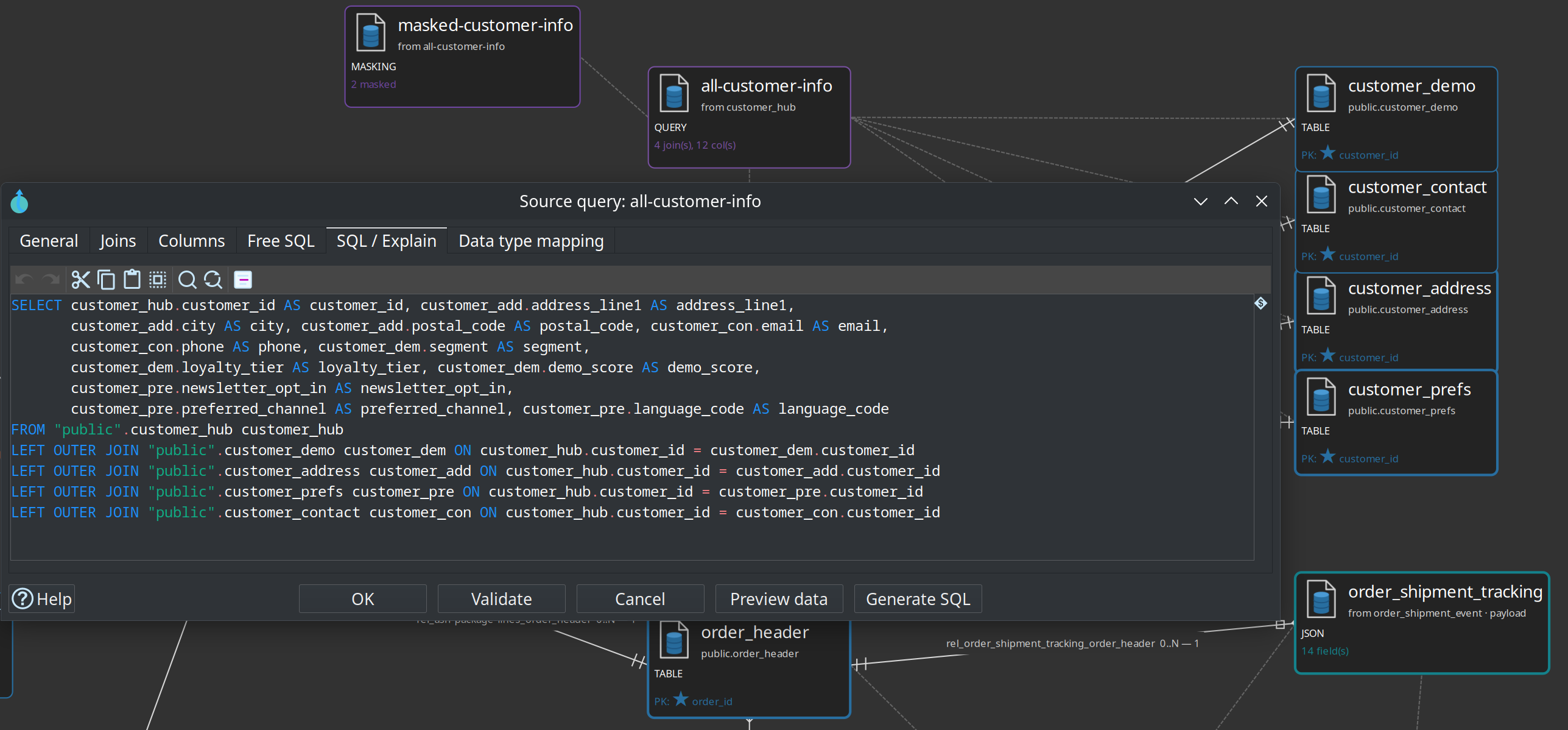
-
Open the
.hsmfile — table cards, relationship edges, a purple query card, and a teal JSON card. -
Open query All customer info — customer hub left-joined to address, contact, demo, and prefs.
-
Generate SQL / Preview data (CRM connection required).
-
Publish to catalog to create composite feed
feed_customer_enriched(model Catalog connection should belocal-catalog).
Kafka-style shipment events (Source JSON → vault)
Retail lands a simulated Kafka consumer table order_shipment_event (UUID message_id, JSON payload, topic/partition/offset). pipelines/generate-retail-data.hpl writes shipment-tracking events for a subset of orders during initial and update waves (statuses such as LABEL_CREATED, PICKED_UP, IN_TRANSIT, DELIVERED).
-
On the same
.hsm, open Source JSON order_shipment_tracking (parent =order_shipment_event, JSON field =payload). -
After CRM is loaded, use Sample and propose fields / Preview data / Validate on the JSON card.
-
Publish to catalog as
feed_order_shipment_tracking(typeJSON) — already wired for the tutorial when you bootstrap / publish from the sample model.
The main retail vault still uses one catalog source per physical table for classic hubs/sats, plus this JSON feed for shipment tracking. Use the source modeler for composed feeds (SQL joins or JSON extractions). Full walkthrough: Source modeler overview.
Advanced Shipping Notice XML (pipeline parse)
Alongside tracking events (JSON), retail includes nested ASN documents (what left the warehouse: packages and lines).
-
Committed sample:
files/asn_demo.xml(two ASNs, five package lines). -
Generated waves:
files/asn_${RETAIL_CSV_WAVE}.xmlfrompipelines/generate-retail-data.hpl(subset of SHIPPED/DELIVERED orders). -
Parse pipeline:
pipelines/parse-asn-xml.hpl— Get data from XML loops/AdvancedShipmentNotices/ASN/Packages/Package/Lines/Line, flattens parent attributes via relative XPath, addsrecord_source=E2E-asn-line, and ends on dummy ASN lines (preview / pipeline-source output).
Default parameter RETAIL_CSV_WAVE=demo reads the committed fixture. After a data generate, set the wave to initial or 2024-01 to parse the matching file. This path is meant for pipeline sources in the source modeler; it is not loaded into CRM by the default workflows.
Chapter 3 — Explore the Data Vault model
-
Open
models/retail-360.hdv. -
Click Edit model — target database Vault, hashing and sentinel settings.
-
Inspect hubs, links, and satellites on the canvas — including
hub_order_shipment,lnk_order_shipment, andsat_order_shipment(record sourcefeed_order_shipment_tracking). -
Click Check model — resolve any errors before loading.
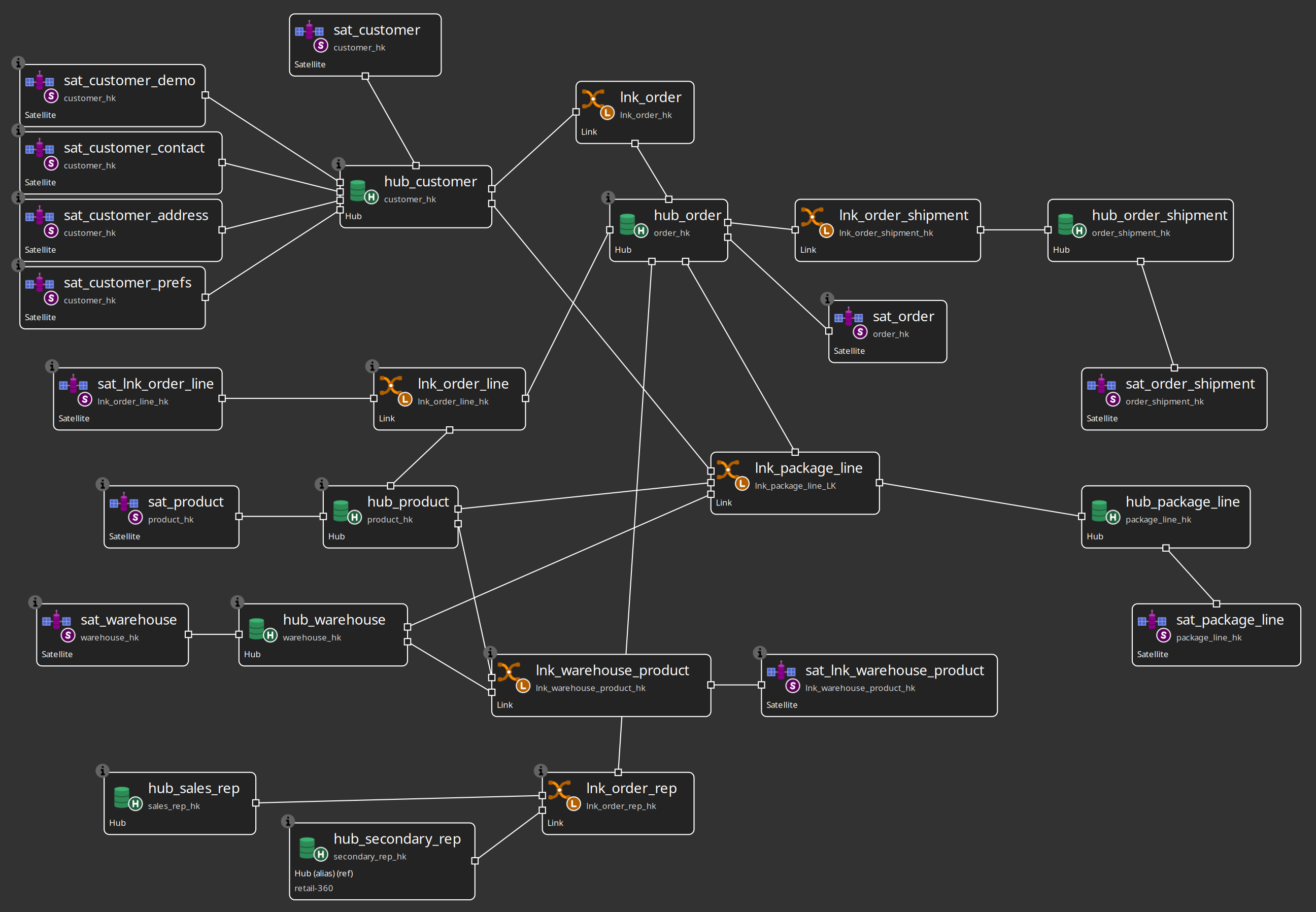
Optional: select a satellite, Show update pipeline — same generation logic as Data Vault Update.
Chapter 4 — Run the initial load
From the repository root:
./scripts/run-hop.sh retail-example workflows/run-retail-initial.hwfThe workflow drops and recreates schemas, bootstraps work/ (FILE catalog + schema-gate baseline v1.0.0), generates CSV source files (including shipment event CSVs), loads CRM, runs the schema gate, measures source data quality and applies a quality gate (blocking findings stop the load), then runs Update resource definition group for retail-sources (all DV → BV → DM models). That action manages vault metrics and writes load-overview reports under work/reports/ (retail-dv-initial-report / retail-dv-update-report via REPORT_BASE_NAME). After the update it re-measures sources in alert-only mode.
In Hop GUI you can open workflows/run-retail-initial.hwf and run it with a configured pipeline run configuration.
Chapter 4b — Schema gate and catalog versions
Retail wires Validate resource definitions in workflows/run-retail-update-models.hwf (shared by initial and update):
-
Group:
retail-sources -
Compare mode:
WORKING_VS_VERSIONagainst baseline tagv1.0.0 -
Reports:
work/reports/retail-schema-validation.mdand.html -
Downstream impact enabled
Design-time: open metadata Resource definition group retail-sources for Tag catalog version, List catalog versions, and Validate sources (options dialog, then results + optional expand-from-catalog remediation). A sample multi-table remediation package for address_line1 length 75 is under workflows/schema-remediation/accept-address_line1/.
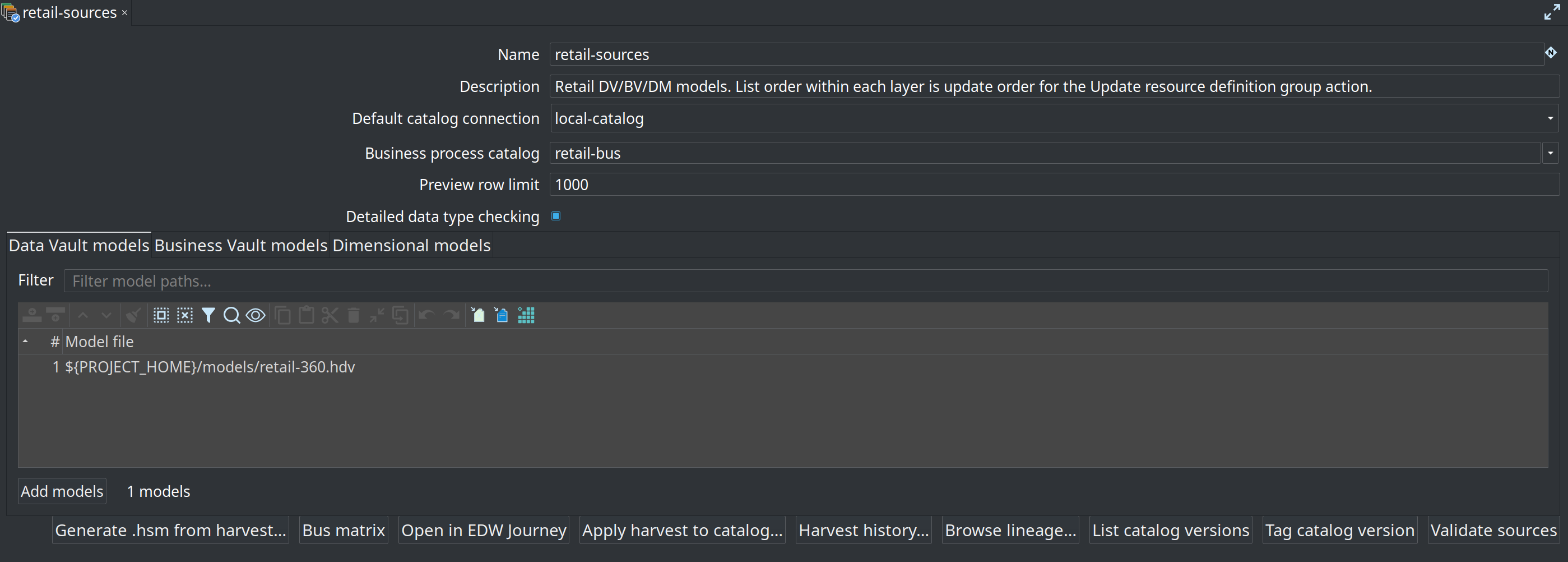
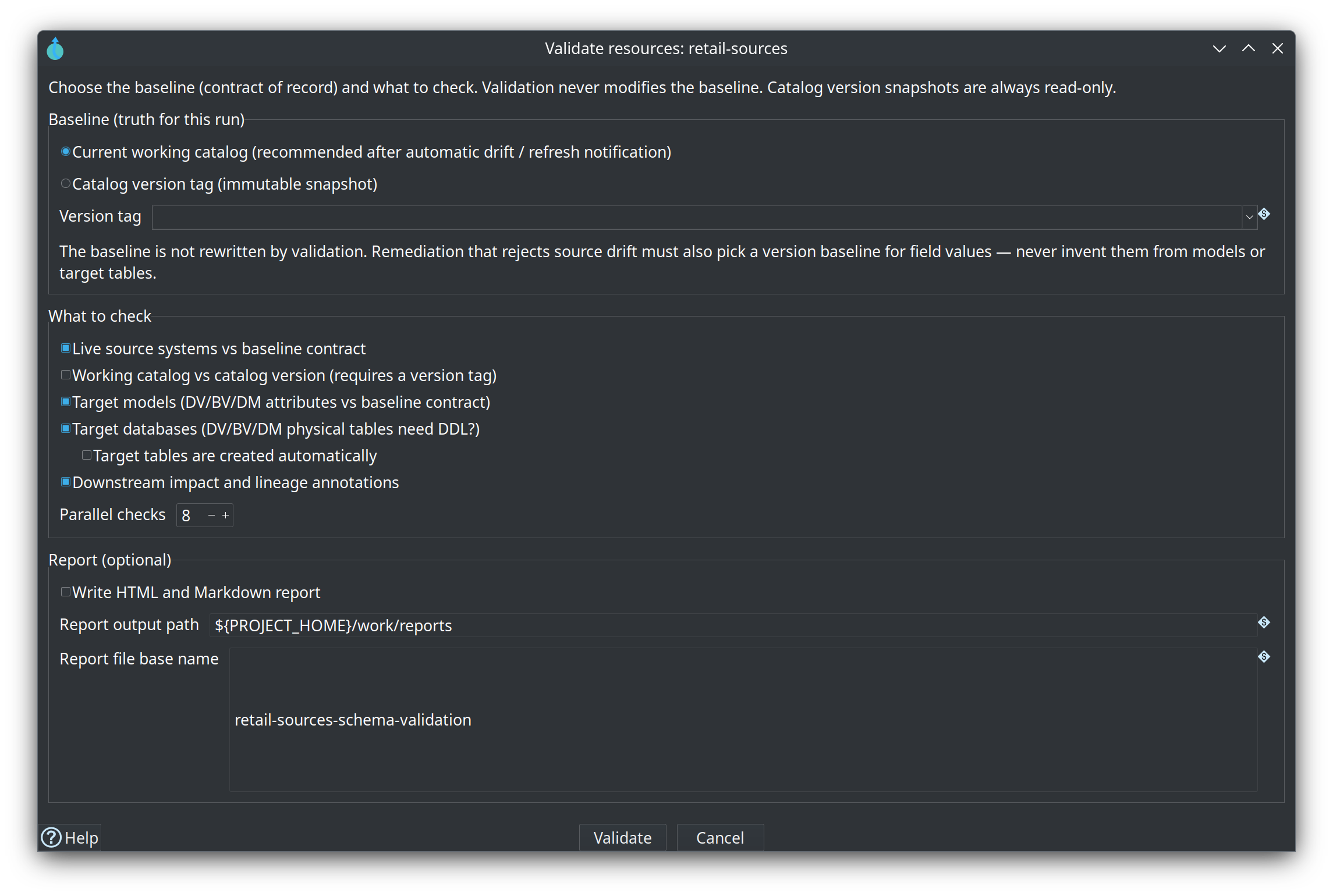
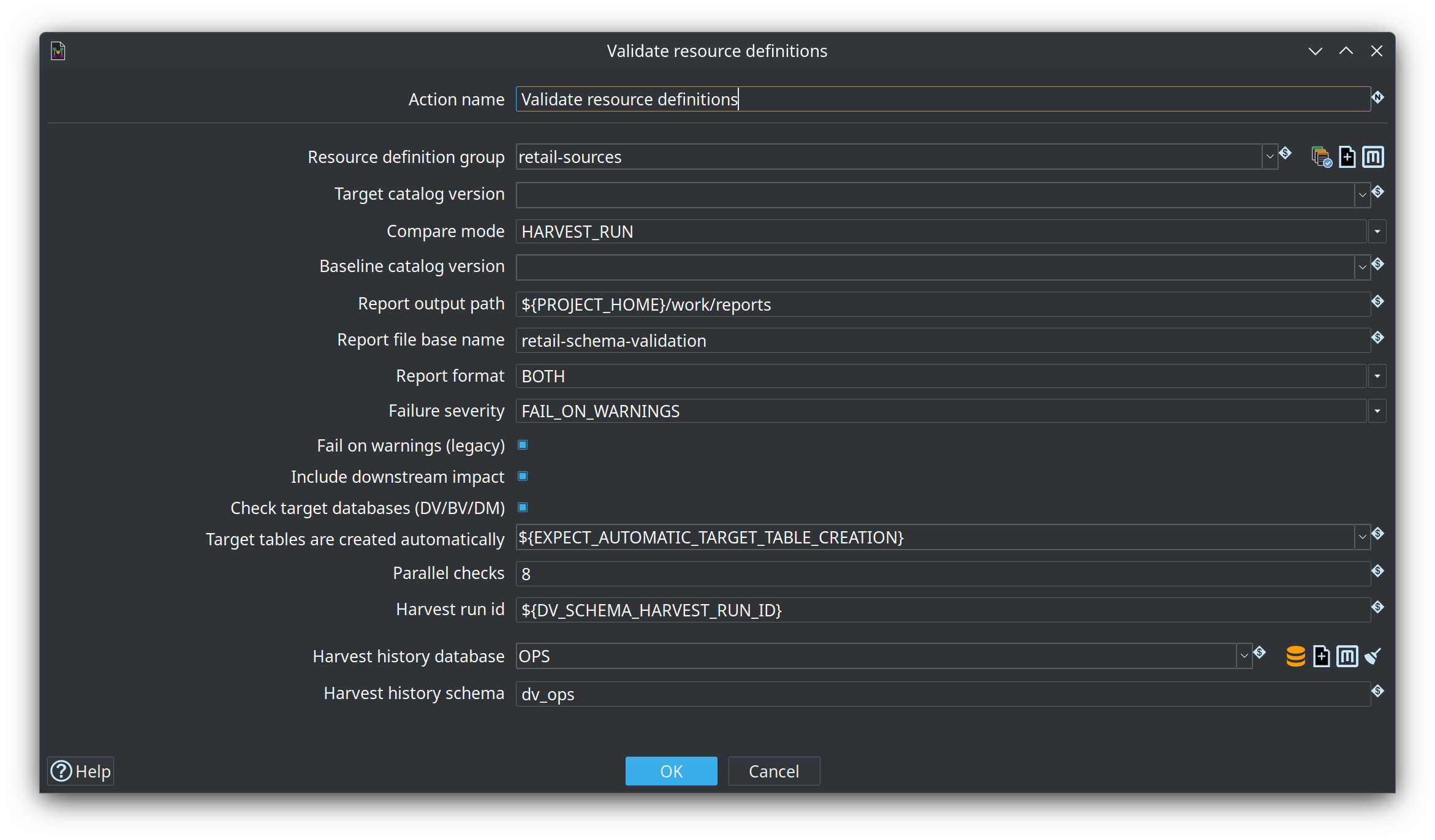
Full parameter reference, GUI issue dialogs, and sample HTML reports: Resource definition validation. Content rules (nulls, domains) are separate — see Data quality.
Chapter 5 — Run an incremental update
./scripts/run-hop.sh retail-example workflows/run-retail-update.hwfRepeat to simulate monthly batches. Vault table retail_load_log stores each finished load. The next run sets LOAD_DATE to that date plus one month and writes the row only after the vault update succeeds.
Chapter 5c — Operational analytics
After run-retail-update-models, both the initial and the update workflow call models/ops-analytics/workflows/ops-analytics-incremental.hwf. That reads OPS schema dv_ops into the operational-analytics warehouse on connection OpsAnalytics (database test_ops_analytics). The call does not create tables. Run models/ops-analytics/workflows/ops-analytics-initial.hwf once before you expect rows.
The models are already in the project (models/ops-analytics/, group ops-analytics). ./scripts/run-postgres.sh up creates test_ops_analytics and schema ops_bv. The retail database setup workflow runs sql/create-ops-analytics.sql, which creates that schema again. The analytics calendar d_date is in this database, separate from retail’s d_date on Vault. If analytics fails, the initial workflow still generates the execution map and exports architecture, and the update workflow still records the load and exports architecture. Guide: Operational analytics.
Chapter 5b — Transactional links: order lines
Open models/retail-360.hdv and inspect lnk_order_line:
-
Participating hubs:
hub_order,hub_product -
Dependent child key:
line_number(source fieldline_number) on the link dialog Dependent child keys tab -
Link satellite
sat_lnk_order_line: measuresquantity,unit_price,discount_pct(no multi-active driving key — line identity is on the link)
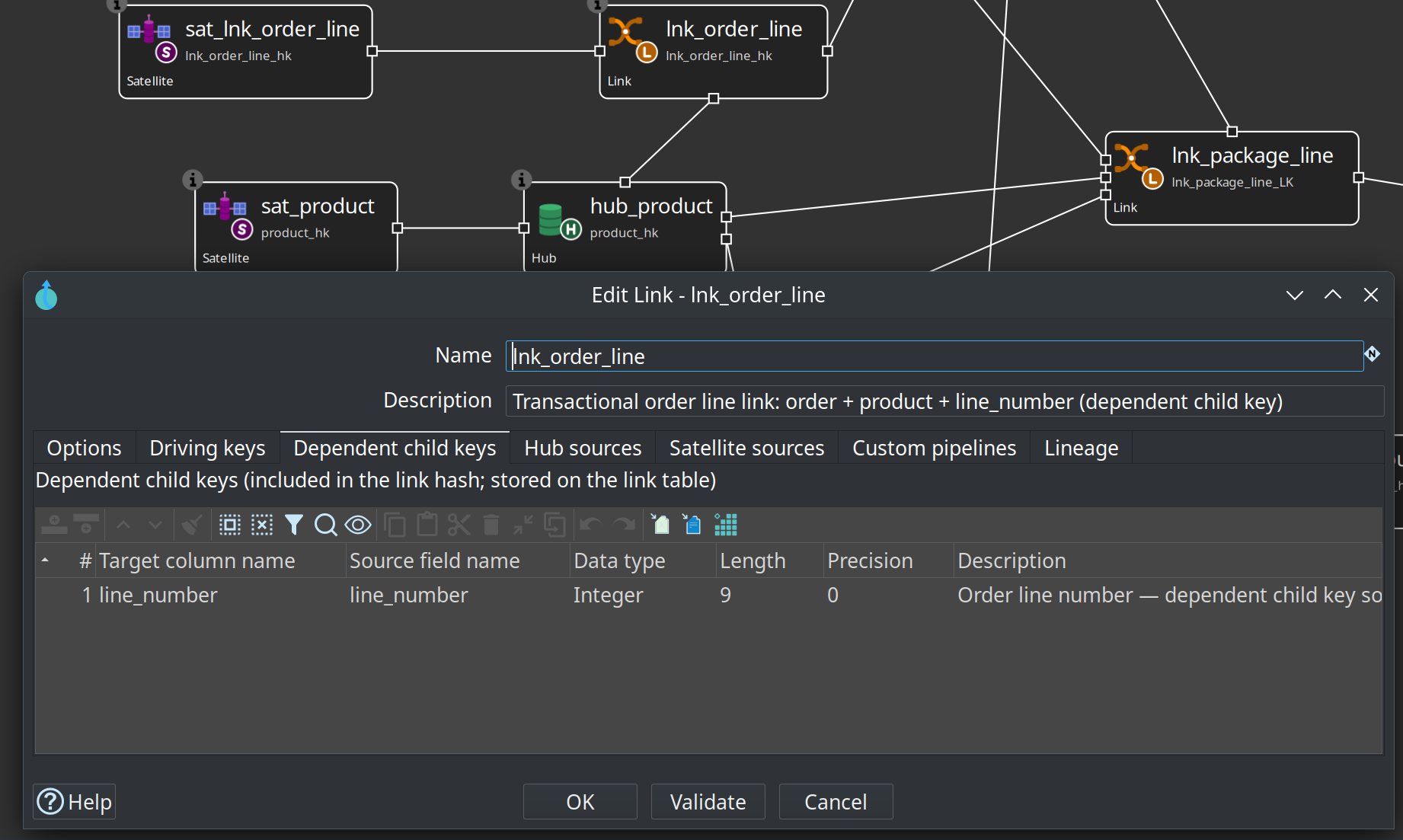
Grain is one vault link row per order line. The same product can appear on more than one line of the same order (different prices); the data generator plants this on the first order of each wave so you can verify two distinct lnk_order_line_hk values for the same order + product.
Contrast:
-
lnk_order— standard relationship (customer ↔ order) -
lnk_order_line— transactional link (order ↔ product ↔ line number) -
lnk_warehouse_product— relationship + stock attributes over time
Reference: Transactional links.
Chapter 6 — Business Vault and dimensional layers
-
Open
models/retail-360.hbv— linked toretail-360.hdv. -
Inspect SCD2 table customer_360_bv (multi-satellite merge).
-
Open
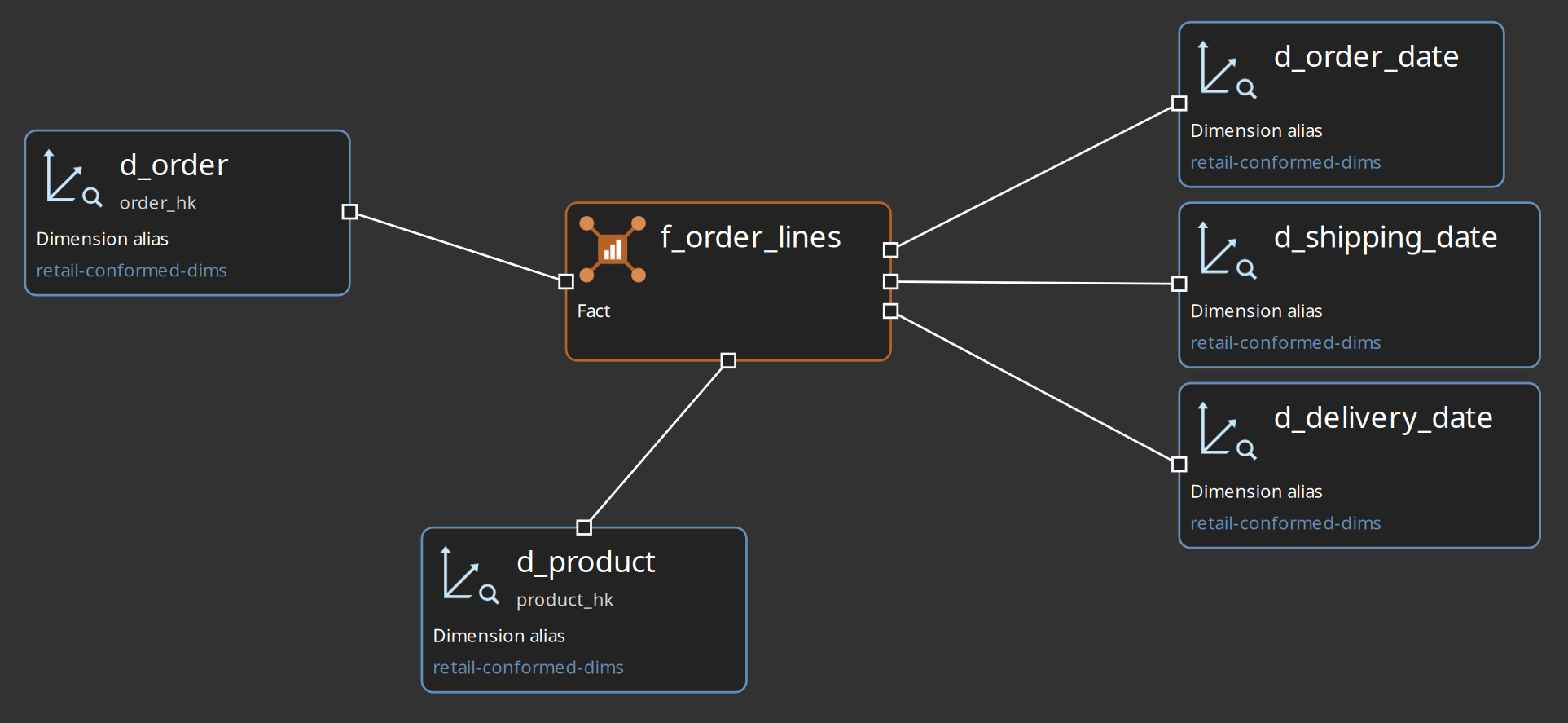
models/retail-conformed-dims.hdmfor shared dimensions,models/retail-f-orders.hdmforf_orders, andmodels/retail-f-order-lines.hdmforf_order_lines.
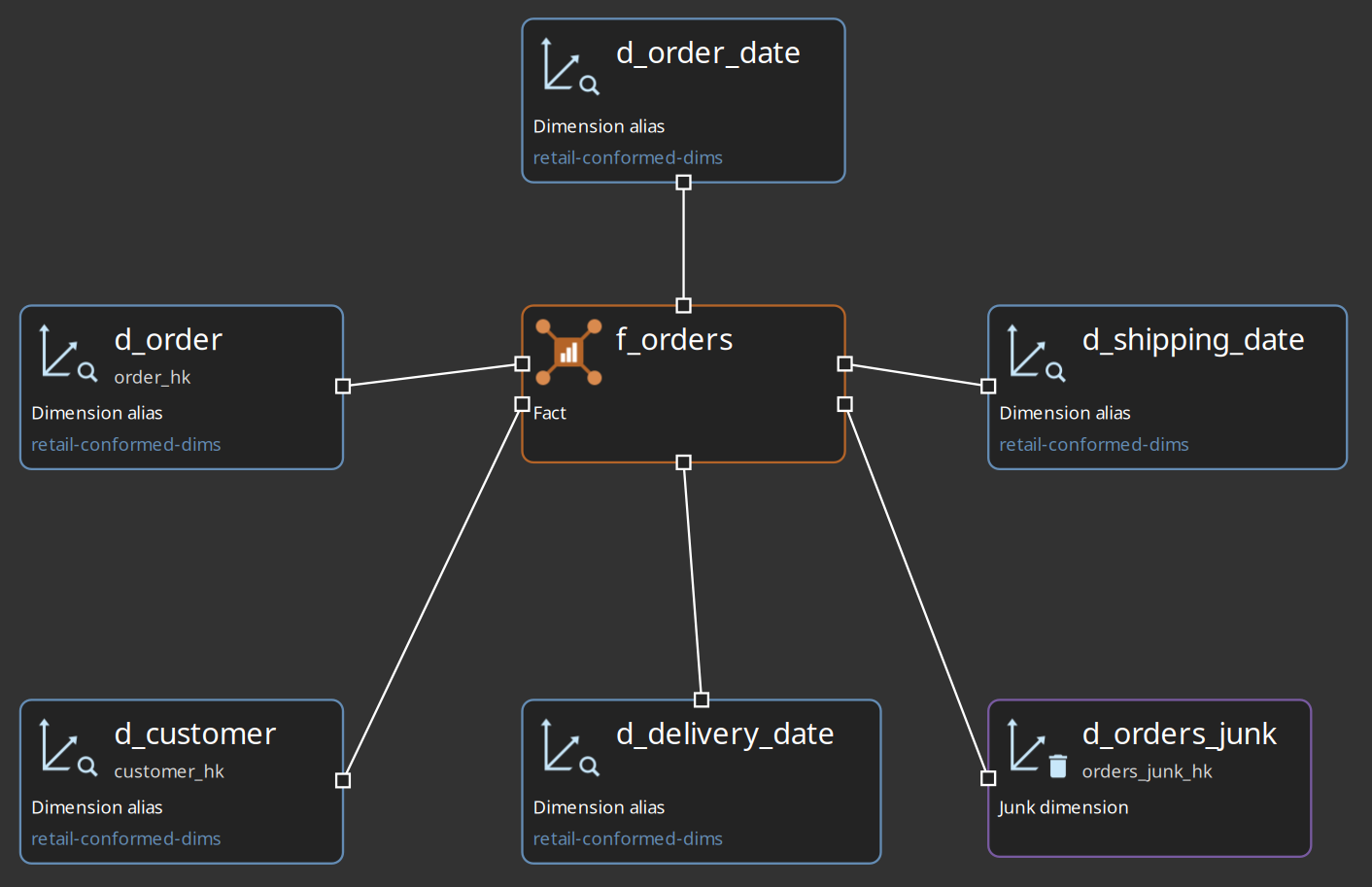
The f_order_lines fact in retail-f-order-lines.hdm reuses conformed dimensions from retail-conformed-dims and adds role-playing date dimensions for order, shipping, and delivery dates. Facts are tagged with Business / process levels from metadata retail-bus; open the bus matrix from resource definition group retail-sources.
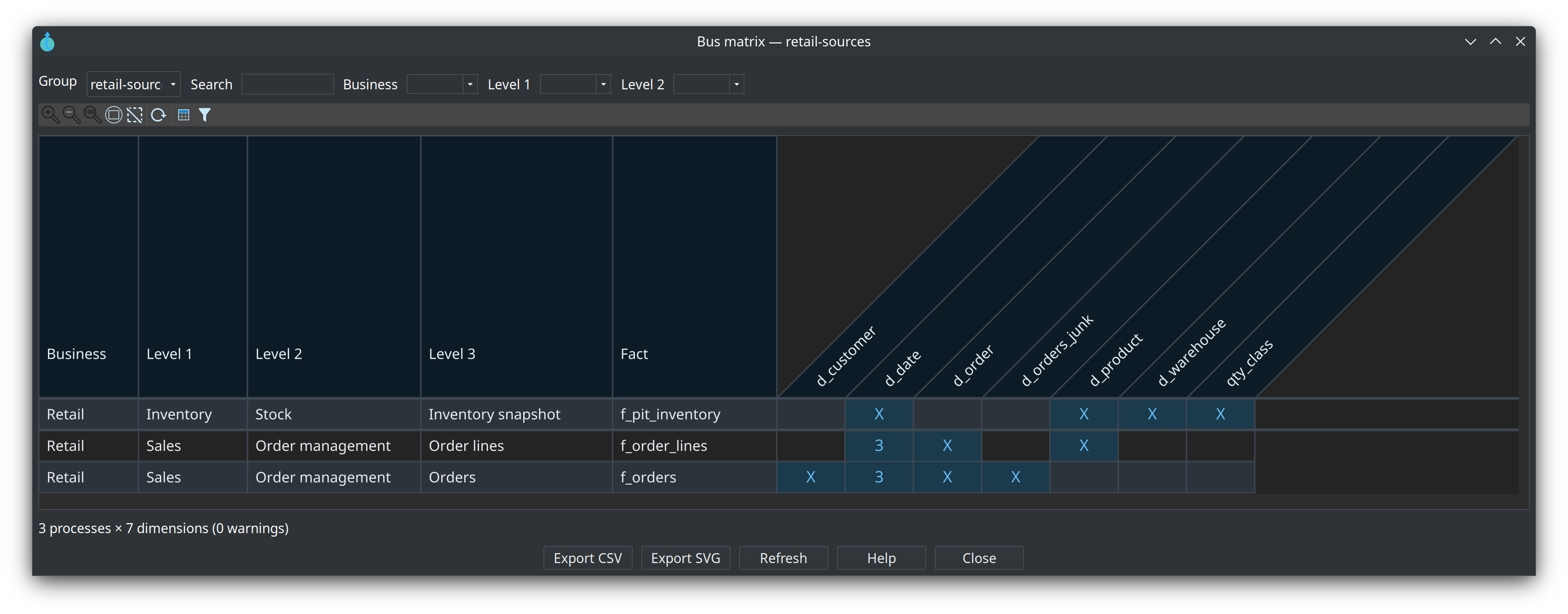
Its source SQL reads line_number from lnk_order_line (dependent child key on the transactional link) and measures from the current row of sat_lnk_order_line:
Reference: Business Vault overview, Dimensional modeler overview.
Chapter 7 — Execution map (optional)
-
Open a generated map under
work/execution-maps/(for exampleupdate-retail-dv-bv-dm.hemorsimulate-6-months.hemafter a crawl/run). -
Explore the crawled graph: root workflow → nested workflows and pipelines → models → generated pipelines → source datasets.
-
Drill into nodes (double-click) to focus on one layer at a time; use the breadcrumb bar to navigate back.
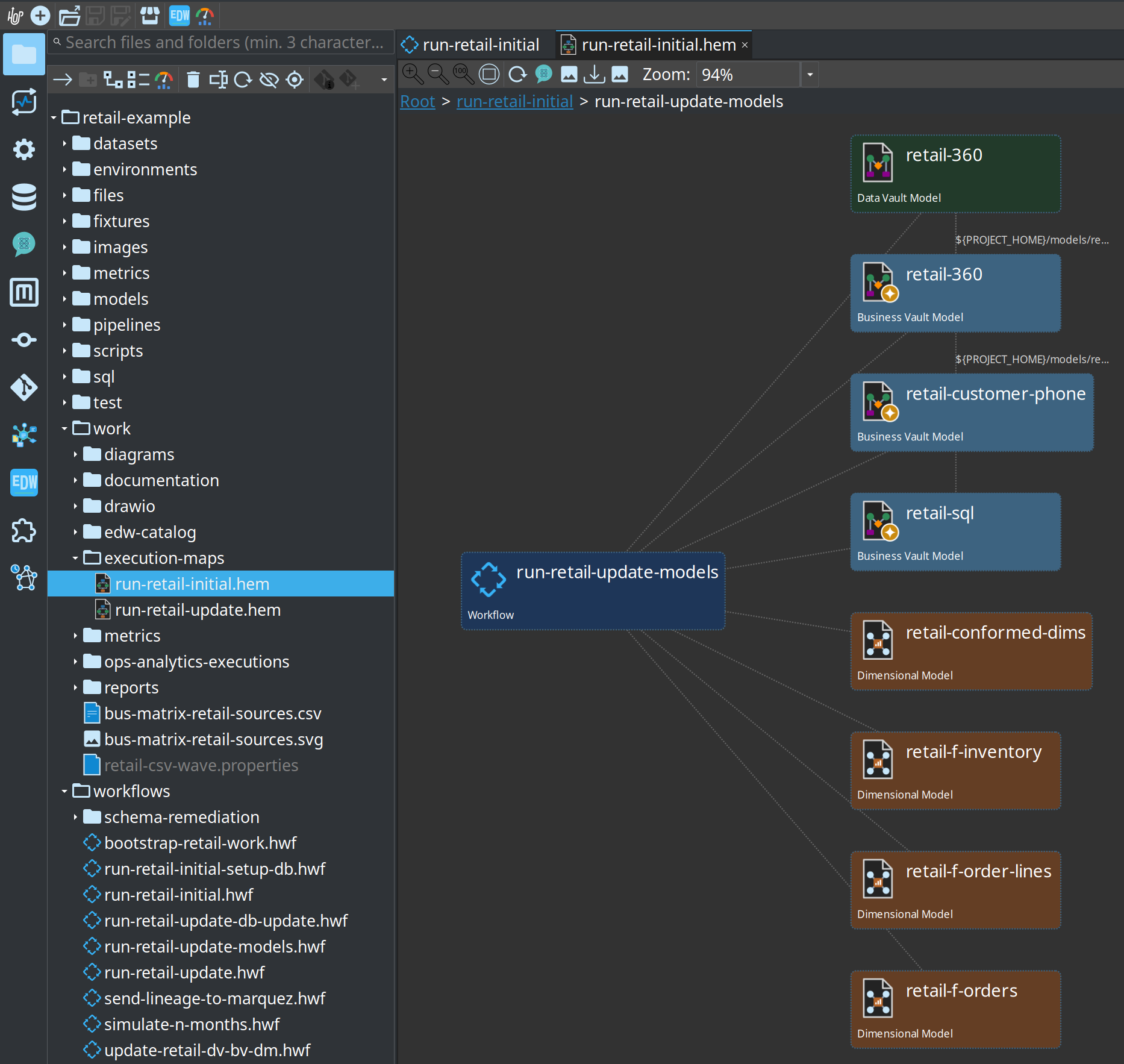
The simulate-6-months map crawls workflows/simulate-6-months.hwf: an initial load followed by update-6-times.hpl, which runs run-retail-update.hwf six times.
Reference: Execution maps.
Chapter 7b — Hop Lineage View (optional)
-
Start Marquez:
./scripts/run-marquez.sh up. -
Export model-derived lineage:
./scripts/run-hop.sh retail-example workflows/send-lineage-to-marquez.hwf(or enable the export hop onrun-retail-update-models.hwf). -
Open
models/f_orders-upstream.hlv— or click a fact such asf_pit_inventory/f_ordersand choose Show lineage.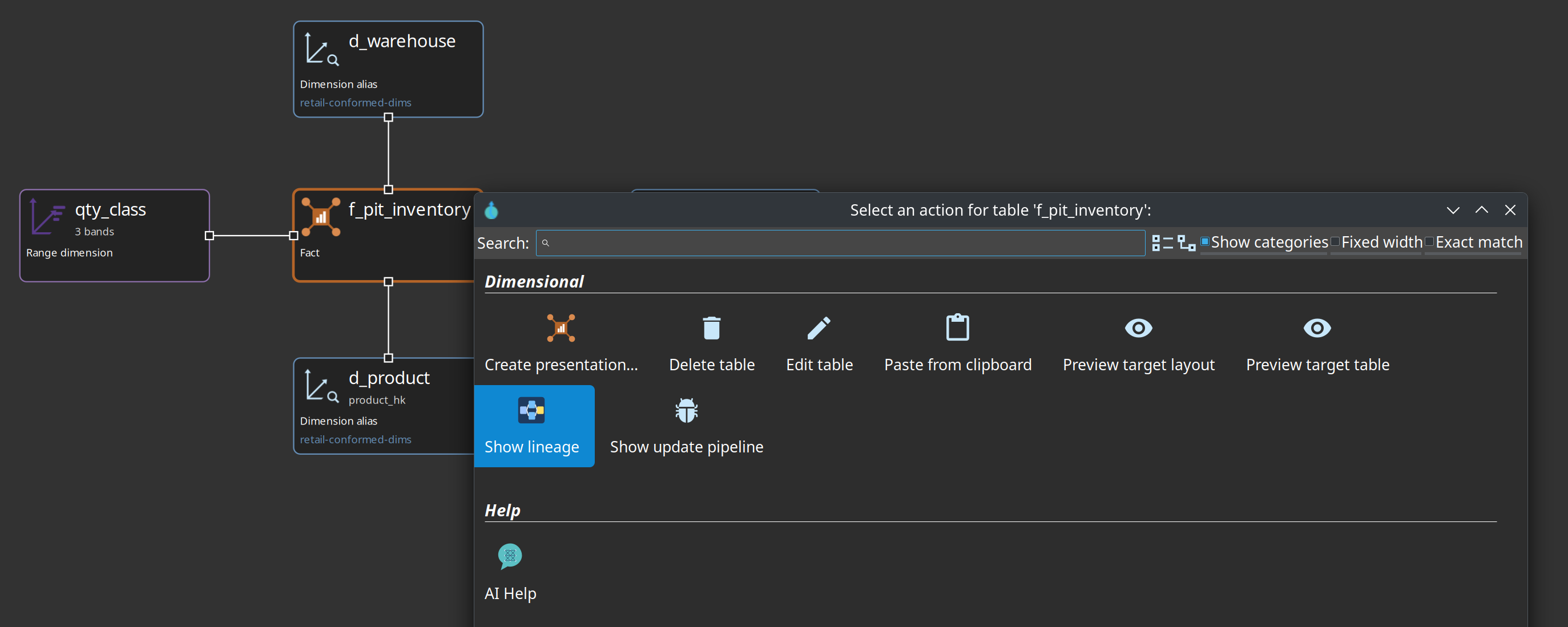
-
Walk upstream into BV/DV/source. Click a node to open the model, catalog record, or generated pipeline.
-
Duration badges (when Overlay OPS load times is on) come from the Hop OPS database. Marquez “latest run” is the last export, not the last load.
-
Click a node name to fill the right-hand Markdown details pane (View as HTML opens the same document in a browser).
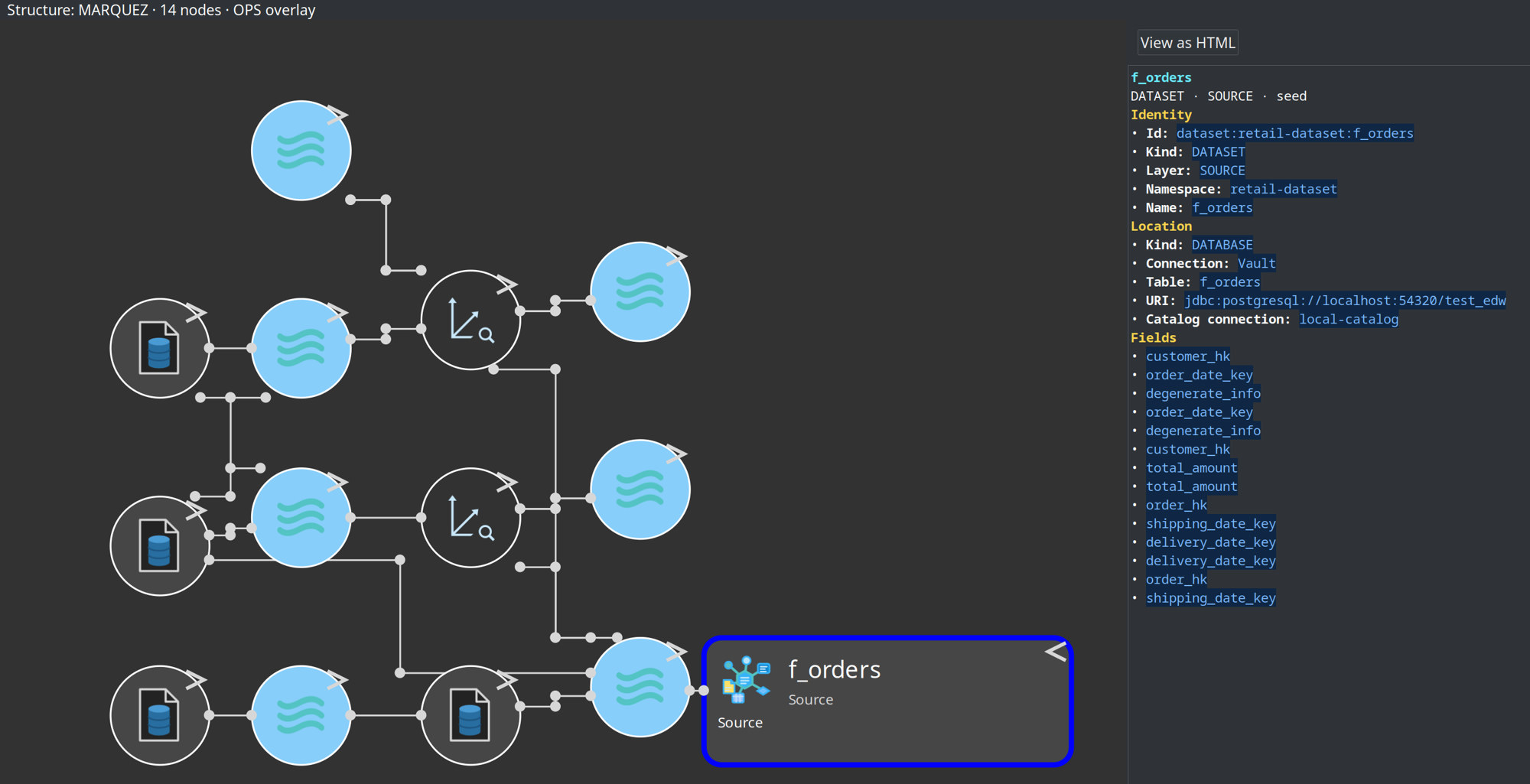
Backend Marquez-Localhost uses ${MARQUEZ_API} (suffix stripped to the host). Prefer ${MARQUEZ_BASE_URL} = http://localhost:5001 on new backends. Namespaces must match the export (${MARQUEZ_NAMESPACE_JOB} / ${MARQUEZ_NAMESPACE_DATASET}).
Reference: Hop Lineage View, OpenLineage export.
Chapter 8 — Troubleshooting
| Symptom | What to check |
|---|---|
Connection errors |
Postgres running on 54320; |
Catalog entry won’t open |
Namespace matches folder; refresh catalog (F5) |
Model check type errors |
CRM tables exist; run initial workflow’s CRM load first; validate catalog fields vs live schema |
Stale plugin behavior |
Restart Hop GUI after installing 0.8.0 (on Apache Hop 2.19.0) |
Need clean slate |
|
Lineage view empty / |
Marquez up ( |