When a source model (.hsm) already has tables, primary keys, and relationships, you can generate hubs, satellites, links, and reference tables into a new or existing Data Vault model (.hdv) instead of wiring every object by hand.
This is a raw-vault starter. Review the proposals, then refine names, business keys, and Business Vault work as usual.
Where to start
-
Source modeler toolbar / canvas: Generate Data Vault… Uses the selected table, query, JSON, and pipeline cards, or every card if nothing is selected. You choose a new
.hdvor an existing one. -
Data Vault modeler toolbar / canvas: Generate from source model… Pick an
.hsmand apply into the open vault (one undo). The coach panel Generate DV button opens the same path. -
AI Help on a Data Vault model includes a compact classification of sibling
.hsmfiles in the same folder so the advisor can refine the same heuristic instead of starting from scratch. -
AI Help on the source modeler (
.hsm) is chat-only and uses the same classification JSON so you can review Generate Data Vault before applying it on the canvas.
All of those paths open the same review dialog.

Review dialog
Uncheck a row to skip that object. Edit Vault name before Apply. Options on the same screen (not a wizard):
-
Create links for leftover foreign keys (for example
order_header.customer_id→lnk_order) -
Create hub satellites from descriptive columns
-
Exclude load-date / record-source columns
-
Exclude foreign-key columns from satellites (uncheck to keep them for raw audit)
-
Classify lookup / code tables as reference tables (
ref_*) -
Create hierarchy links (and a hub alias) for self-referencing foreign keys
-
Create one n-ary transactional link when a query, JSON, or pipeline feed has leftover keys to two or more hubs
-
Include source queries, JSON extractions, and pipeline cards
-
Publish unpublished tables to the catalog when the source model has a catalog connection
From the source modeler, choose New Data Vault model, Existing Data Vault model, or Split into hub and link models. From an open Data Vault model the same review can apply into This Data Vault model or split instead. Split does not write into the model that is already open.
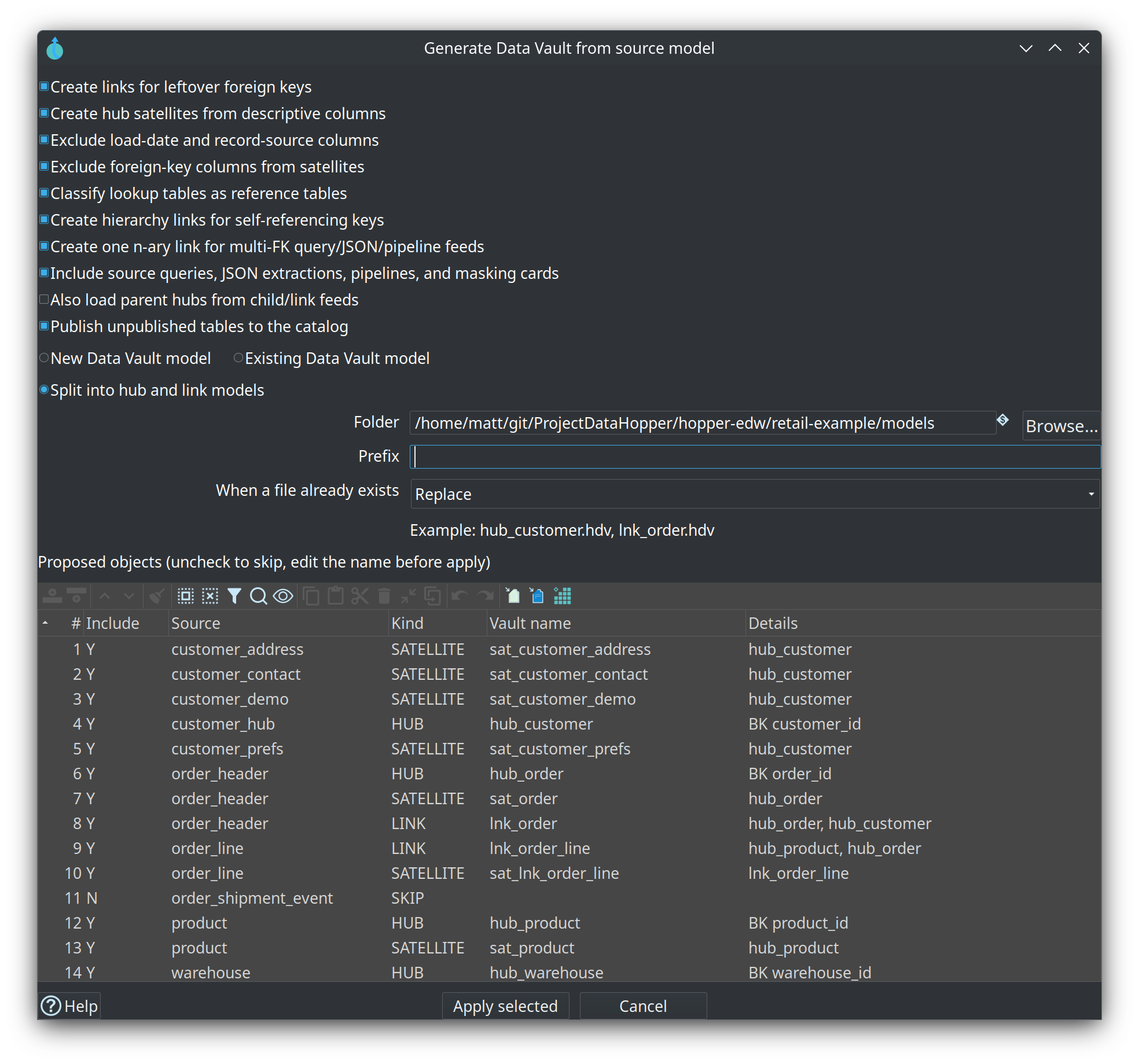
Split into hub and link models
Use this when one generated canvas would be too large to review or to merge. Apply still classifies once. The result is written as separate .hdv files:
| File | Contents |
|---|---|
One file per hub |
That hub and the satellites whose parent is the hub |
One file per link |
That link, its link satellites, and a linked-table card for every participating hub |
One file per reference table |
That reference table only |
Link files do not copy hub metadata. Each hub card is a cross-model linked table (referencedModelFilename, usually ${PROJECT_HOME}/…). A hierarchy link keeps the natural hub and the parent role alias (hub_*_parent) as two linked tables that point at the hub file. Linked tables are not loaded and do not get their own DDL.
On the review dialog:
-
Folder — where the files are written. Defaults to the source model’s folder, or
${PROJECT_HOME}/modelswhen that variable is set and the source file has not been saved. -
Prefix — optional text in front of each file name.
awis stored asaw_, so a hub becomesaw_hub_customer.hdv. Leave it empty to keep the vault object name. -
Naming scheme — when the project has a Data Vault model naming scheme (
edw-dv-model), that scheme formats the file name. Hub, link, and satellite schemes are not applied again; the object names already use them. The dialog shows an example of the first hub and link file. -
When a file already exists — Skip (default) leaves the file untouched and does not merge new satellites into it. Replace overwrites the whole file.
Load hub and reference files before link files. Add the new files to the resource definition group before a group update; generation does not edit the group. Check each model you open. The confirmation lists how many files were written and does not open a tab per file.
How sources are classified
The classifier uses column membership, not the stored child/parent labels, so inverted relationship edges still work. Query, JSON, and pipeline cards use the same grain rules as tables.
| Source shape | Generated objects |
|---|---|
Several tables (or a query at the same grain) share the same primary key |
One hub (kernel table, preferring names like |
Primary key is two or more foreign keys (+ optional extras) |
Link + optional link satellite; leftover key parts become dependent child keys |
Own primary key, plus leftover foreign keys |
Hub + optional satellite + binary link(s) |
Small lookup / code table (incoming FKs, few attributes, or a name like |
Reference table ( |
Self-referencing foreign key (for example |
Hub + hub alias ( |
Query / JSON / pipeline with its own identity and leftover FKs to two or more hubs |
Hub + satellite + one n-ary transactional link |
JSON or pipeline with its own key and a parent FK |
Hub + satellite + binary (or n-ary) link to the parent hub |
Isolated table with no table-to-table relationship |
Skipped — draw relationships first, or map it from a JSON/pipeline child |
No primary key (and no inferable identity on a feed) |
Skipped |
Retail CRM example
Selecting the landing tables in retail-example/models/source-tables-crm.hsm is expected to propose:
-
hub_customerplussat_customer_demo,sat_customer_contact,sat_customer_address,sat_customer_prefs -
hub_product/sat_product,hub_warehouse/sat_warehouse,hub_sales_rep/sat_sales_rep -
hub_order/sat_order/lnk_order -
hub_order_repand leftover-FK links tohub_sales_repwhenorder_repis in the model -
lnk_order_line/sat_lnk_order_line(dependent child keyline_number) -
lnk_warehouse_product/sat_lnk_warehouse_product -
order_shipment_tracking(JSON) ashub_order_shipment_trackingplus a leftover-FK link tohub_order -
asn-package-lines(pipeline) ashub_asn_package_linesplus one n-ary link to the order, product, warehouse, and customer hubs
order_shipment_event is skipped (no table-to-table relationship). The JSON child of that event is classified.
After apply
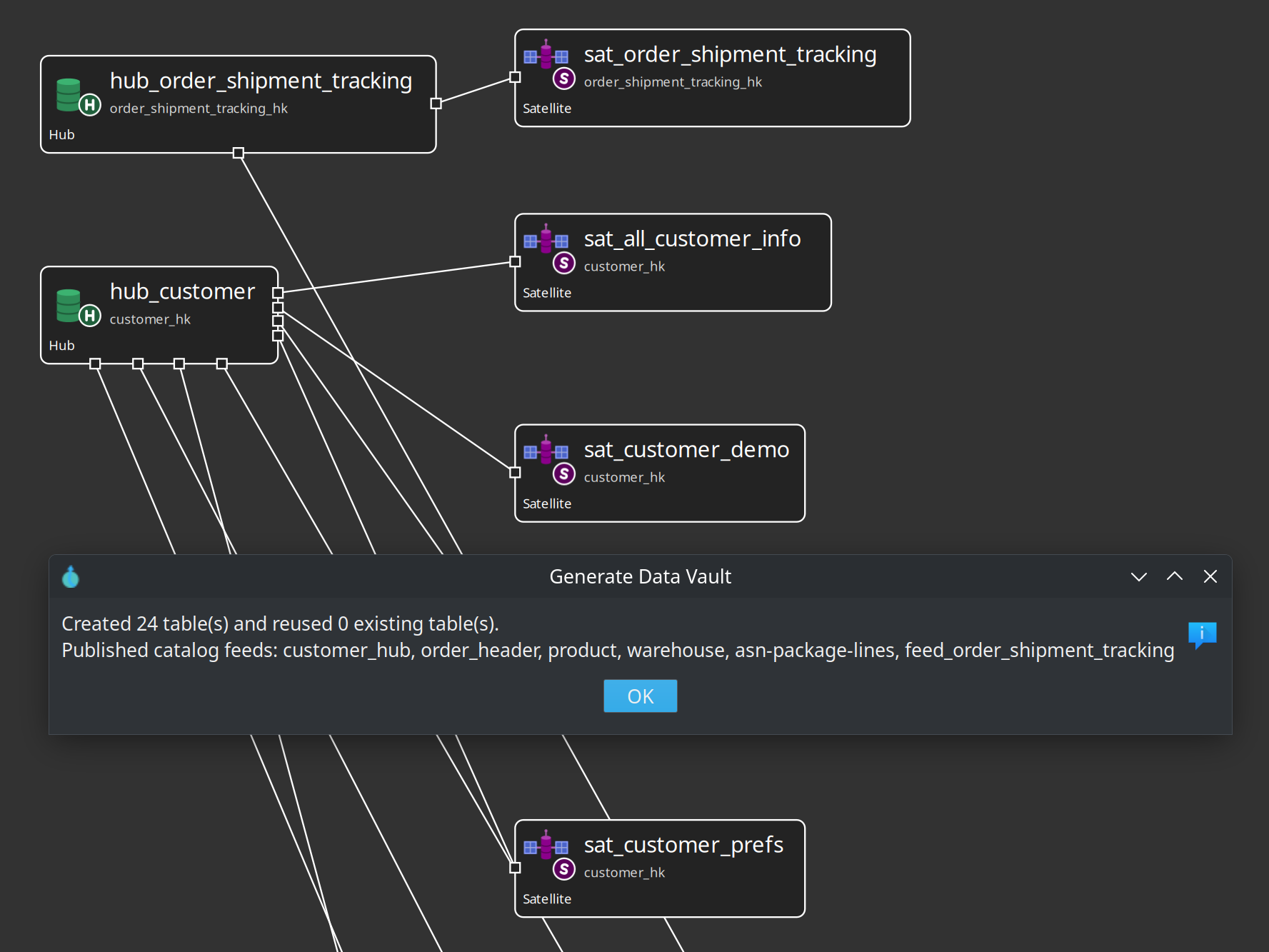
-
Check model on the
.hdv. -
Open each new table if you need to adjust keys or mappings.
-
Run Data Vault Update as usual. Generation does not create pipelines by itself.
Existing vault tables are reused when a hub already has the same business-key source fields or catalog feed. Objects are never overwritten.
Related documentation
-
Linked tables / hub aliases (a single-file hierarchy uses a same-model hub alias; a split hierarchy stores that alias as a cross-model linked table)