Related guide: business-vault-scd2.
An SCD2 table in the Business Vault model (.hbv) materializes a functional Type 2 timeline from one or more raw Data Vault satellites: version rows with validity bounds (valid from / valid to), not a Type 1 overwrite table and not a PIT pointer table.
Use this dialog to name the target, choose satellite derivatives, set the functional timestamp and build mode, and map attributes for multi-satellite merges.
What this table is for
-
Harmonize multi-satellite history into one consumable timeline (for example Customer 360).
-
Keep organizational memory: each business change becomes a new version with closed/open validity intervals.
-
Feed downstream dimensional models, reports, and other BV objects with a clean SCD Type 2 grain.
Raw vault satellites remain insert-only (technical load history). SCD2 rewrites that history into business-effective intervals driven by the functional timestamp you configure.
General
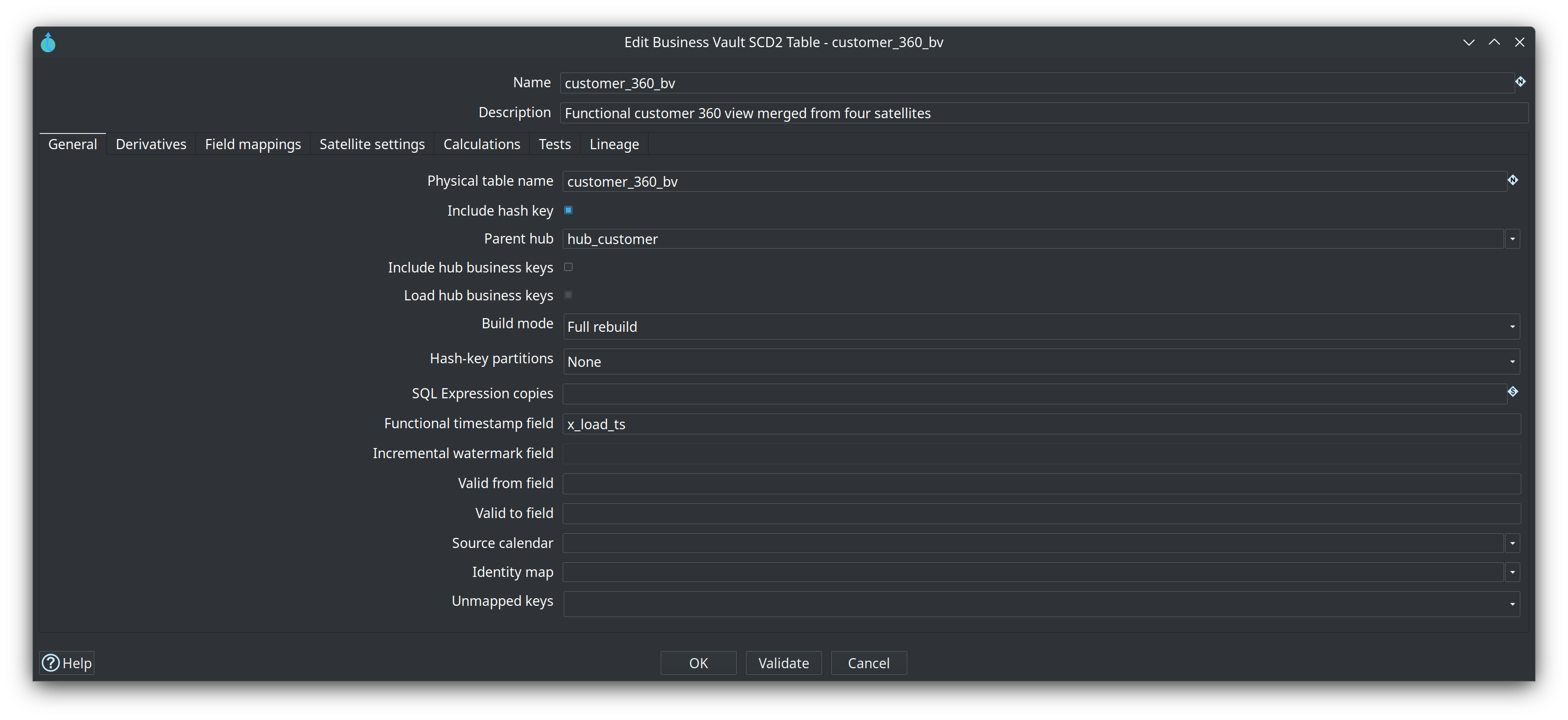
| Field | Purpose |
|---|---|
Name |
Logical name of the SCD2 table on the canvas and in the model. |
Physical table name |
Target table in the Business Vault database. |
Derivatives |
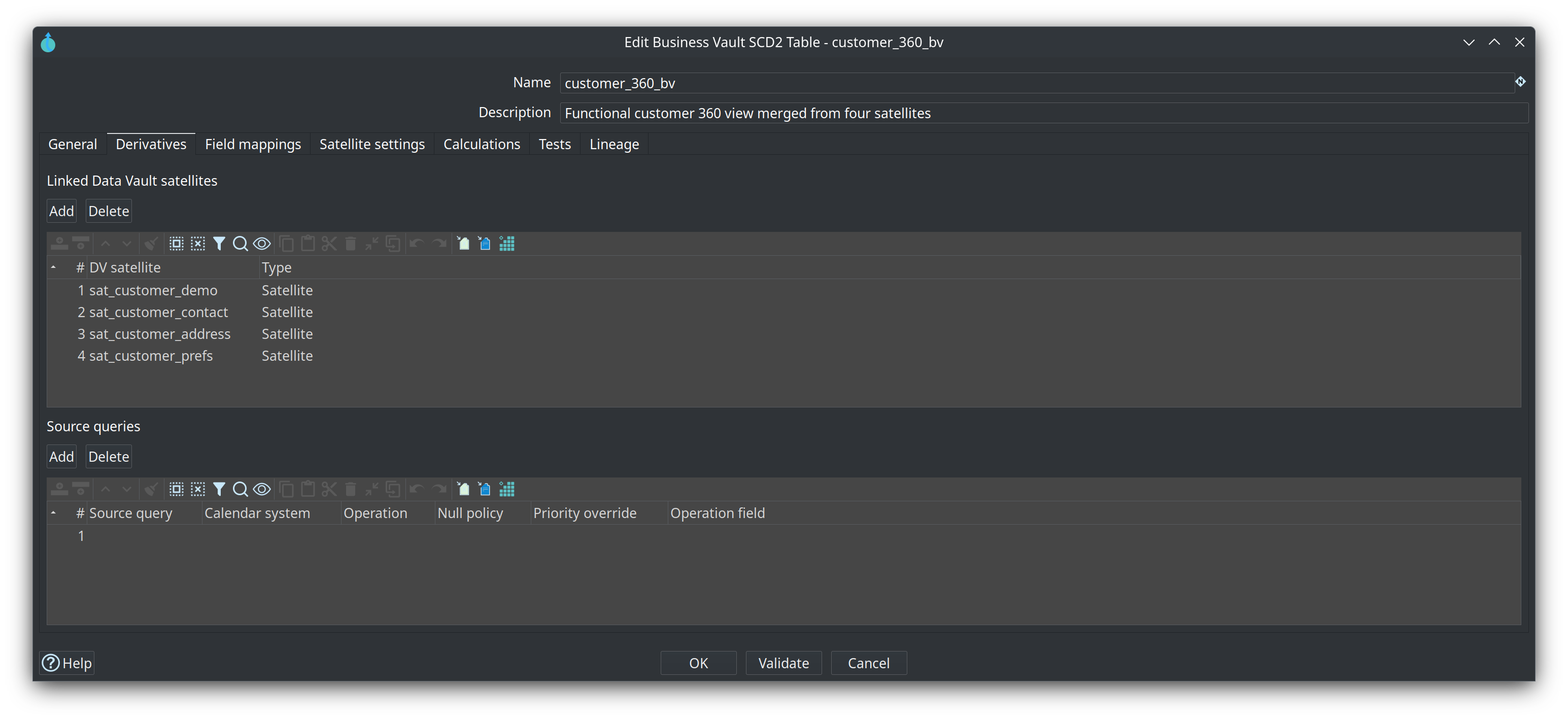
On the Derivatives tab: linked DV satellites and source queries. At least one satellite or source query is required. |
Include hash key |
When enabled, the parent hub hash key is written to the BV table. |
Parent hub |
The hub this SCD2 timeline is for, and where the business key(s) live. Drag a Linked Hub onto the SCD2 table on the canvas (one hub only) or pick it here. The canvas draws that link so you can see grain identity next to the satellite feeds. Linked satellites and source queries are all sorted and merged on that hub’s hash key plus the functional timestamp. Leave empty to infer from linked satellites. Set this when the SCD2 is fed only by source queries. Validate / Check model reports an error if the name is not a Linked Hub or a hub in the loaded Data Vault model. |
Include hub business keys |
When enabled, that hub’s business key columns are left-outer Merge Joined after collapse, immediately before SQL calculations. They are available for calculations but they do not drive new versions. Requires Include hash key. The SCD2 merge/repeat/incremental path is unchanged. |
Load hub business keys |
Enabled when Include hub business keys is selected. When checked (default), hub business key columns are written to the BV table. Uncheck to keep them on the stream for SQL calculations only. |
Functional timestamp |
Column used as the timeline for validity bounds (see resolution order below). |
Build mode |
|
Hash-key partitions |
|
Incremental watermark field |
Optional BV column for |
Valid from / Valid to |
Output column names for SCD2 interval bounds (model defaults apply when empty). |
Source calendar |
Optional cutover calendar on this canvas. Empty keeps every satellite row. When set, open Satellite settings and pick a Calendar system for each satellite. Source queries are set on the Derivatives tab. This is not a field on the Data Vault satellite. |
Identity map |
Optional shared raw-to-durable map. Empty keeps the raw hub hash. When set, the grain column holds the durable hash. Incremental loads new satellite rows after the watermark. A raw key whose map version changed is replayed when the satellite uses the Business Vault connection; otherwise run a full rebuild after the map changes. Hash-key partitions stay a full rebuild. |
Unmapped keys |
Blank uses the map default. |
Functional timestamp resolution
Priority order:
-
Per-satellite override in Satellite configs
-
Per-table functional timestamp on this dialog
-
Model-level functional timestamp in Business Vault configuration
-
Load-date fallback from Data Vault configuration (often
x_load_ts)
The functional timestamp drives interval boundaries — not the technical load date unless you choose that column explicitly.
Build mode
-
Full rebuild — truncate and reload the BV table from satellite history.
-
Incremental — read satellite deltas above a watermark, close the prior open version, append new versions. Prefer after an initial full load when history is large.
-
Hash-key partitions — optional 4 / 8 / 16 split on Full rebuild. A wrapper workflow truncates the target, then runs the SCD2 pipeline per partition with
'${PARTITION_COUNT}'and'${PARTITION_NUMBER}'. Honors Table Output, Native bulk, and Staging file. Disabled for Incremental. -
SQL Expression copies — parallel copies of the SQL Expression transform after collapse (default 1). Enter a number or a variable such as
'${SQL_EXPRESSION_COPIES}'so each environment can set its own value. Rows are round-robin distributed. Use this for CPU-heavy calculations on wide rows.
Use Debug or Show build pipeline on the canvas to inspect the generated Hop pipeline (and the partition workflow when enabled) before workflow runs.
Derivatives
Linked Data Vault satellites and source queries that feed this table. Customer 360 lists sat_customer_demo, sat_customer_contact, sat_customer_address, and sat_customer_prefs. Each source-query row has Calendar system, Operation, Null policy, Priority override, and Operation field.
Field mappings
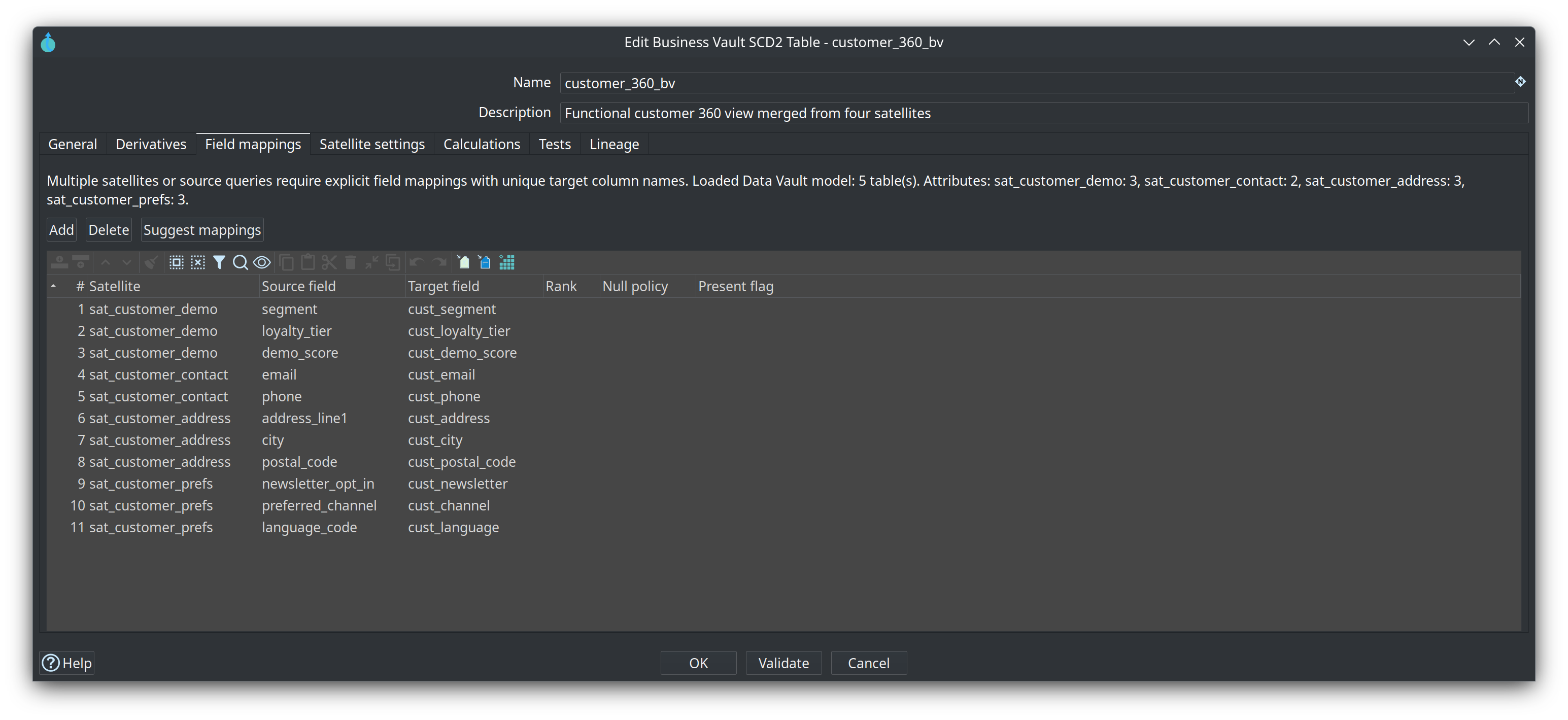
Required when two or more satellites or source queries feed the table. Map each (source, source field) to a BV target column name. Validate / Check model checks parent hub existence, source field existence on the satellite or source query, unique source and target names, that targets do not collide with hash key / validity / record-source columns, and that every persisted column name fits the target database identifier limit (PostgreSQL 63 characters, MySQL/SingleStore 64). Hash key, functional timestamp, and load date cannot be mapped as attributes.
Rank is blank when a target has one source. Two sources may share a target only when every row for that target has a rank. 1 wins over 2. Any rank switches the whole table to survivorship merge and a full rebuild. Null policy is blank to use the leg default: inherit keeps the previous value when this source is null, apply writes the null. Present flag is an optional source column: false means the null was absent, true means the null clears the value. Suggest mappings leaves rank and the present flag blank.
A Linked Hub / Parent hub is enough to resolve the grain hash key even when a satellite has no parent of its own. Generated Table Output and bulk-loader field lists include every mapping with Load enabled (you should not need Get fields on the loader to pick up mapped columns).
Suggest mappings first asks which linked satellites and source queries to fill (all are selected by default). It then reloads the linked .hdv from disk and adds one row per unmapped satellite attribute and per unmapped source-query column among the selection (hash key, functional timestamp, and load date on the source query are skipped). Target names stay unique on collisions and are truncated to the identifier limit. If nothing is added, a message explains why: Data Vault model not loaded (satellites only), satellite not in that model, source query not on the canvas, the satellite has no attributes (use Get attributes), or the source query has no columns (use Get fields). You do not need to close the BV tab after editing the .hdv or a source query.
The Field mappings tab shows how many Data Vault tables were loaded and how many attributes each linked satellite or source query has.
Single-satellite tables can pass attributes through under DV names unless you add explicit mappings for renaming or subsetting.
Validate always shows a result, including a short Data Vault resolution summary. It is not a silent no-op when there are no errors.
Satellite settings
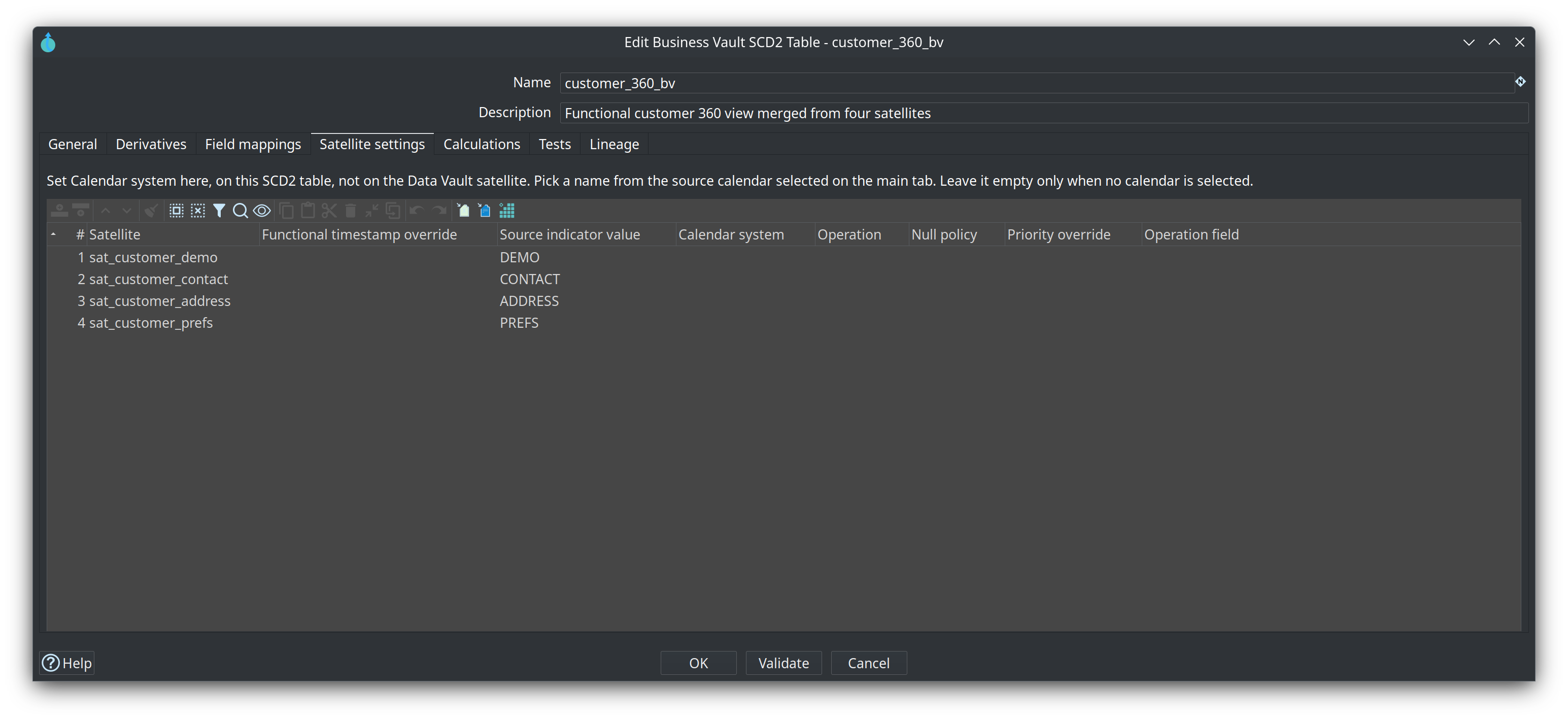
This tab is on the SCD2 table, not on the Data Vault satellite and not on the satellite alias. Open the SCD2 table, then this tab.
The grid has one row per linked satellite. Calendar system is how that satellite uses the source calendar selected on the main tab. The dropdown lists the names written on that calendar. Pick one. Several satellites can share a name when they come from the same system.
Using the calendar in the source calendar help:
| Satellite | Calendar system | What is kept |
|---|---|---|
sat_customer_demo |
ORACLE |
Rows from 1900-01-01 up to, but not including, 2024-03-01 00:00:00 |
sat_customer_contact |
KAFKA |
Rows from 2024-03-01 00:00:00 onward |
2024-02-29 23:59:59 on sat_customer_demo is kept. 2024-03-01 00:00:00 on that satellite is not. The same instant on sat_customer_contact is kept. The comparison uses that row’s functional timestamp.
Leave Calendar system empty only when Source calendar on the main tab is empty. Check model names this tab when a calendar is selected and a satellite has no choice.
The other columns:
-
Functional timestamp override — this satellite’s timestamp, when it is not the table default
-
Source indicator value — tag written on the merged row, and the record-source value when the satellite does not store one
-
Operation, Null policy, Priority override, and Operation field — used when this table ranks fields. They do not change which calendar rows are kept.
seedis valid only on a source query. Priority override is stored and is not the field rank.
Source queries are not on this tab. On the Derivatives tab, each source-query row has the same Calendar system dropdown.
If a derivative satellite has Store record source indicator unchecked, generated satellite TableInput SQL does not select the vault record-source column. The BV table still receives a record-source value from this config (or the satellite name).
Calculations
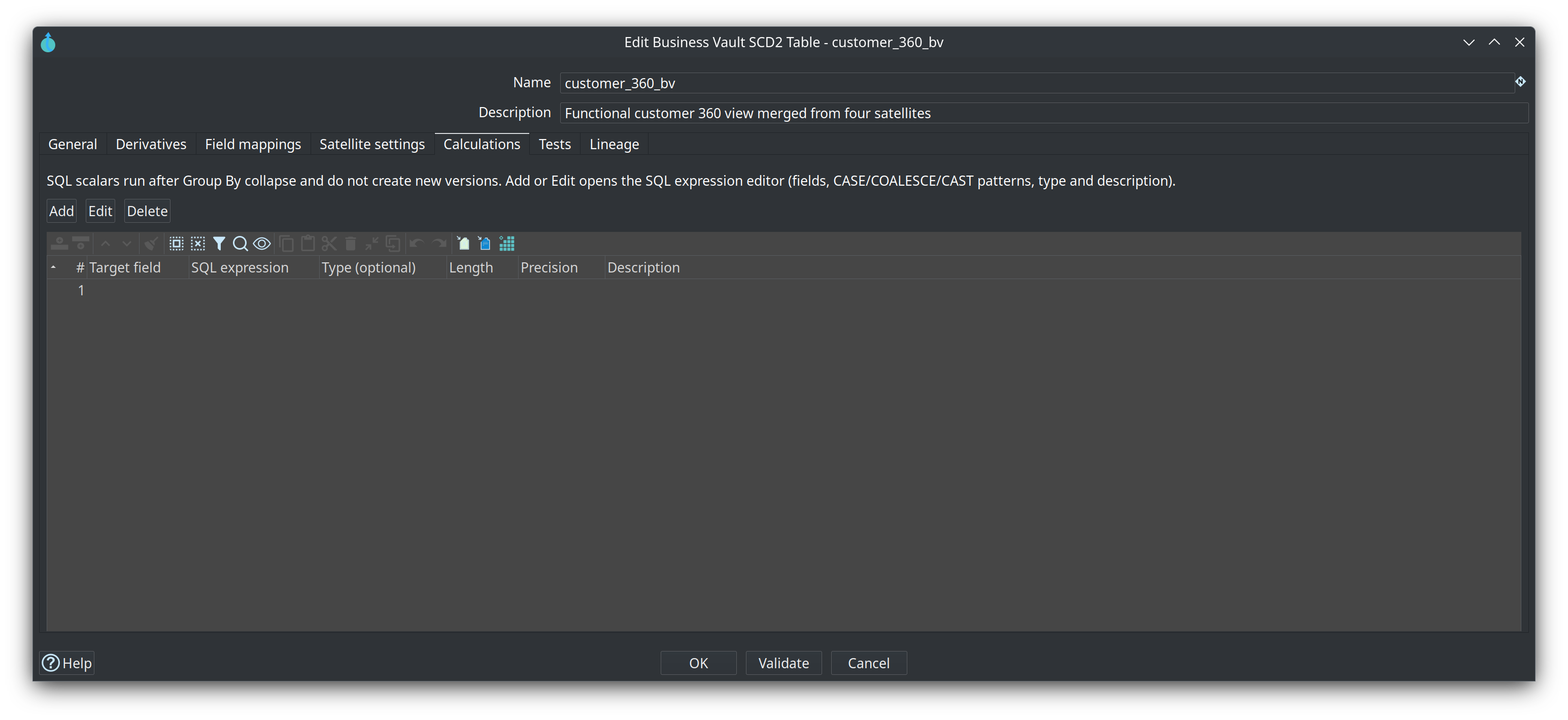
Optional SQL scalars applied after collapse. Add / Edit / double-click opens the SQL expression editor: result field name, type, length, precision, and description as widgets; a large SQL box; Fields and Patterns (CASE WHEN, COALESCE, CAST, …) insert at the caret.
Target names must be new columns. Expressions do not drive new SCD2 versions.
See Business Vault SCD2 and SQL Expression.
Tests
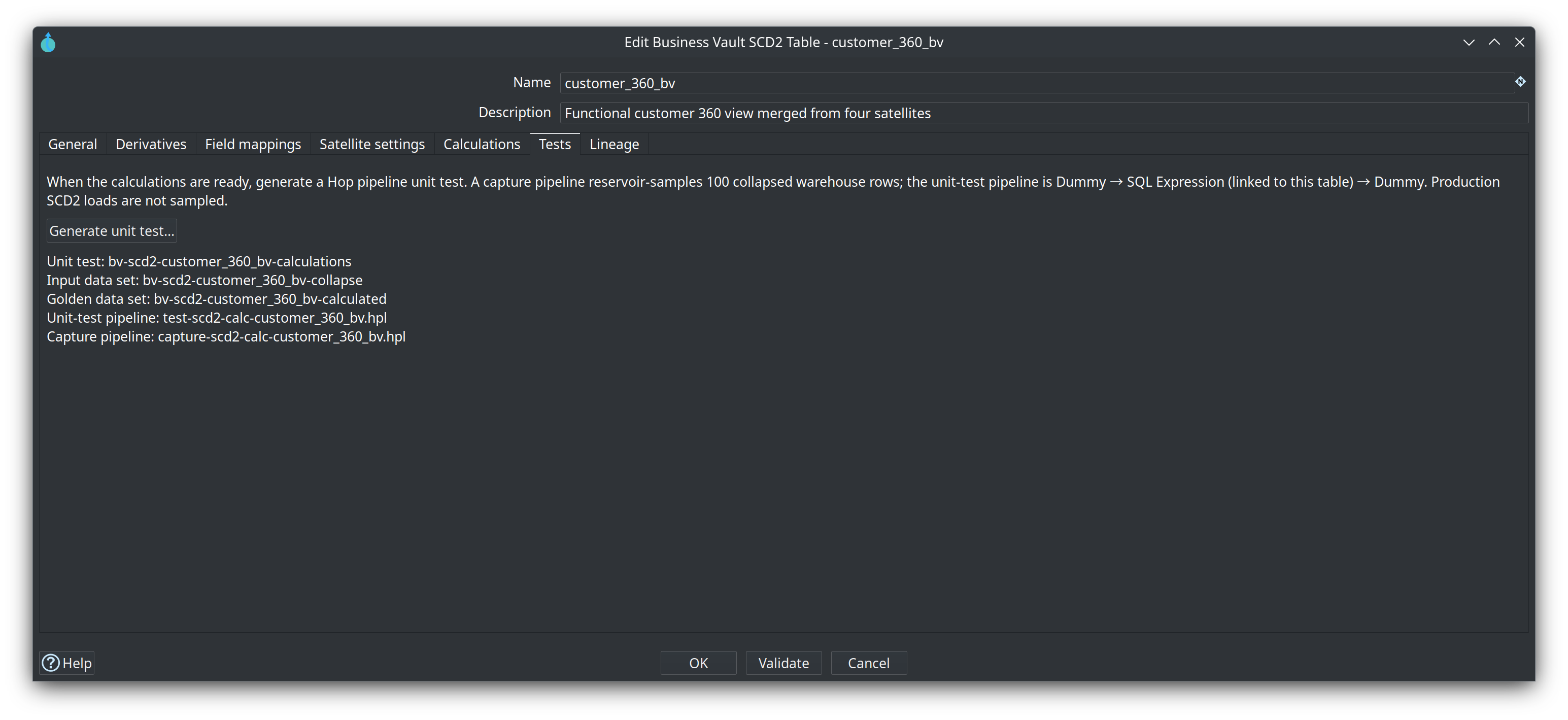
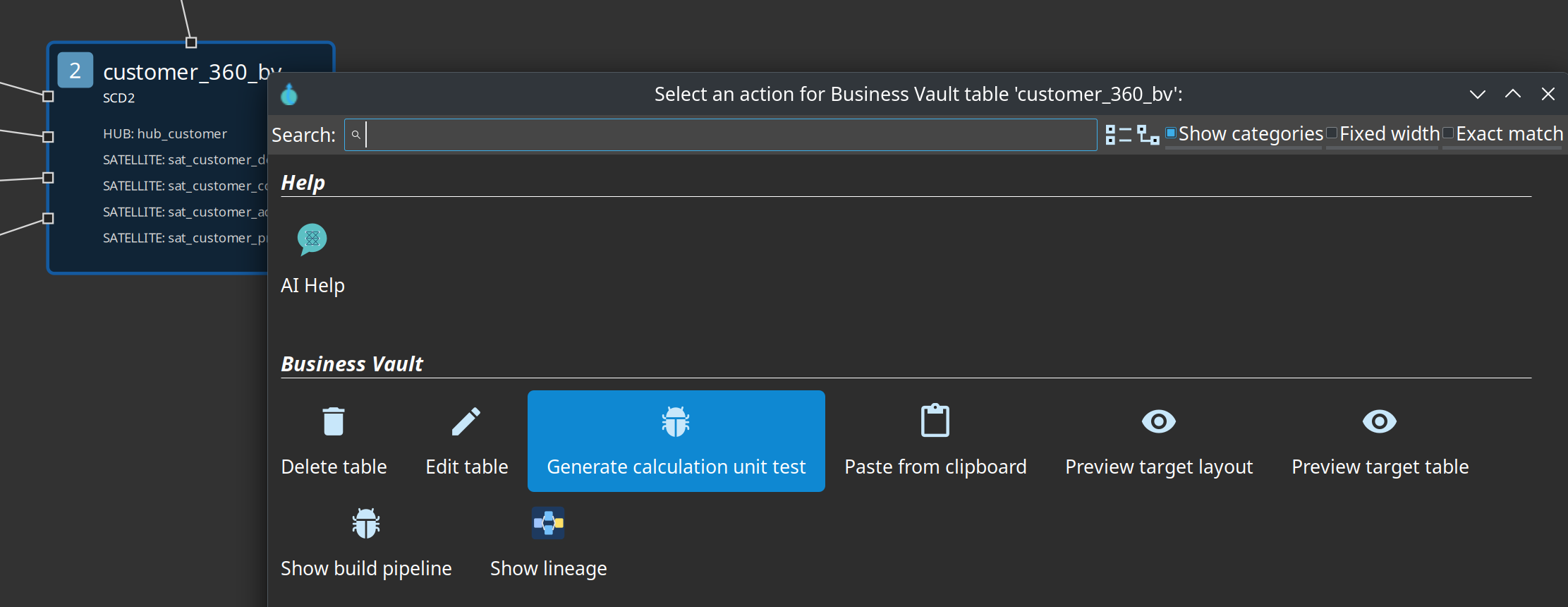
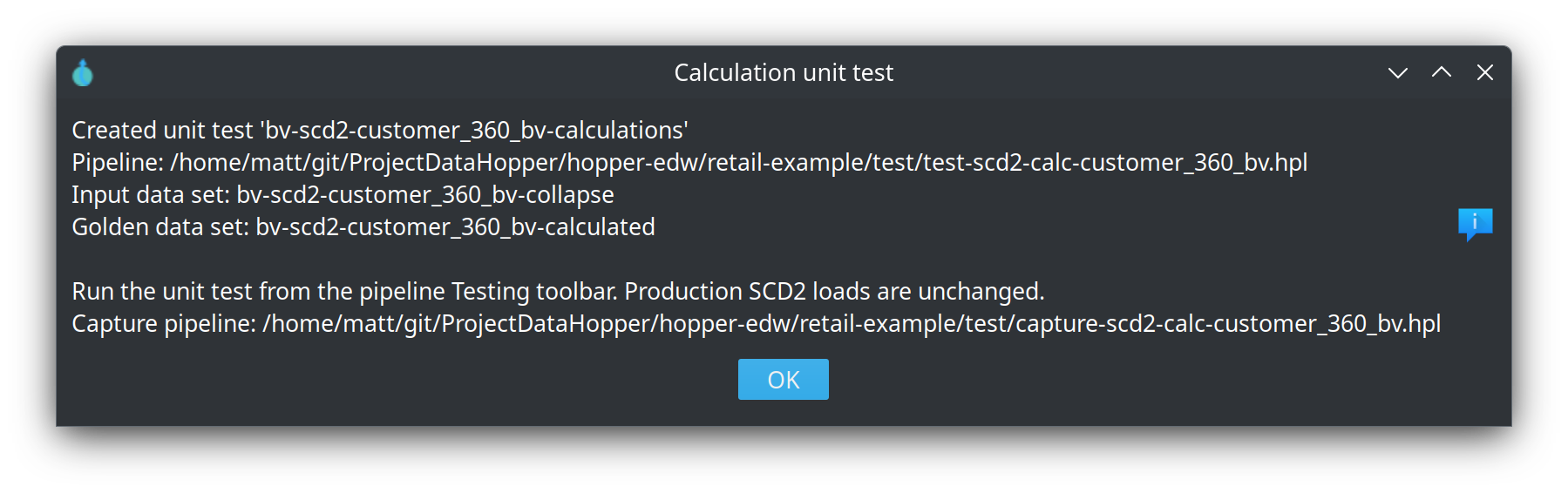
When calculations are ready, Generate unit test… (or the table context action Generate calculation unit test) creates a Hop pipeline unit test: input data set of collapsed rows, golden calculated rows, and a slim pipeline whose SQL Expression transform is linked to this table. Optionally sample 100 warehouse rows into those data sets. Production SCD2 loads are not sampled.

Lineage
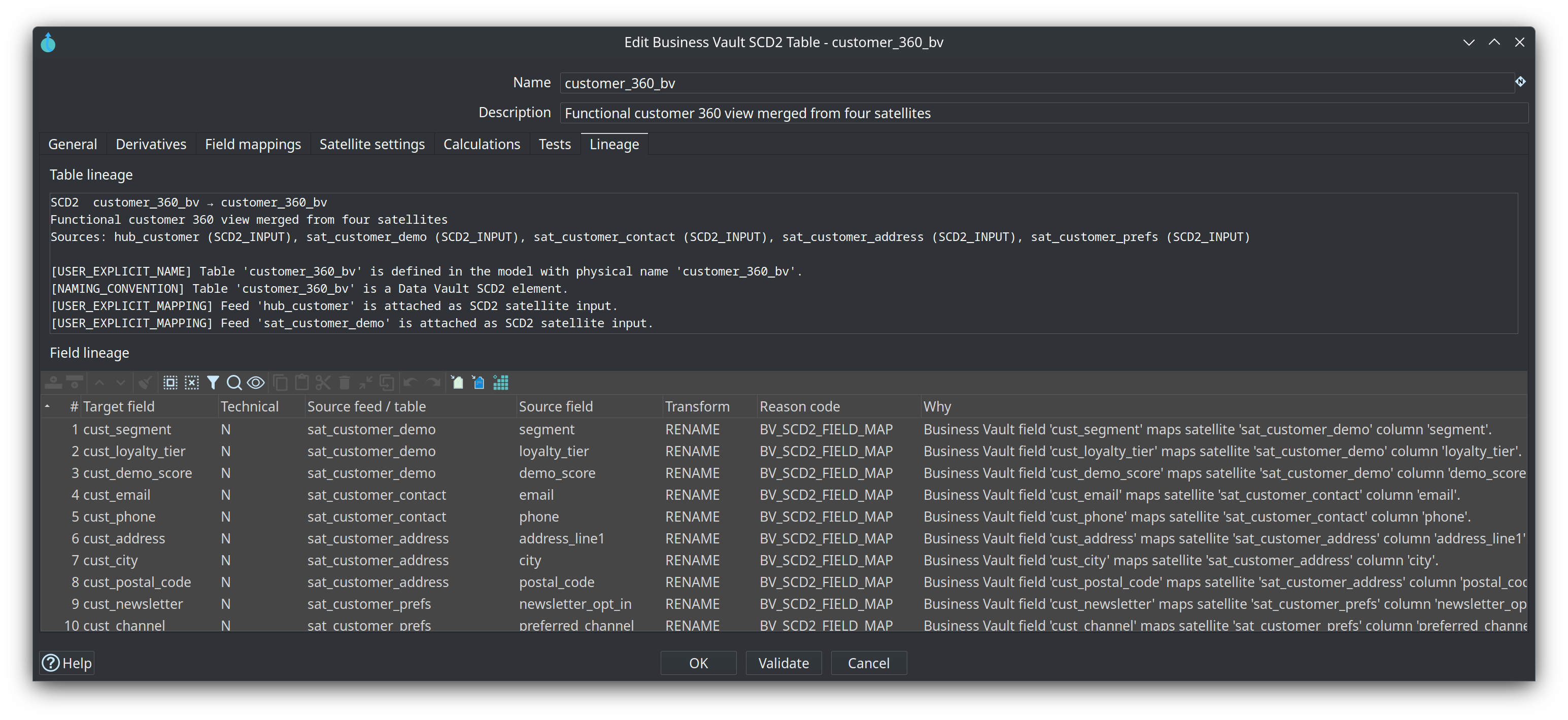
Read-only. Table lineage names the SCD2 table and its inputs (parent hub and each satellite or source query). Field lineage has one row per loaded column, with reason code BV_SCD2_FIELD_MAP for a mapped attribute.
Type 1 vs Type 2 (important)
This dialog builds pure SCD Type 2 only. Every mapped business attribute is carried on version rows; history is not rewritten when a “current” value changes later.
| Need | Recommended approach |
|---|---|
Full history / as-of attributes |
Keep them on this SCD2 table (Type 2). |
Always show the current value (e.g. current sales rep on old facts) |
Join a current object at mart or query time — open SCD2 row, latest satellite, or a BV SQL “current” table/view. Prefer hybrid Type 1 + Type 2 in the dimensional model, not by overwriting SCD2 history. |
Mix Type 1 and Type 2 in the same BV SCD2 table |
Not supported as a field mapping mode. Hybrid presentation belongs downstream or in a separate current-state object. |
Type 1 / Type 2 modes on a PIT table |
Wrong layer. PIT stores hub key + snapshot + satellite load-timestamp pointers; compose attributes (including always-current ones) when you join. |
Why not Type 1 “update all history” on BV SCD2?
-
As-of queries become silently wrong for columns that only look historical.
-
BV intermediate history should stay audit-friendly; back-propagating current values fights that role.
-
Mass updates across all versions are expensive and awkward with incremental watermarks.
Business Vault SCD2 is consumable organizational memory. Dimensional models own presentation rules such as hybrid slowly changing dimensions.
Longer guidance: project doc docs/business-vault-scd2.adoc (section Type 1 vs Type 2 and hybrid attributes).
Tips
-
OK can save the table even when Check reports errors. Some issues live in Business Vault or Data Vault configuration and cannot be fixed in this dialog. Use Validate or Check model to review them; Business Vault Update still fails until they are fixed.
-
Run Check model on the
.hbvfile before Business Vault Update or Debug. -
Confirm Data Vault target (read satellites) and Business Vault target (write SCD2) connections both resolve in project metadata.
-
After changing the linked
.hdvon disk, Suggest mappings and Validate reload it automatically. Saving the.hdvalso refreshes open Business Vault tabs that reference it. Reload DV model on the Business Vault toolbar remains available. -
External read-only satellites are skipped by Data Vault Update but remain valid SCD2 sources if the vault DB can read them.
-
Multi-satellite example:
integration-tests/tests/multi-satellite-bv/customer-360.hbv. -
Mono-source satellites often omit the physical source-indicator column. Uncheck Store record source indicator on the satellite; SCD2 loads still run.
Related docs
-
docs/business-vault-scd2.adoc— generation, incremental mode, multi-satellite -
docs/business-vault-pit.adoc— PIT (technical as-of pointers; sibling of SCD2) -
docs/business-vault-overview.adoc— BV layer roles -
docs/business-vault-update-action.adoc— workflow action that runs SCD2 and PIT builds