Creates a warehouse of the operational (OPS) database: source model, raw Data Vault, Business Vault, dimensional model, semantic selections, and two load workflows.
Open it from the EDW Journey toolbar or from Tools → Create operational analytics….
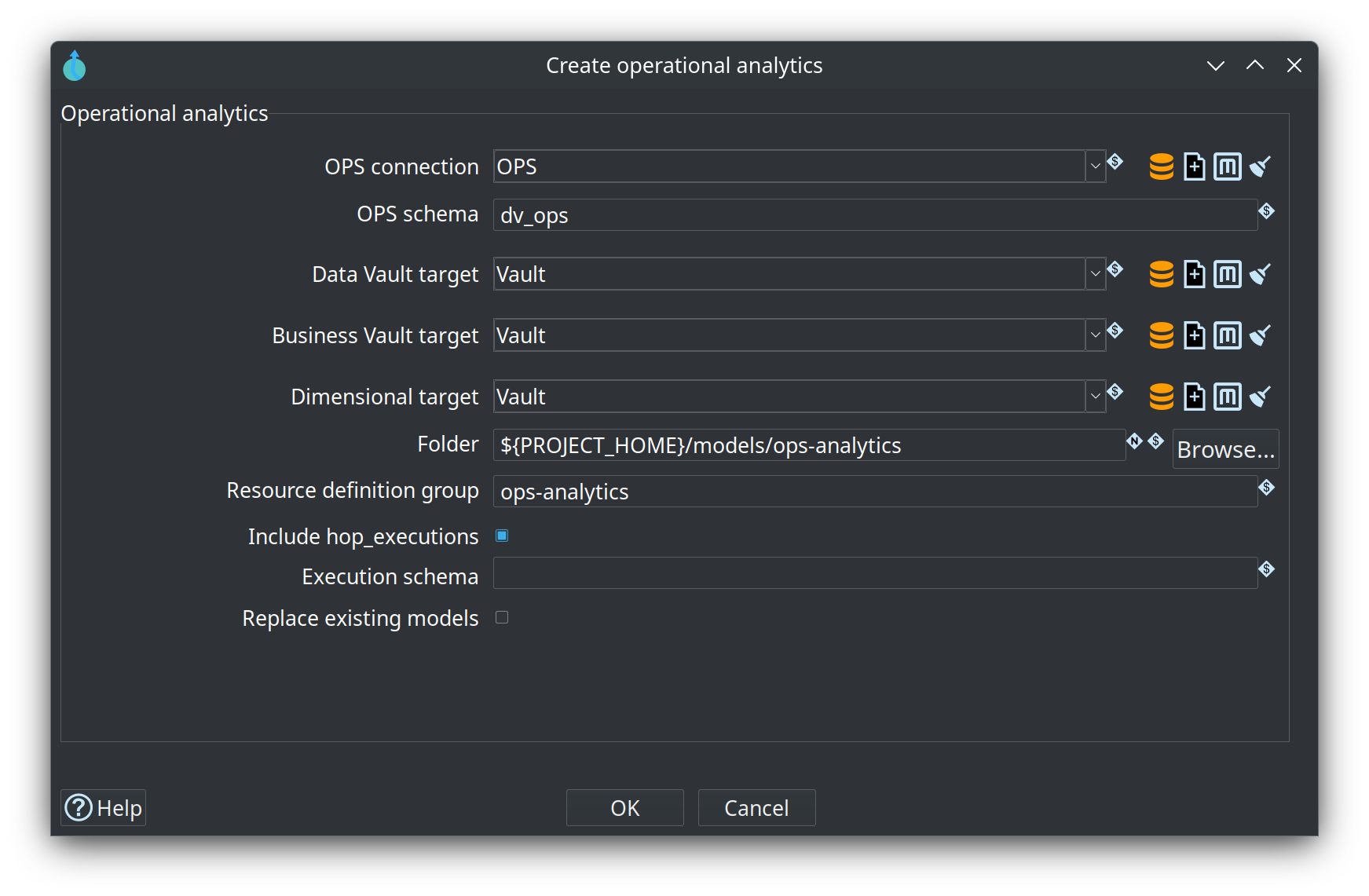
Retail fill-in: connection OPS, schema dv_ops, targets Vault, folder ${PROJECT_HOME}/models/ops-analytics, group ops-analytics. In this picture Include hop_executions is selected and the execution schema is blank. Replace existing models is off, so OK on the existing folder is refused.
What you choose
-
OPS connection and OPS schema. Retail uses connection
OPSand schemadv_ops. -
Data Vault, Business Vault, and dimensional target connections. Leave a target blank to reuse the OPS connection. Put schemas
ops_dv,ops_bv, andops_dmon those connections. The dialog does not change a connection’s schema. -
Folder. Default is
${PROJECT_HOME}/models/ops-analytics. -
Resource definition group. Default is
ops-analytics. -
Pipeline run configuration and workflow run configuration. Defaults are
ops-analytics-pipelineandops-analytics-workflow. Those configurations are created when they do not already exist. The pipeline configuration has no data profile. Both write execution information toops-analytics-executions, a file folder underwork/, instead of the OPS executions table. An existing configuration with the chosen name is left as it is. -
Include hop_executions when that table should be part of the source model. It is not joined to
workflow_execution_id. -
Replace existing models overwrites that folder and the
ops-analyticsconfigurations. Hop asks you to confirm. Other models in the project are left alone.
What gets written
The group lists Data Vault files with hubs before links, then the Business Vault, then the dimensional files. Dimensions are one file. Each fact is its own file and aliases those dimensions. Two workflows appear on the Journey orchestration stage:
-
ops-analytics-initialcreates the analytics tables and loads them. -
ops-analytics-incrementalloads again and does not change table structure.
Data Vault and Business Vault loads insert only new or changed rows. Dimensional facts insert on every run. The load does not publish metrics back into OPS.
If an OPS table is missing, the model is still generated. The first load of that table is empty.